Introduction: The Unsung Hero of Your Shopify Success – Theme SEO
When launching a thriving Shopify store, many entrepreneurs pour their energy into product selection, competitive pricing, and savvy marketing. However, one crucial element often gets overlooked – Shopify theme SEO.
Your theme is far more than just a pretty face; it's the fundamental framework that search engines use to understand your online presence. From how quickly your pages load to the very structure of your code, every aspect of your theme influences Google's ability to crawl and rank your website effectively.
Without an SEO-optimized theme, even your most brilliant marketing efforts might not reach their full potential. This comprehensive guide will reveal why SEO is paramount for Shopify themes and equip you with the strategies to optimize yours, driving more organic traffic, increasing conversions, and leaving your competitors in the dust.
What Exactly is Shopify Theme SEO, and Why is it Non-Negotiable for Online Stores?
Shopify theme SEO refers to the degree to which your store's design and underlying code align with search engine optimization best practices.
A meticulously optimized theme guarantees: advantages of a custom theme
- Lightning-fast load times
- Impeccably clean and semantic HTML
- Seamless mobile responsiveness
- Strategic use of meta tags and a clear heading hierarchy
- Universal accessibility for both human visitors and search engine bots
Conversely, a theme that neglects these principles can lead to sluggish performance, indexing headaches, and ultimately, lower search engine rankings. In essence, Shopify theme SEO acts as the vital bridge between captivating design and effortless discoverability – ensuring that stunning aesthetics never compromise peak performance.
How Do Themes Shape Your On-Page Optimization Efforts?
Your Shopify theme dictates your page layouts, image presentation, navigation flow, and content organization. Each of these elements directly impacts on-page SEO – the very metrics Google uses to gauge your content's relevance and quality.
For example, a poorly constructed theme might misuse heading tags (like placing an H3 before an H1), creating confusion for search engine crawlers. A well-built theme, however, employs semantic structure, a logical hierarchy, and accessible code to enhance clarity and maximize ranking potential.
Why Code Excellence Directly Impacts Search Engine Rankings
Google has a strong preference for clean, efficient code. When your Shopify theme is free from unnecessary scripts, inline CSS, and render-blocking resources, search engines can navigate and index your pages with greater speed and precision. speed
Themes burdened by bloated JavaScript or unused Liquid files can severely degrade performance – a critical ranking signal. This underscores the importance of selecting a theme built with an SEO-first architecture for sustained, long-term success.
What are the Essential SEO Pillars Every Shopify Theme Must Possess?
Every Shopify theme must possess four essential SEO pillars to rank well and convert organic visitors: lightning-fast performance and Core Web Vitals, clean semantic code with proper heading hierarchies, comprehensive built-in JSON-LD structured data, and fully responsive mobile-first design.
Immaculate, Lightweight, and Semantic Code Foundation
The hallmark of a superior theme is its foundation of clean HTML5 and Liquid syntax. Steer clear of themes that lean heavily on extensive libraries or inline CSS. Lightweight themes not only elevate performance but also simplify the process for search engines to interpret your content.
Flawless Mobile Responsiveness and Adaptive Design
A staggering 70%+ of online shoppers browse using their mobile devices. With Google's mobile-first indexing, your theme absolutely must render perfectly across all screen sizes. Validate your theme's responsiveness using tools like the Google Mobile-Friendly Test and Shopify's built-in Preview Mode.
Strategic Implementation of Meta Tags and Structured Data
Ensure your theme provides robust support for customizable meta titles, descriptions, and alt attributes. Furthermore, integrate JSON-LD structured data for products, customer reviews, and breadcrumbs to significantly enhance your click-through rates directly from search engine results pages (SERPs).
Optimized Images and Efficient Lazy Loading Techniques
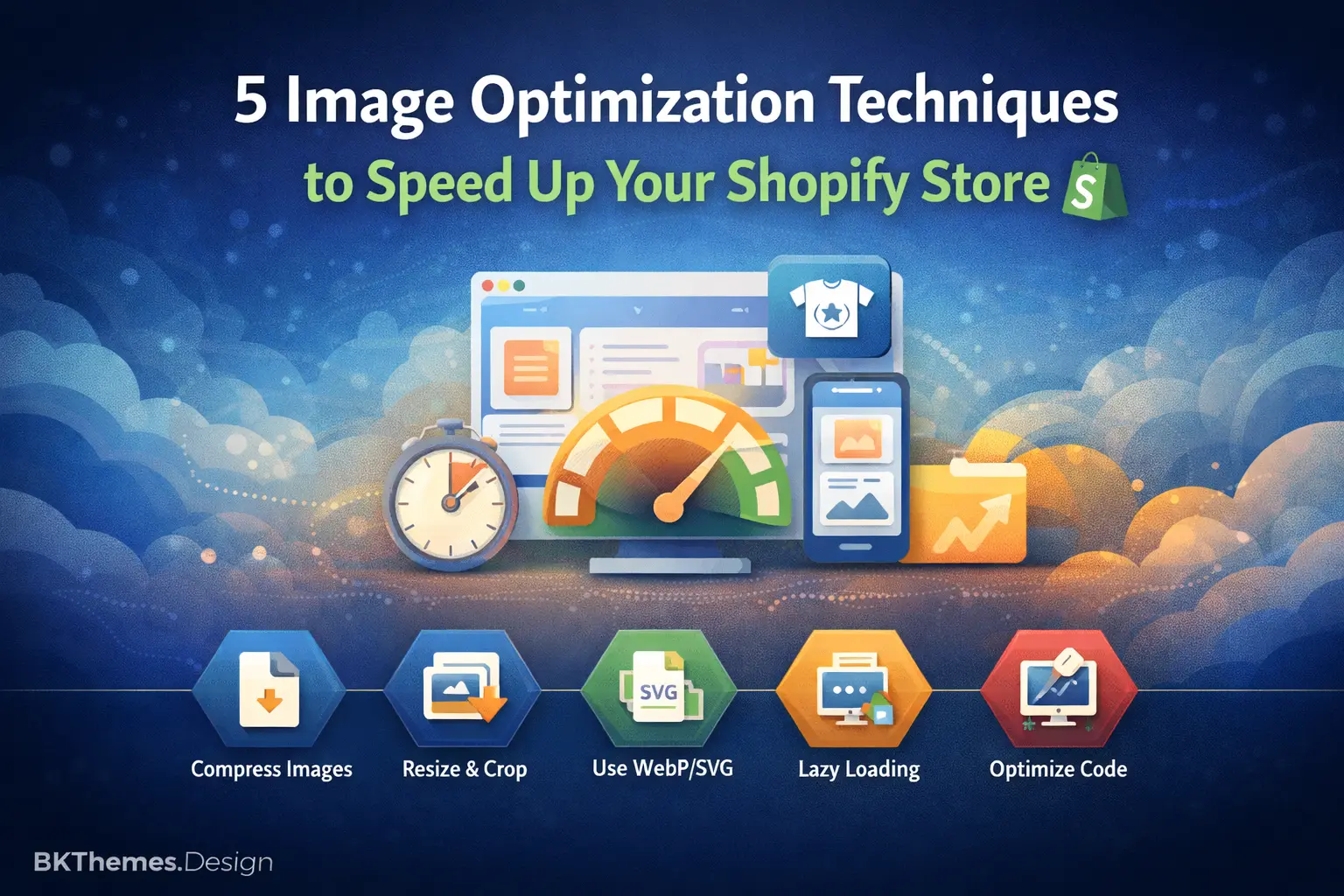
Large, unoptimized images are a stealthy saboteur of your SEO efforts. Optimize every image using Shopify's native compression tools or specialized apps like TinyIMG. Lazy loading intelligently defers image rendering until they are actually needed, leading to improved Core Web Vitals scores.
How Does Theme Speed Directly Impact Your Shopify SEO Performance?
Speed is not merely a user experience nicety; it's a direct and influential ranking factor. Even a one-second delay in page load time can result in a 7% decrease in conversions.
To supercharge your theme's speed:
A beginner's guide to Shopify speed
- Streamline and minimize JavaScript and CSS files
- Activate browser caching
- Leverage a content delivery network (CDN)
In today's fast-paced digital landscape, performance isn't just a metric; it's the bedrock of user satisfaction, operational efficiency, and ultimately, business success. Whether you're running a bustling e-commerce site, a complex enterprise application, or managing vast IT infrastructure, lagging performance can translate directly into lost revenue, frustrated customers, and diminished competitive advantage. This is precisely where a robust Performance Audit becomes indispensable. - Conduct regular performance audits using Google PageSpeed Insights
How Do You Architect Your Shopify Theme for Peak SEO Success?
Architecting a Shopify theme for peak SEO success requires a structured approach that prioritizes technical performance, clean semantic code, and an optimal user experience. Because Shopify handles much of the server-side infrastructure, your primary lever for SEO is how your theme structures and delivers content.
Here is the architectural blueprint for building a high-performing, SEO-friendly Shopify theme:
Harnessing Schema Markup and JSON-LD for Superior Visibility
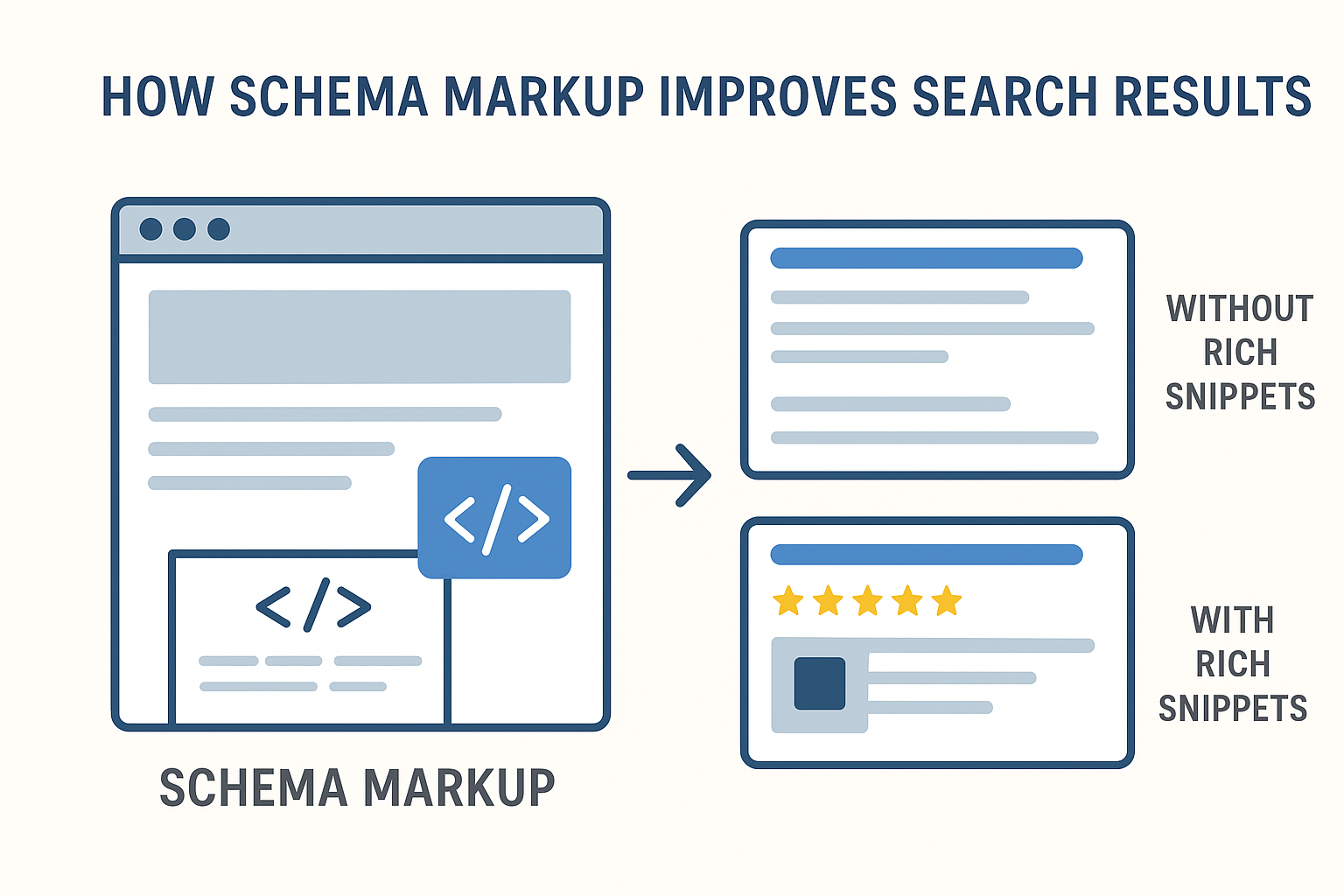
Schema markup empowers search engines to grasp the context of your content more effectively. For Shopify stores, implementing JSON-LD structured data can prominently highlight product details, reviews, pricing, and stock availability within search results – generating eye-catching rich snippets that drive higher click-through rates.
You can embed structured data manually within your theme's `theme.liquid` file or utilize powerful Shopify apps such as Smart SEO or JSON-LD for SEO. Always validate your schema implementation using Google's Rich Results Test to confirm accuracy.
Mastering Internal Linking and Navigation Best Practices
The way you structure your internal links is fundamental to how search engines navigate and understand your store.
Key best practices for internal linking include:
- Establish links from high-authority pages (like your homepage) to crucial product or collection pages.
- Vigorously avoid "orphan pages" that lack any internal inbound links.
- Employ descriptive anchor text, for instance, "Explore our organic skincare collection" rather than a generic "Click here."
Additionally, ensure your primary navigation menu is clean, intuitive, and logically organized. Mega-menus should load swiftly and avoid reliance on resource-heavy JavaScript libraries.
Crafting SEO-Optimized URLs, Headings, and Breadcrumbs
While Shopify automatically generates URLs, you possess the ability (and responsibility) to optimize them manually. Aim for URLs that are concise, descriptive, and incorporate relevant keywords – for example, /collections/organic-skincare instead of /collections/collection-12345.
Implement a proper heading hierarchy (using H1 for main titles, H2 for section headings, and H3 for sub-sections) to maintain a clear and logical content flow. Breadcrumbs not only enhance user experience but also provide Google with a clearer understanding of your site's architecture, facilitating more efficient indexing.
What are Some Essential Shopify Theme SEO Considerations for Developers and Savvy Buyers?
Whether you are building a custom storefront or purchasing a pre-made template, theme architecture heavily impacts a store's Google rankings.
Here are the essential Shopify theme SEO considerations for developers and savvy buyers, broken down by technical category.
1. Core Web Vitals & Performance
Site speed is a direct Google ranking factor. A well-coded theme minimizes unnecessary browser strain.
- Liquid Faceted Navigation: Avoid JavaScript-heavy filtering apps. Use Shopify’s native Liquid filtering to render product facets server-side, reducing layout shifts and load times.
- Lazy Loading: Ensure the theme uses native browser lazy loading (loading="lazy") for images below the fold.
- Critical CSS & JS: Scripts should be deferred (defer or async) so they do not block the page from rendering. Look for themes that split CSS files by section.
- Fetch Priority: The hero banner or first product image should use fetchpriority="high" to optimize the Largest Contentful Paint (LCP).
2. Semantic HTML & Heading Structure
Search engines rely on HTML tags to understand page hierarchy.
- Dynamic Heading Tags: Headings should change depending on the page template. For example, a section title might be an <h2> on the homepage, but should dynamically change if reused elsewhere to avoid multiple <h1> tags.
- Product Grid Headings: In product grids, product titles should ideally be styled text links or <h3> tags, never <h1> tags.
- Semantic Elements: Ensure the theme uses modern HTML5 structural tags like <header>, <nav>, <main>, <section>, and <footer> rather than nesting everything inside generic <div> blocks.
3. Structured Data & Schema Markup
Schema markup tells search engines exactly what a page represents, which can earn the store rich snippets (like star ratings and prices) in search results.
- Native JSON-LD: The theme should have robust, built-in JSON-LD schema for Product, Organization, Website, Article, and Collection pages.
- Conditional Logic: Schema code should automatically adjust based on inventory. For example, the Availability schema should dynamically switch between InStock and OutOfStock.
- No App Reliance: Avoid themes that require external apps just to inject basic product schema, as this adds third-party script bloat.
4. Dynamic Breadcrumb Navigation
Breadcrumbs help users navigate and help Google understand the internal link structure and category hierarchy of a site.
- Microdata Validated: Breadcrumbs must be fully coded using Schema.org BreadcrumbList microdata.
- Collection Awareness: The theme should correctly track the path a user took (e.g., Home > Collection > Product) rather than just defaulting to Home > Product.
5. Crawl Budget & Indexation Control
Large e-commerce sites can accidentally waste "crawl budget" on useless pages. A good theme provides code-level safeguards.
- SEO-Friendly URL Structures: Ensure the theme utilizes Shopify's updated routing that allows for clean product URLs (/products/product-name) rather than forcing long collection-nested paths (/collections/collection-name/products/product-name), which can cause duplicate content issues.
- Robots Noindex Handles: The theme’s theme.liquid layout should include logic to automatically output <meta name="robots" content="noindex"> on filter-heavy vendor or search result pages that shouldn't be indexed by Google.
Buyer vs. Developer Checklist
| For Savvy Buyers (What to Test) | For Developers (What to Build) |
|---|---|
| Run a Lighthouse Test: Test the theme's demo preview using Google Lighthouse to check the baseline SEO and performance scores. | Use BEM or Utility CSS: Keep CSS architecture clean to minimize file sizes and rendering blocks. |
| Inspect Heading Hierarchy: Use a browser extension (like SEO Minion) on the demo to verify there is only one <h1> per page. | Keep Liquid Lean: Avoid deep, nested loops in Liquid ({% for %}) that delay server response times (TTFB). |
| Check Rich Results: Run the demo URL through Google’s Rich Results Test to see if product schema registers without errors. | Accessibility (a11y): Build with aria-hidden attributes and screen-reader text, as accessibility correlates closely with SEO usability. |
What Must Developers Prioritize During Theme Creation?
For developers, achieving excellent Shopify theme SEO begins at the foundational code level. Critical areas of focus include:
- Efficient Liquid templating – Minimize redundant loops and database queries.
- Schema flexibility – Empower merchants with easy customization of SEO metadata.
- Adherence to accessibility standards – Implement ARIA labels, ensure sufficient color contrast, and support keyboard navigation.
- Core Web Vitals compliance – Design with speed, interactivity, and visual stability as core tenets.
By aligning with Google's Lighthouse guidelines during the development process, themes are assured to perform exceptionally across all vital SEO metrics.
What Should Buyers Scrutinize When Selecting a Theme?
When investing in a Shopify theme, look beyond mere aesthetics – rigorously evaluate its SEO readiness.
✅ Your Essential Checklist for SEO-Optimized Themes :
| Feature | Description |
|---|---|
| Lean Codebase | Minimal JS/CSS, free from unnecessary bloat |
| Integrated Schema Markup | Native JSON-LD structured data support |
| Mobile-First Design | Fully responsive and optimized for all devices |
| Blazing Page Speed | Loads in under 2 seconds consistently |
| Editable Metadata | User-friendly controls for titles, descriptions, and alt tags |
| Intelligent Lazy Loading | Defers off-screen image rendering |
| Robust Accessibility | Compliant with WCAG 2.1 standards |
Insider Tip: Always test the theme's live demo using Google's PageSpeed Insights and Mobile-Friendly Test tools *before* making a purchase.
Top-Tier SEO-Friendly Shopify Themes to Consider for 2025
Here's a concise comparison of leading Shopify themes renowned for their SEO optimization capabilities.
| Theme Name | Speed Score | Mobile-Friendly | Key SEO Features | Ideal For |
|---|---|---|---|---|
| Impulse | 95/100 | ✅ | JSON-LD, Lazy Loading, Clean Code | Lifestyle & Fashion Brands |
| Dawn (Free) | 92/100 | ✅ | Semantic HTML, Schema Support, Performance Focused | Versatile Use Cases |
| Prestige | 93/100 | ✅ | Advanced Schema, Rapid Load Times, Optimized Structure | Premium & Luxury Brands |
| Motion | 91/100 | ✅ | Video Optimization, SEO-Ready Architecture, Engaging Design | Visual Storytelling & Creative Brands |
| Booster Theme | 97/100 | ✅ | Pre-Optimized SEO & Speed, Conversion Focused Features | Performance & Conversion Driven Stores |
Each of these themes meticulously adheres to Google's best practices for performance and structural integrity, ensuring your store loads swiftly and achieves higher search engine rankings.
What Are the Essential Tools and Plugins to Elevate Your Shopify Theme's SEO?
To elevate a Shopify theme's SEO, you need a mix of built-in Shopify features, external auditing applications, and code-level developer tools. Relying solely on apps can bloat your theme's code and slow down your site, so the best approach combines strategic plugins with lightweight testing utilities. Here are the essential tools and plugins categorized by their specific SEO function.
1. Technical Auditing & Performance Tools
Before changing any code or installing plugins, you must baseline your theme's technical health.
- Google Lighthouse & PageSpeed Insights: Essential browser tools to measure Core Web Vitals. They pinpoint exactly which CSS, JavaScript, or image assets in your theme are delaying page renders.
- Screaming Frog SEO Spider: A desktop crawler that scans your staging or live Shopify site. It is invaluable for finding broken internal links (404 errors), missing alt tags, duplicate title tags, and improper heading (<h1>–<h6>) hierarchies embedded in your theme architecture.
- Crux (Chrome User Experience Report): A real-world data tracker that shows how actual users experience your theme's speed over time, which directly influences Google’s rankings.
2. Shopify Apps for Automation & On-Page SEO
For buyers and store managers, these plugins simplify bulk optimization without requiring manual code edits.
- Plug in SEO / Yoast SEO for Shopify: Comprehensive SEO apps that scan your theme for structural issues. They provide templated fields to automate meta titles and descriptions across thousands of products or collections simultaneously.
- Matrixify: A data management plugin that allows you to export all product data, collections, and redirect mappings into a spreadsheet. This makes bulk-editing SEO handles, metafields, and alt text incredibly fast.
- SEO Manager: A user-friendly optimization tool that offers real-time SEO feedback as you create content, simulates how your pages look in search results, and automatically logs 404 errors so you can create redirects.
3. Schema & Rich Snippets Tools
Rich snippets (star ratings, pricing, and stock status in search results) drastically improve click-through rates.
- Schema App Total SEO: A dedicated structured data app that injects advanced, dynamic JSON-LD schema into your theme without requiring you to manually write complex Liquid code.
- Google Rich Results Test: A free validation tool used to paste your theme’s code or URL to ensure Google can read your Product, Breadcrumb, and Article schema without warnings.
4. Image Optimization & Speed Plugins
Large images are the number one cause of poor theme performance on Shopify.
- Pixc / Crush.pics: Automated image compression plugins that run in the background. They strip bloated metadata from product images and compress them without losing quality, while automatically renaming file titles to include target SEO keywords.
- Avada SEO: Image Optimizer: A multi-functional speed plugin that handles image compression, automatically adds image alt text, and assists with pre-loading pages to make your theme feel instantaneous.
5. Developer & Code Optimization Tools
If you are developing a custom theme or editing an existing one, use these tools to keep your source code lightweight.
- Shopify CLI & Theme Check: A command-line linter for Shopify themes. It automatically scans your Liquid code for sub-optimal practices, deprecated tags, and performance bottlenecks before you push the theme live.
- PurgeCSS: A code-cleaning tool that analyzes your theme templates and removes unused CSS. This is critical if your theme relies on heavy, framework-based style sheets.
Common Pitfalls in Shopify Themes (and How to Rectify Them)
Even premium themes can sometimes fall short on SEO best practices. Here are the most frequent issues and their effective solutions:
| Common Mistake | Negative Impact | Effective Solution |
|---|---|---|
| Render-Blocking JavaScript/CSS | Significantly slows down page loading times | Implement defer or async attributes for scripts |
| Unoptimized Images | Degrades site speed and Core Web Vitals scores | Utilize WebP format + implement lazy loading |
| Missing or Incomplete Meta Tags | Leads to poor presentation in SERPs | Add or enhance via theme editor or dedicated SEO apps |
| Duplicate Content Issues | Confuses search engine indexing and dilutes authority | Implement canonical tags correctly |
| Suboptimal URL Structure | Hinders search engine crawlability and ranking potential | Simplify URLs and incorporate primary focus keywords |
Conducting regular, thorough audits of your theme's code is the best defense against long-term SEO complications.
Frequently Asked Questions About Shopify Theme SEO
Conclusion: Build a Shopify Store That Search Engines Will Champion
Your Shopify theme is instrumental in shaping not only your store's visual appeal but also its search engine ranking potential. Investing strategically in a robust Shopify theme SEO approach ensures you capture valuable organic traffic, deliver an exceptional user experience, and future-proof your business for success in 2025 and beyond.
Whether you're a developer meticulously crafting themes or a store owner carefully selecting one, prioritizing SEO-first design principles and performance optimization will undoubtedly yield significant returns in terms of online visibility, traffic volume, and ultimately, sales.
👉 Take the first step today: audit your current theme – refine your code, accelerate your speed, and position your Shopify store for prominence where it counts most: on Google's coveted first page.
Further Reading
For more in-depth knowledge, consult Google's official guide on Core Web Vitals and Page Experience.
About the Author

Brian Keary
Founder & Lead Developer
Brian is the founder of BKThemes with over 20 years of experience in web development. He specializes in WordPress, Shopify, and SEO optimization. A proud alumnus of the University of Wisconsin-Green Bay, Brian has been creating exceptional digital solutions since 2003.
Expertise
Writing since 2003