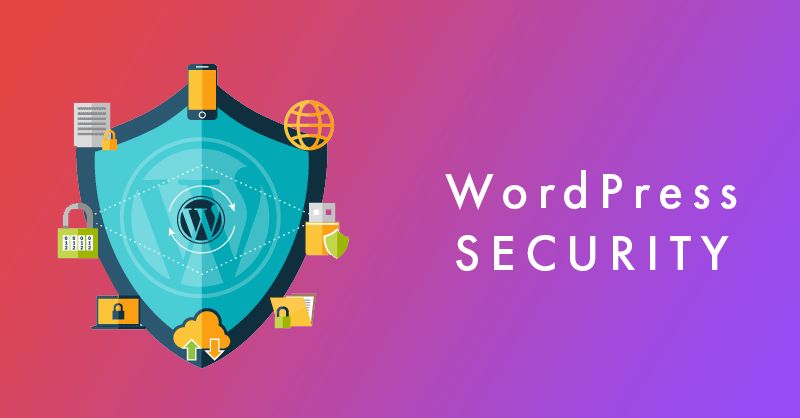
Since its inception in 2003, WordPress has grown from a simple blogging tool into the backbone of the modern web, powering a massive portion of all websites globally. However, this popularity comes with a price. Because the platform is so widely used, it has become a primary target for malicious actors looking to exploit vulnerabilities for financial gain or data theft. As we navigate 2026, the landscape of cyber threats has become increasingly sophisticated. Protecting your digital presence is no longer a "set it and forget it" task; it requires a proactive, multi-layered approach to management.
I have put together this WordPress security guide to help explain the different vulnerabilities and some tips to prevent them from happening.
Understanding the Stakes of Website Security
The consequences of a compromised website extend far beyond a simple temporary outage. A successful data breach can trigger a cascade of negative outcomes, including severe financial losses, complex legal ramifications, and lasting brand damage that can be difficult to recover from. When users trust a site with their personal information, they expect that data to remain secure. If that trust is broken due to a security lapse, your reputation—built over years of hard work—can be tarnished in an instant.
Industry experts like Brian Keary emphasize that the shift toward more aggressive automated attacks means that site owners can no longer rely on basic safety measures. Whether you are running a personal blog, a portfolio, or a high-traffic e-commerce store, the principles of security remain the same. While platforms like Shopify or BigCommerce offer managed environments, WordPress users often have more control, which means they also carry more responsibility for the integrity of their own installations.
The Most Common Vulnerabilities
To defend your site effectively, you must first understand how attackers get in. The vast majority of security incidents on the platform stem from two primary vectors: outdated software and poor credential management.
Outdated plugins and themes are the "low-hanging fruit" for hackers. Every time a developer releases an update, they are often patching a hole that has been discovered in the code. If you fail to update, you are essentially leaving the front door of your house unlocked. Furthermore, weak login credentials remain a massive issue. Using simple, predictable passwords makes it incredibly easy for brute-force attacks to succeed. Implementing strong, unique passwords for every user account is a non-negotiable standard in 2026.
WordPress help that converts
Need a real WordPress expert, not another plugin roulette session?
This post is in WordPress, so here’s the most relevant next step if you want help applying it.
From speed fixes and malware cleanup to custom themes and conversion improvements, we help WordPress sites perform like they were built on purpose.
- Custom WordPress development and troubleshooting
- Performance, security, and technical SEO improvements
- Direct help from an experienced WordPress developer
Preparing for Zero-Day Threats
Even if you keep everything updated, you may eventually face a "zero-day" vulnerability—a security flaw that is discovered by attackers before the developers have had a chance to fix it. Because these threats are unknown to the public, they are particularly dangerous.
The best way to handle a zero-day is to have a pre-established response plan. This plan should include regular, automated backups stored in a secure, off-site location. If your site is compromised, having a clean, recent version to restore can be the difference between a minor hiccup and a total loss of your business operations. You can learn more about the evolving nature of digital risks through resources like the Cybersecurity and Infrastructure Security Agency.
Strengthening Your Defense Strategy
A robust security posture relies on several layers of protection. First, you should prioritize password management. Instead of relying on memory, use reputable password managers to generate and store long, complex, and unique passwords for your administrative dashboard.
Second, utilize security plugins and web application firewalls. These tools act as a primary line of defense, scanning for malicious traffic and blocking suspicious IP addresses before they ever reach your server. Many of these tools provide real-time monitoring, which is essential for identifying unauthorized access attempts early.
The Role of AI and Machine Learning
The security industry is currently undergoing a revolution thanks to Artificial Intelligence and Machine Learning. These technologies are increasingly used to detect security anomalies that would be impossible for a human to spot in real time. By analyzing patterns of behavior across millions of sites, AI can identify a botnet attack as it begins, allowing your security system to adapt and block the threat before it escalates.
Integrating these smart tools into your strategy ensures that your defense is not static. Instead of relying on a fixed list of known bad actors, your site can learn to recognize the characteristics of an attack, providing a more dynamic and effective shield against evolving threats. Many plugins still rely on honeypots to help detect bad actors.
Blockchain and Data Integrity
While AI helps with detection, Blockchain technology is being explored for its ability to ensure data integrity. By using distributed ledger technology, site owners can verify that their core files have not been tampered with. If an attacker gains access and modifies a core script, a blockchain-based monitoring system can instantly flag the discrepancy, alerting the administrator to the unauthorized change. While this technology is still maturing, it represents the next frontier in maintaining the sanctity of your website's data.
Building a Culture of Security Awareness
Technology is only half the battle. Human error is often the weakest link in any security chain. Phishing attacks continue to be one of the most successful ways for hackers to gain administrative access. Educating yourself and your team on how to identify suspicious emails and links is a critical human-centric layer of security.
Additionally, two-factor authentication (2FA) is a mandatory requirement for any modern WordPress site. By requiring a second form of verification—such as a code sent to a mobile device—you add a massive hurdle for any attacker who manages to steal a password. Building a culture where security is discussed openly within your organization helps prevent internal breaches and ensures that everyone understands the value of the data they are handling. You can find more information on the fundamentals of web safety at the World Wide Web Consortium.
Learn more about protecting your WordPress login form cyberthreats.
The Path Forward for WordPress Users
The journey of securing your WordPress site is ongoing. As we move through 2026, the threats will change, and your tools must change with them. By maintaining a proactive mindset, keeping your software updated, and leveraging the latest in AI-driven security, you can build a resilient platform that stands the test of time. Remember that security is not just about keeping hackers out; it is about protecting the trust of your visitors and the health of your digital brand.
Frequently Asked Questions about Wordpress Security (FAQ)
Why is 2FA important for WordPress?
Two-factor authentication (2FA) adds an essential layer of security by requiring a second form of verification beyond just a password. Even if a hacker successfully steals or guesses your login credentials, they would still need access to your secondary device or authentication app to gain entry. This makes 2FA one of the most effective ways to prevent unauthorized administrative access.
What should I do if my site is hacked?
If you suspect your site has been compromised, the first step is to stay calm and isolate the site to prevent further damage. Change all administrative passwords immediately, remove any unknown user accounts, and restore your site from a clean, verified backup created before the incident occurred. After restoring, run a full security scan to identify and patch the vulnerability that allowed the breach to happen.
How often should I update my plugins?
You should update your plugins as soon as updates become available. Most developers release updates to fix security flaws, and delaying these updates leaves your site vulnerable to known exploits. Many users prefer to enable automatic updates for minor releases and plugins to ensure that their site remains protected without needing constant manual intervention.
Does using a security plugin guarantee I won't get hacked?
No, there is no such thing as 100% security on the internet. While security plugins and firewalls provide a critical layer of defense and significantly reduce your risk, they are not a substitute for best practices like strong password management, regular backups, and user education. A secure site is the result of a comprehensive strategy that combines software solutions with human vigilance.
How can I use AI to improve my security?
You can leverage AI by utilizing modern security plugins that feature machine learning capabilities. These tools monitor traffic patterns in real-time to detect anomalies, such as an unusual spike in login attempts or suspicious file modifications. By using these services, your site can automatically block threats based on behavior rather than just relying on static lists of known malicious IP addresses.
What is a zero-day vulnerability?
A zero-day vulnerability is a security flaw in software that is unknown to the vendor or the public. Because the vulnerability is "new," there is no patch available, giving the developers "zero days" to fix it before it is exploited. This is why having a robust backup and incident response plan is vital; you need to be prepared to mitigate the impact of a threat even when a direct software fix is not yet available.
Looking for implementation support? Visit our web development services page for the full service overview.
📧 Want to Stay Updated?
Get the latest web development tips and insights delivered to your inbox.
🚀 What Services do you Offer?
About the Author

Brian Keary
Founder & Lead Developer
Brian is the founder of BKThemes with over 20 years of experience in web development. He specializes in WordPress, Shopify, and SEO optimization. A proud alumnus of the University of Wisconsin-Green Bay, Brian has been creating exceptional digital solutions since 2003.
Expertise
Writing since 2003