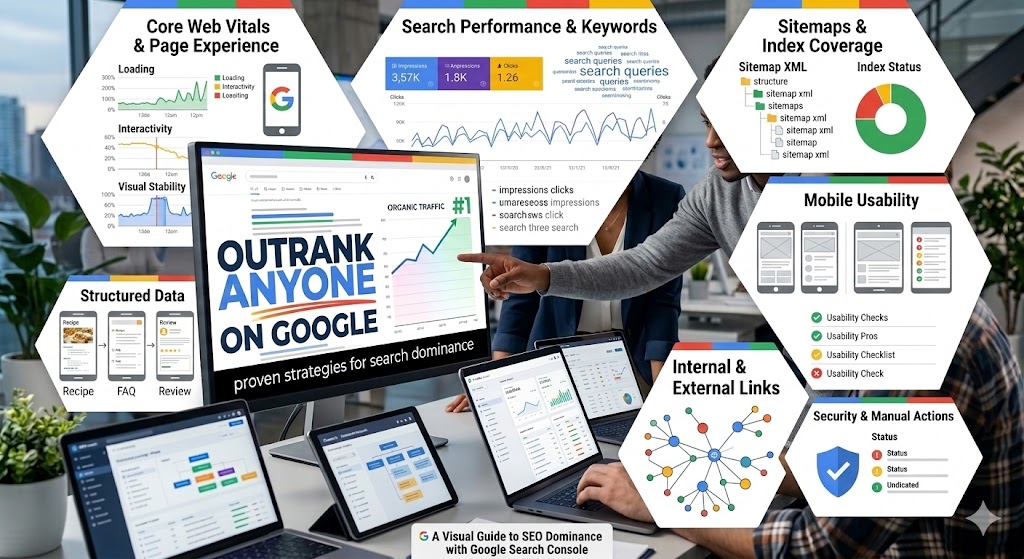
Google Search Console (GSC) is more than just a tool. It's also a treasure trove of insights waiting to be unlocked for those eager to dive deep into their site's performance. Imagine having a behind-the-scenes look at how your website performs in the vast world of Google Search. Whether you're a digital marketer, SEO professional, or website owner, GSC is the key to understanding and improving your site's search performance. By mastering its features, you can turn data into actionable strategies, ensuring your website is not just seen but stands out in search results.
Ever wondered how a simple tool like Google Search Console can turn the tide of your digital strategy? Let's embark on a journey to discover how you can leverage GSC for unparalleled audit insights.
Key Takeaways from a Google Search Console Audit
- Discover the core features of Google Search Console that can transform your SEO strategy
- Learn how to set up and verify your site for full access to GSC's powerful tools
- Understand how to navigate the interface and make the most of its insightful reports
- Explore performance metrics and how they can guide your SEO efforts to new heights
- Master the art of troubleshooting and optimization using GSC's comprehensive suite of features
Unveiling the Power of a Google Search Console Audit
Before diving into the intricacies of Google Search Console, it's crucial to understand why this tool is indispensable for anyone serious about auditing their search performance. GSC is like a backstage pass to your website's performance in Google Search, providing insights that are pivotal in crafting effective SEO strategies.
What is Google Search Console?
Google Search Console is a free tool provided by Google that serves as a bridge between your website and the search engine giant. It’s a platform where webmasters can gain insights into how their site performs in Google search results. By running regular search console audits you can gain an understanding how often your site appears in search results and under what circumstances. With this valuable information you can take targeted actions to improve your search visibility.
The search console allows users to run audits to identify issues affecting site performance, such as indexing problems or security vulnerabilities, and offers solutions to fix them. The Google Search Console page is your command center, where you can track the performance of your website against key metrics. This tool is not just about monitoring; it’s about strategizing and optimizing your site to align with Google's standards and user expectations.
Learn how to use GSC to propel your SEO campaign to the top of SERPs in our accompanying video.
Why Digital Marketers and SEO Professionals Need GSC
For digital marketers and SEO professionals, GSC is akin to a compass guiding them through the digital marketing landscape. It provides a granular view of search traffic patterns, helping marketers understand where their audience is coming from and what they're searching for. This insight is crucial for optimizing websites to achieve better search visibility and, ultimately, greater traffic.
SEO professionals use GSC to influence strategic decision-making by identifying value pages and uncovering keyword opportunities that can drive targeted traffic. For website owners, monitoring site health and user experience through GSC ensures their site is not only functional but also optimized for search engines. In a world where digital marketing and SEO performance are critical, GSC is a valuable ally in your quest for search optimization.
Setting Up Your Google Search Console Account
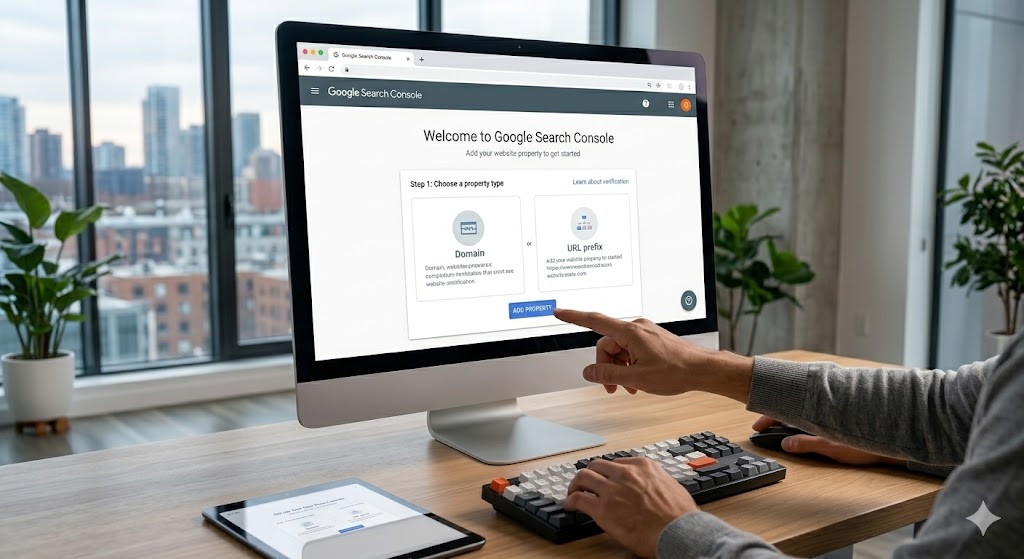
Getting started with Google Search Console is a straightforward process that opens the door to a wealth of insights. Setting up your account is the first step toward mastering this powerful webmaster tool.
Step-by-Step Guide to Account Setup
Creating a Google Search Console account is a simple, beginner-friendly process. If you already have a Google account, you're halfway there. Begin by navigating to the Google Search Console homepage and signing in with your Google credentials. Once logged in, you'll need to add your website by entering its URL and selecting the appropriate property type—either a domain or a URL prefix.
Following Google's prompts will guide you through the configuration process, ensuring that your site is set up correctly. This step-by-step guide ensures that even those new to GSC can get started without a hitch. Remember, the key to a successful setup is accuracy in entering your website details and following the on-screen instructions carefully.
Verifying Your Website Ownership
Website verification is a crucial step that confirms your authority over the site you're adding to GSC. Google provides several methods for verification, including adding an HTML tag to your site’s homepage or updating DNS records with your domain provider. If you're using a CMS like WordPress, you might find using a plugin or Google Tag Manager to be a more straightforward option.
Successful verification unlocks the full suite of tools available in GSC, allowing you to dive into the data that can drive your SEO strategy. It's important to note that if ownership of the site changes, re-verification might be necessary to maintain access. This step doesn’t just give you access; it secures your position as the owner. By doing this, you are ensuring you get the most out of your Google Search Console experience.
Navigating the Search Console Interface

Once your account is set up and verified, the next step is to get comfortable with the Google Search Console interface. This is where you'll access the wealth of data and tools that GSC offers.
Getting Acquainted with the Dashboard and Platform
The Google Search Console dashboard serves as your control panel, providing a snapshot of your site's performance. It’s designed to be user-friendly, allowing you to access various reports and insights with ease. Key metrics like clicks, impressions, and average position are prominently displayed, giving you a quick overview of how your site is performing in search results.
Familiarizing yourself with the dashboard is crucial for efficient navigation. By understanding where to find different reports and features, you can quickly gather the insights you need to make informed decisions. This overview isn’t just about numbers; it’s about understanding the story those numbers tell about your site’s health and performance.
Key Features to Explore in the Performance Report
Google Search Console is packed with features that provide deep insights into your site’s performance. The Performance report is a goldmine, revealing details about how your site is doing in search results. You can see what queries lead users to your site, how often they appear in search results, and how many clicks they generate.
The Coverage report highlights issues related to indexing, showing which pages are successfully indexed and which are not. The URL Inspection tool allows for in-depth analysis of specific pages, helping you troubleshoot issues and request re-indexing when necessary. Lastly, the Enhancements section offers insights into user experience improvements, such as mobile usability and page speed, helping you ensure your site is optimized for all visitors.
By exploring these key features, you can gain a comprehensive understanding of your site’s strengths and areas for improvement. This sets the stage for an effective SEO strategy.
Exploring the Performance Overview
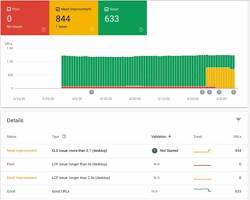
Understanding your website’s performance in Google Search is crucial for optimizing your SEO efforts. Google Search Console offers a robust Performance report that provides detailed insights into how your site is performing.
Understanding Performance Metrics
The Performance report in GSC is all about the numbers that matter. Clicks indicate how many times users have visited your site from search results. It’s a direct reflection of how well your site is attracting visitors. Impressions tell you how often your site appears in search results, giving you an idea of its visibility.
The Click-through Rate (CTR) is a crucial metric, showing the percentage of impressions that result in clicks. A high CTR indicates that your site is meeting user expectations and prompting them to click through. Position is another important metric, indicating your site’s average ranking in search results. Together, these core metrics form the foundation of your performance analysis, providing insights into how well your site is capturing search traffic.
Analyzing Clicks, Impressions, and CTR
Analyzing clicks, impressions, and CTR offers a clear picture of your SEO effectiveness. High impressions with low CTR might suggest that while your site is visible, it’s not compelling enough to earn clicks. This could point to untapped potential in your meta descriptions or title tags.
By diving into the data, you can refine your keyword strategy and optimize meta descriptions to improve CTR. Understanding which queries drive the most traffic can also help you focus your content efforts on areas with the highest potential return. It’s about turning numbers into insights and using those insights to boost your site’s performance in search results.
Digging into Search Analytics Reports
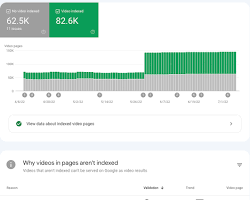
Search Analytics reports in GSC are a treasure trove of information, providing the insights and crawl stats you need to tailor your content and strategy for maximum impact.
Utilizing Search Queries Data
The Search Queries data in GSC reveals what users type into Google to find your site. This is invaluable information for understanding your audience’s needs and tailoring your content accordingly. By analyzing queries, you can identify long-tail keywords that drive targeted traffic to your site.
Understanding gsc data like search queries is essential for refining your content strategy. By focusing on the terms that matter most to your audience, you can create content that resonates and ranks well in search results. This data isn’t just about keywords; it’s about aligning your content with what your audience is actively searching for.
Identifying Top Pages and Content From Your Site
Identifying your top pages and content is crucial for understanding what works and what doesn’t. The Top Pages report shows which content attracts the most traffic, providing insights into successful strategies that can be replicated.
By analyzing top content, you can update it to maintain relevance and continue driving traffic. This is particularly important for evergreen content that remains relevant over time. Understanding what makes your top pages successful guides future content creation, ensuring you’re consistently producing content that attracts and engages your audience.
Understanding Core Web Vitals for Improved Performance and Traffic
Core Web Vitals are a set of metrics introduced by Google to measure user experience on your site. They focus on three main areas: loading performance, interactivity, and visual stability.
Core Web Vitals Metrics Explained
Core Web Vitals are essential metrics for understanding the user experience on your site. Largest Contentful Paint (LCP) measures loading performance, indicating how quickly the main content of a page loads. First Input Delay (FID) gauges interactivity, measuring the time it takes for a page to become interactive. Cumulative Layout Shift (CLS) evaluates visual stability, tracking how much a page layout shifts during loading.
These metrics are crucial for technical SEO, as they directly impact user satisfaction and search rankings. By focusing on these core metrics, you can ensure your site provides a seamless experience for users, keeping them engaged and satisfied.
How to Optimize for Better User Experience
Improving Core Web Vitals involves a combination of technical optimizations and best practices. To enhance LCP, consider optimizing images and reducing server response times. FID can be improved by minimizing JavaScript execution, ensuring your site remains responsive.
For CLS, focus on stabilizing elements on the page to prevent unexpected shifts. By prioritizing these metrics, you can boost user satisfaction and improve search performance. Core Web Vitals aren’t just about technical SEO; they’re about creating an experience that delights users and meets Google’s high standards.
Leveraging Indexing Reports for Better Visibility
Enhancement reports in Google Search Console provide insights into how Google indexes your site’s pages, highlighting areas for improvement.
Checking Index Coverage Status
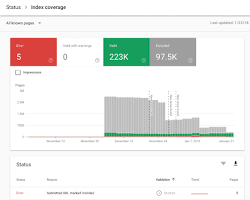
The Index Coverage report shows which pages on your site are successfully indexed by Google and which aren’t. Errors indicate pages that couldn’t be indexed, while warnings highlight potential issues that need attention. Valid pages confirm successful indexing without issues.
Understanding your traffic pages and index coverage status is crucial for ensuring your site’s visibility in search results. By identifying and resolving indexing issues, you can improve your site’s performance and ensure it’s fully optimized for search engines.
Resolving Indexing Issues
Resolving indexing issues involves addressing errors and warnings that prevent Google from indexing your pages. This might include fixing broken links or server errors, adjusting content for better indexing, or submitting fixed pages for re-crawling.
Monitoring your index status regularly ensures your site remains visible and optimized for search engines. By staying on top of these issues, you can maintain a strong search presence and ensure your audience can find your content easily.
Enhancing Website Health with Coverage Insights
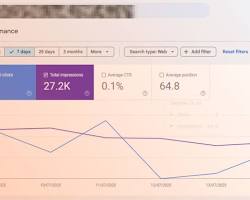
Coverage Insights provides a comprehensive view of your site’s health, helping you prioritize error resolution and maintain optimal performance.
Analyzing Coverage Reports
Coverage reports in GSC provide a detailed view of your site’s indexing status, highlighting errors, warnings, exclusions, and technical implementation. By analyzing these reports, you can identify areas that need attention and prioritize error resolution.
Warnings and exclusions guide you to areas that may affect your site’s search performance, allowing you to address issues proactively. This analysis isn’t just about fixing problems; it’s about maintaining a healthy, optimized site that performs well in search results.
Fixing Errors and Warnings
Fixing errors and warnings in your coverage reports is crucial for maintaining your site’s search visibility. Errors require immediate action to restore indexing, while warnings may indicate potential issues affecting performance. Fixing all these issues usually helps with page indexing.
By following Google's recommendations for fixes, you can address these issues and prevent long-term problems. Regular checks and prompt action ensure your site remains healthy, optimized, and ready to compete in search results.
Optimizing Your Pages with URL Inspection Tool
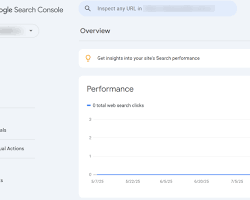
The URL Inspection Tool in GSC is a powerful feature that provides detailed analysis of individual pages, helping you optimize and troubleshoot effectively.
How to Use the URL Inspection Tool for Crawl Stats and Rankings
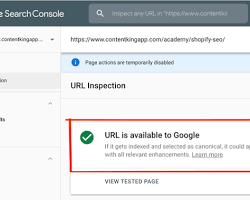
The URL Inspection Tool allows you to analyze specific pages on your site, checking if they’re indexed and mobile-friendly. You can test live URLs for real-time insights, ensuring your pages are performing as expected.
Submitting pages for re-crawling is easy with this tool, making it simple to address issues and ensure your content is up-to-date. This tool isn’t just about troubleshooting; it’s about optimizing your pages for maximum performance and visibility in search results.
Troubleshooting Page Issues
Troubleshooting page issues like mobile usability and indexing errors is straightforward with the URL Inspection Tool. Detailed reports for each identified issue guide you in following specific Google guidelines for fixes to your content .
Once issues are resolved, the tool confirms their resolution, ensuring your pages are fully optimized. This process is vital for maintaining a strong search presence, ensuring your site meets Google’s high standards and provides an excellent user experience.
Utilizing Mobile Usability Reports for Better User Experience
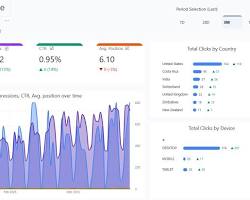
Mobile Usability reports in the GSC interface are essential for identifying and addressing issues that affect mobile users, ensuring your site provides a seamless experience across devices.
Assessing Mobile Usability
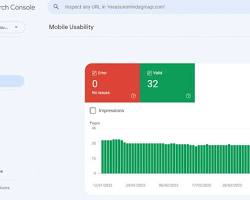
Mobile Usability reports highlight issues that affect the user experience on mobile devices. You can see which pages have usability problems and receive specific errors, like clickable elements being too close together.
By addressing these issues, you can enhance the user experience on phones and improve your mobile search rankings. This isn’t just about fixing problems; it’s about creating a mobile experience that delights users and meets Google’s standards. Great way to increase your organic search performance.
Addressing Common Mobile Usability Challenges
Common mobile usability challenges include text that’s too small and viewports not being set. Following responsive design principles is essential for addressing these challenges and ensuring your site performs well on all devices.
Regular checks ensure ongoing mobile usability, keeping your site optimized for mobile users and maintaining strong search performance. By prioritizing mobile usability, you can provide a seamless experience that keeps users engaged and satisfied.
Uncovering Security and Manual Actions
Security and manual actions in GSC provide insights into potential threats and penalties, helping you maintain your site’s credibility and search visibility.
Identifying Security Issues
Security issues like malware and harmful content warnings are critical to address quickly. Google alerts you if security problems are detected, guiding you in taking necessary protective actions.
Fixing these issues promptly helps maintain your site’s credibility and protect your audience. Security reports are an essential tool for ensuring your site remains safe and trustworthy in the eyes of users and search engines.
Understanding Manual Actions and How to Resolve Them
Manual actions involve penalties due to guideline violations, impacting your site’s search visibility. Identifying the cause of the penalty and following Google’s guidance for resolution is crucial for restoring normal performance for your content and website.
By resolving manual actions, you can regain your site’s search visibility and ensure compliance with Google’s standards. This process isn’t just about fixing penalties; it’s about maintaining a healthy, optimized site that performs well in search results.
Connecting Google Search Console with Google Analytics

Integrating Google Search Console with Google Analytics provides a comprehensive view of your site’s performance, enhancing your strategic decision-making.
Benefits of Integrating GSC with Google Analytics
Integration between GSC and Google Analytics offers a holistic view of your site’s performance, allowing you to correlate search data with website behavior and content indexation. This combined insight enhances your ability to make data-driven decisions, ensuring your SEO efforts are aligned with your overall strategy.
By integrating these tools, you can track your SEO efforts alongside other metrics, simplifying your analysis and boosting your strategic decision-making. This isn’t just about data; it’s about gaining a complete understanding of your site’s performance and using that understanding to drive success.
Step-by-Step Integration Process
Integrating GSC with Google Analytics is a straightforward process that involves accessing both accounts and following simple prompts. This step-by-step guide ensures seamless data sharing between platforms, enhancing your ability to make informed decisions. Most times, it's as simple as Google reading sitemaps.
By successfully integrating these tools, you can enhance your data-driven strategies and ensure your SEO efforts are aligned with your overall goals. This process isn’t just about linking accounts; it’s about unlocking a new level of insight and understanding for your site’s performance.
Using Search Console Insights for Enhanced Strategy

Search Console insights offer valuable data that can guide the refinement of your SEO strategy, ensuring you’re making informed decisions based on real performance metrics.
Learn about Supplemental Content and Why It Matters
Gaining Insights from Search Console Data
Search Console data reveals trends in your site’s search performance, helping you identify growth opportunities and performance gaps. By analyzing this data, you can refine your SEO strategies, ensuring they remain aligned with your goals and the ever-changing digital landscape.
Regular analysis of Search Console insights and core web vitals report ensures your strategies remain effective and competitive. This isn’t just about collecting data; it’s about using that data to drive continual improvement and success in search results.
Applying Insights to Improve Strategy
Applying insights from Search Console involves focusing on high-performing queries and optimizing underperforming pages for better results. By updating content based on insights, you can improve its relevance and boost your site’s performance.
Strategic actions based on data drive continual improvement, ensuring your SEO efforts are aligned with your overall goals. This process isn’t just about improving performance; it’s about ensuring your site remains competitive and relevant in an ever-evolving digital landscape.
Keeping Up with the Latest Google Search Updates
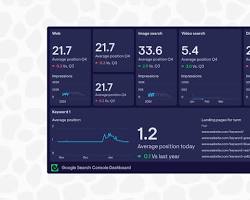
Staying informed about the latest Google Search updates is crucial for maintaining your site’s search performance and visibility.
Monitoring Updates through GSC
Google Search Console provides alerts for significant search updates, allowing you to track changes in your site’s performance post-update. Monitoring these updates helps you adapt your strategies to maintain visibility and ensure your site remains competitive.
By staying informed about these updates to GSC and GA4, you can respond proactively to algorithm changes, minimizing negative impacts on your site’s performance. This isn’t just about staying updated; it’s about ensuring your site remains optimized and ready to compete in search results.
Adapting to Algorithm Changes
Algorithm changes can impact your site’s search rankings, making it essential to adjust your strategies based on performance shifts. Regular content audits and strategic adjustments ensure ongoing alignment with updates, minimizing negative impacts on your site’s performance.
By adapting quickly to algorithm changes, you can maintain strong search visibility and ensure your site remains competitive. This process isn’t just about reacting to changes; it’s about staying ahead of the curve and ensuring your site continues to perform well.
Participating in Google Webinars for Continuous Learning
Continuous learning is key to staying ahead in the SEO game, and Google Webinars offer a unique opportunity to gain expert insights directly from the source.
Why Attend Google Webinars?
Google Webinars are a goldmine of information for anyone involved in SEO. They offer expert insights into search trends and the latest SEO best practices. Attendees have the opportunity to learn directly from industry experts and ask questions to clarify their understanding.
Participating in these webinars keeps you informed about the latest updates and developments in the world of traditional SEO. It's not just about learning new techniques beyond basic SEO; it's about staying ahead and ensuring your strategies remain effective and competitive.
Accessing Upcoming and Past Webinars
Google provides a schedule of upcoming webinars online, allowing you to register for live sessions and participate in real-time discussions. If you can't attend a live session, recorded webinars are available for later viewing, offering a wealth of valuable information at your fingertips.
Access to past webinars is an excellent resource for continuous learning, allowing you to revisit key topics and insights whenever needed. This access ensures you always have the latest information and expert guidance to inform your SEO strategies and decisions.
Pro Tips for Maximizing Google Search Console's Potential
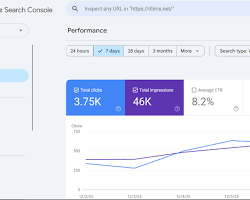
To truly master Google Search Console, it’s essential to go beyond the basics and explore advanced strategies that can give you a competitive edge.
Advanced Tips and Tricks
For advanced users, Google Search Console offers a plethora of features that can be leveraged for deeper insights. Combining data from multiple reports can provide a more comprehensive view of your site's performance. Consider setting up custom alerts to notify you of specific changes or issues.
Exploring the GSC API opens up possibilities for advanced data analysis, allowing you to extract and manipulate data in ways that suit your specific needs. These advanced tips and tricks aren’t just for tech gurus—they’re for beginners looking to harness the full potential of GSC for their SEO efforts.
Leveraging GSC for Competitive Advantage
Achieving a competitive advantage in SEO often requires a deep understanding of the search landscape. Google Search Console insights allow you to monitor competitors' performance, identifying areas where you can outshine them. By tailoring your strategies based on competitive analysis, you can drive your site's success.
Leveraging GSC effectively positions you ahead of competitors, giving you the insights and tools needed to optimize your site and enhance its search engine optimization. This isn’t just about staying competitive; it’s about leading the pack and ensuring your site remains a top performer in search results.
Frequently Asked Questions
Conclusion
Google Search Console is an invaluable tool that offers a wealth of insights and features for anyone serious about improving their website's search performance. From setting up and verifying your site to exploring advanced features and strategies, GSC provides the data and tools needed to optimize your SEO efforts and drive success.
By mastering GSC, you can turn data into actionable strategies, ensuring your website not only stands out in search results but also delivers an exceptional user experience. So, what's your next move? How will you harness the power of Google Search Console to elevate your site's performance and stay ahead in the ever-competitive digital landscape? Engage with these questions and take the plunge into using GSC to its fullest potential.
About the Author

Brian Keary
Founder & Lead Developer
Brian is the founder of BKThemes with over 20 years of experience in web development. He specializes in WordPress, Shopify, and SEO optimization. A proud alumnus of the University of Wisconsin-Green Bay, Brian has been creating exceptional digital solutions since 2003.
Expertise
Writing since 2003