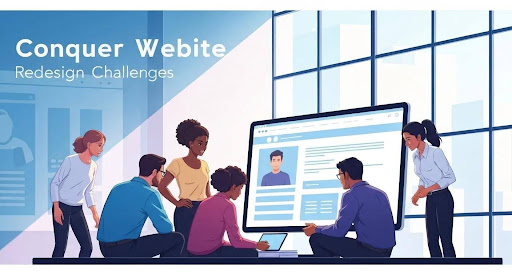
A website redesign carries significant operational risks, from organic search traffic loss to uncontrolled scope expansion. The five primary hurdles businesses face during a redesign are unclear project scope, inadequate UX/UI architecture, post-launch SEO ranking drops, stalled content migration, and budget overruns. Addressing these factors during pre-design planning ensures site performance and search visibility remain protected throughout the migration.
Key Takeaways
- Define Objectives: Clear, measurable goals are the bedrock of a successful redesign.
- User First: Prioritize user experience (UX) and interface (UI) design for optimal engagement.
- SEO is Non-Negotiable: Integrate SEO from the start to preserve and enhance search visibility.
- Content is King (Still): Plan content migration and creation meticulously.
- Budget & Timeline: Establish a realistic budget and timeline, accounting for potential challenges and contingencies.
This guide dives deep into the five most common hurdles encountered during website redesigns. We'll explore what these pitfalls are, why they're so tricky, and crucially, how you can steer clear of them to ensure your redesign is a resounding success. Think of this as your roadmap to a smoother, more effective website transformation.
The Five Major Hurdles and How to Conquer Them
Let's get down to brass tacks. Redesigning a website is a complex undertaking, and several common issues can trip even the most prepared teams. Understanding these challenges is the first step toward preventing them.
Hurdle 1: How Do Unclear Objectives Cause Scope Creep?
Projects without strict boundaries inevitably expand as stakeholders introduce unvetted requirements. Unclear objectives are the fertile ground where scope creep thrives. Without a precise understanding of why you're redesigning and what you aim to achieve, the project can easily spiral out of control.
Why it's a Hurdle: When your goals aren't well-defined, it becomes impossible to measure success. Every stakeholder might have a different idea of what constitutes a "better" website. This leads to endless feature requests, design changes, and functionality additions that weren't in the original plan. The result? Bloated budgets, missed deadlines, and a final product that might not even serve its original purpose effectively. It’s like setting sail without a compass – you’ll drift aimlessly.
How to Conquer It:
- Define SMART Goals: Before anything else, establish Specific, Measurable, Achievable, Relevant, and Time-bound objectives. What key performance indicators (KPIs) will you track? Increased conversion rates? Reduced bounce rates? Improved lead generation? Be precise.
- Document Everything: Create a detailed project brief that outlines the objectives, target audience, key features, and design direction. This document becomes your north star.
- Establish a Change Management Process: Not all new ideas are bad, but they need to be vetted. Implement a formal process for evaluating new requests. Ask: Does this align with our primary objectives? What is the impact on budget and timeline? Who needs to approve it?
- Prioritize Ruthlessly: Understand that not every feature can make it into the first iteration. Categorize features as "must-have," "should-have," and "nice-to-have." Focus on the essentials first.
Hurdle 2: Why Does Overlooking UX/UI Compromise Redesign ROI?
A beautiful website that's difficult to navigate is like a stunning shop with a locked door – no one gets inside. Many redesigns focus too heavily on aesthetics, overlooking the fundamental principles of user experience and interface design. This is a critical error because a website’s primary function is to serve its users.
Why it's a Hurdle: If users can't easily find what they're looking for, understand how to interact with your site, or enjoy the process, they'll leave. Poor UX leads to frustration, high bounce rates, and lost opportunities. UI design, while closely related, focuses on the visual elements and interactivity. Cluttered layouts, inconsistent branding, and confusing navigation are common UI failures that stem from underestimating their importance. Think of it as building a house with a fantastic facade but a confusing internal layout.
How to Conquer It:
- Conduct User Research: Understand your target audience's needs, behaviors, and pain points. Use surveys, interviews, and analytics data to inform your design decisions.
- Prioritize Intuitive Navigation: Ensure your site structure is logical and easy to follow. A clear navigation menu, effective internal linking, and a prominent search bar are essential.
- Optimize Core Web Vitals: Evaluate Largest Contentful Paint (LCP) and Interaction to Next Paint (INP) during the design phase to prevent post-launch performance degradation and ensure snappy responsiveness.
- Embrace Responsive Design: Your website must function flawlessly across all devices – desktops, tablets, and smartphones. Mobile-first design is often a smart approach in today's mobile-centric world.
- Test, Test, and Test Again: Implement usability testing throughout the design and development process. Gather feedback from real users and iterate based on their experiences. This iterative process is key to refining both UX and UI.
Hurdle 3: How Does a Redesign Risk Organic Search Visibility?
Launching a beautiful new website into a black hole of search engine obscurity is a marketer's nightmare. One of the most damaging mistakes businesses make is treating SEO as an afterthought during a redesign. When you change URLs, site architecture, or content, you risk losing the search engine rankings you've worked so hard to build.
Why it's a Hurdle: Search engines like Google crawl and index your website based on its structure, content, and links. A redesign that doesn't account for these factors can cause your rankings to plummet. This means less organic traffic, fewer leads, and a significant impact on your bottom line. It’s like moving house and forgetting to update your address with the post office – important mail (traffic) will stop arriving.
How to Conquer It:
- Conduct a Thorough SEO Audit: Before you begin the redesign, audit your existing site's SEO performance. Identify your most valuable pages, target keywords, and existing backlinks.
- Implement 301 Redirects: This is non-negotiable. For every URL that changes, set up a permanent (301) redirect from the old URL to the new one. This passes link equity and ensures users and search engines are directed to the correct page. A robust plan for handling these redirects is vital. Permanent 301 redirect guidelines.
- Leverage Google Search Console: Integrate Google Search Console early in the process for benchmarking indexation status, submitting new XML sitemaps, and monitoring crawl errors during post-launch validation.
- Preserve and Recreate Content: Identify high-performing content and ensure it's either migrated to the new site or recreated with improvements. Don't lose valuable content assets.
- Optimize On-Page Elements: Ensure all new pages have optimized title tags, meta descriptions, header tags, and image alt text. Keyword research should inform your content strategy from the outset. For those looking to understand the foundational elements, link building for beginners your essential guide to skyrocketing seo with backlinks offers a great starting point.
Hurdle 4: What Content Migration Pitfalls Delay Launch Dates?
Content is the lifeblood of your website, yet it's often treated like an inconvenient byproduct of a redesign. Many teams focus on the design and technical build, leaving content strategy and migration as an afterthought. This can lead to content gaps, outdated information, and a loss of valuable SEO authority.
Why it's a Hurdle: Migrating existing content can be a monumental task, especially for large websites. Simply copying and pasting often doesn't work due to formatting issues or the need for updates. Furthermore, creating new, high-quality content to align with the redesigned site's goals requires significant planning and resources. Without a clear content strategy, your new website might launch with sparse, irrelevant, or poorly optimized text and media. It's like building a beautiful stage but forgetting to write the play.
How to Conquer It:
- Develop a Content Audit and Inventory: Catalog all existing content. Assess its performance, relevance, and accuracy. Decide what to keep, what to update, and what to discard.
- Create a Content Migration Plan: Map out how each piece of content will be moved to the new site. Consider technical aspects like formatting and structural changes.
- Build a URL Mapping Matrix: Create a 1:1 legacy-to-destination redirect mapping spreadsheet to preserve PageRank and prevent 404 response codes across all migrated pages.
- Plan New Content Creation: Identify content gaps based on your redesign objectives and target audience needs. Develop a content calendar for creating new blog posts, landing pages, product descriptions, and other essential materials.
- Optimize Content for SEO and User Engagement: Ensure all content is well-written, engaging, and optimized for relevant keywords. Use clear headings, compelling calls to action, and multimedia elements.
Hurdle 5: What Factors Drive Redesign Budgets and Schedules Over Limit?
The dreaded budget and timeline overruns are perhaps the most common and frustrating hurdles in any major project, and website redesigns are no exception. Often, these issues stem from the previous hurdles: unclear objectives, scope creep, and underestimating the complexity of tasks like SEO and content migration.
Why it's a Hurdle: When projects go over budget, they can strain company finances and lead to cutbacks elsewhere. Missed deadlines can result in lost market opportunities, frustrated stakeholders, and damaged credibility. It’s a domino effect where one delay or unexpected cost can cascade through the entire project timeline and financial plan. This is often the ultimate reason a redesign fails to deliver its promised return on investment.
How to Conquer It:
- Realistic Budgeting: Thoroughly research and estimate all costs involved, including design, development, content creation, testing, and potential unforeseen expenses. Always include a contingency fund (15-20%).
- Detailed Project Timeline: Break down the project into manageable phases with clear milestones and deadlines. Use project management tools to track progress.
- Regular Communication and Reporting: Maintain open lines of communication with your team and stakeholders. Provide regular progress reports, highlighting any potential risks or delays early on.
- Phased Rollout: Consider a phased launch if the project is particularly large or complex. This allows you to gather feedback and make adjustments incrementally, reducing the risk of a complete project failure. For those looking to streamline aspects of website management, exploring mastering website health the indispensable power of utomated link building might offer efficiency gains.
Comparison: Common Redesign Pitfalls vs. Strategic Solutions
| Pitfall | Description | Strategic Solution |
|---|---|---|
| Unclear Objectives & Scope Creep | Lack of defined goals leading to uncontrolled project expansion. | SMART goal setting, detailed brief, change management process, prioritization. |
| Neglecting UX/UI | Prioritizing aesthetics over usability, leading to user frustration. | User research, intuitive navigation design, responsive design, extensive testing. |
| Ignoring SEO | Losing search rankings due to changes in URLs, structure, or content. | SEO audit, 301 redirects, content preservation, on-page optimization. |
| Poor Content Planning | Underestimating content migration and creation needs, resulting in gaps. | Content audit, migration plan, new content calendar, SEO-optimized content strategy. |
| Budget/Timeline Overruns | Exceeding financial limits and missing deadlines due to poor planning. | Realistic budgeting, detailed timeline, regular reporting, phased rollout strategy. |
Checklist for a Smooth Website Redesign
Embarking on a website redesign can feel daunting, but with careful planning and execution, you can navigate the challenges. Use this checklist to ensure you're on the right track:
Pre-Design Phase
- Define clear, measurable SMART objectives for the redesign.
- Identify and document your target audience's needs and behaviors.
- Conduct a comprehensive SEO audit of the current website.
- Perform a thorough content audit: what to keep, update, or remove.
- Establish a realistic budget, including a contingency fund.
- Create a detailed project timeline with key milestones.
- Assemble your project team and define roles and responsibilities.
Design & Development Phase
- Develop wireframes and mockups focusing on user experience and intuitive navigation.
- Ensure the design is fully responsive and mobile-friendly.
- Plan the site architecture and URL structure with SEO in mind.
- Implement a robust system for 301 redirects for all changed URLs.
- Develop a content migration strategy and execute it meticulously.
- Plan and begin creating new, high-quality, SEO-optimized content.
- Conduct regular usability testing with target users.
- Implement a change management process for any new requests.
Pre-Launch & Post-Launch Phase
- Perform thorough technical SEO checks (crawlability, indexability, speed).
- Test all forms, links, and functionalities across different browsers and devices.
- Finalize and implement all planned content.
- Develop a post-launch monitoring and optimization plan.
- Monitor analytics closely for user behavior and SEO performance.
- Be prepared for ongoing optimization and updates.
Mistakes to Avoid
- Treating redesign as a purely aesthetic update: Remember, functionality and user experience are paramount.
- Ignoring your existing data: Your current website analytics hold valuable clues about user behavior and content performance.
- Skipping the 301 redirects: This is a cardinal sin in SEO and can cripple your search visibility.
- Not involving key stakeholders early and often: Misalignment leads to costly revisions.
- Underestimating the time and resources required for content: Content is not an afterthought; it's a core component.
- Launching without thorough testing: Bugs and usability issues will frustrate users and damage your brand.
- Forgetting about website performance: Slow load times kill conversions and user satisfaction.
Conclusion
A website redesign is a significant undertaking, a digital metamorphosis that can propel your business forward. While the potential rewards are immense – improved user engagement, higher conversion rates, and a stronger brand presence – the path is often paved with potential pitfalls. By understanding the top five hurdles—unclear objectives, neglected UX/UI, disregarded SEO, inadequate content planning, and budget/timeline overruns—you're already halfway to conquering them.
Arm yourself with clear goals, a user-centric approach, a robust SEO strategy, meticulous content planning, and realistic project management. Treat your redesign not just as a project, but as an investment in your business's digital future. With foresight and strategic execution, you can transform your website into a powerful engine for growth, avoiding the common traps and emerging with a digital asset that truly serves your audience and your business objectives.
Frequently Asked Questions
What is scope creep in a website redesign?
Scope creep refers to the uncontrolled expansion of a project's requirements and features beyond what was originally planned and agreed upon. It often happens when new requests or ideas are added without proper evaluation of their impact on the timeline, budget, and overall objectives. This can lead to significant delays and cost overruns.
How important is mobile responsiveness in a website redesign?
Mobile responsiveness is absolutely critical in today's digital landscape. A significant portion of internet traffic comes from mobile devices. If your redesigned website isn't optimized for these smaller screens, you'll alienate a large segment of your audience, leading to poor user experience, high bounce rates, and missed conversion opportunities.
Can a website redesign negatively impact my SEO?
Yes, a website redesign can absolutely harm your SEO if not handled correctly. Changes to URL structures, site architecture, content, and internal linking without proper planning (like implementing 301 redirects) can cause a drop in search engine rankings, leading to a loss of organic traffic.
How much time should I allocate for content migration during a redesign?
The time required for content migration varies greatly depending on the size and complexity of your website. For smaller sites, it might take a few days. For large enterprise-level sites with thousands of pages, it can take weeks or even months. It’s crucial to conduct a thorough content audit to accurately estimate this effort.
What is the best way to measure the success of a website redesign?
Success should be measured against the initial objectives set for the redesign. Key performance indicators (KPIs) to track include conversion rates, bounce rates, average session duration, page load speed, lead generation numbers, and organic search traffic. Comparing these metrics before and after the redesign will indicate its effectiveness.
Should I hire an agency or manage a redesign in-house?
The decision depends on your internal resources, expertise, and budget. Agencies often bring specialized skills, experience, and a dedicated team, which can lead to a more efficient and effective process, especially for complex redesigns. Managing in-house requires a strong internal team with expertise in design, development, SEO, and project management. For businesses considering their options, understanding the value a specialized team can bring is key. If you're considering platforms, the definitive guide to choosing the best ecommerce wordpress plugin for small business success might be a relevant read for e-commerce ventures.
Looking for implementation support? Visit our web development services page for the full service overview.
About the Author

Brian Keary
Founder & Lead Developer
Brian is the founder of BKThemes with over 20 years of experience in web development. He specializes in WordPress, Shopify, and SEO optimization. A proud alumnus of the University of Wisconsin-Green Bay, Brian has been creating exceptional digital solutions since 2003.
Expertise
Writing since 2003