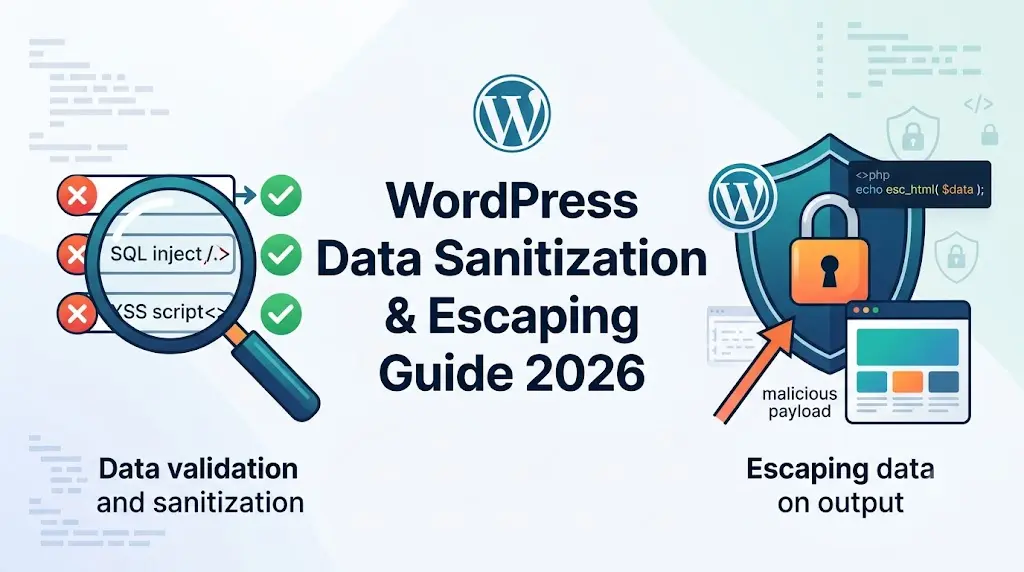
Did you know that in 2023, over 90% of all websites used WordPress? This incredible popularity makes WordPress a prime target for malicious actors. Protecting your WordPress site from security vulnerabilities often boils down to one crucial practice: properly handling data. This means sanitizing user input and escaping output data. Think of it as locking your doors and windows; it's a fundamental security measure that keeps your digital home safe.
Developing a plugin? Read our comprehensive guide on how to make a plugin.
Why Data Sanitization and Escaping Matter
Sanitizing and escaping data are the twin pillars of security when dealing with user-generated content or any dynamic data on your WordPress site. Without them, your site is vulnerable to a host of attacks, the most common being Cross-Site Scripting (XSS). XSS attacks occur when an attacker injects malicious scripts into your website, which are then executed by unsuspecting visitors' browsers. This can lead to stolen session cookies, defaced websites, or even redirecting users to phishing sites.
Escaping data is like giving your data a protective coating before it's displayed. It ensures that potentially harmful characters are rendered harmlessly, often by converting them into their HTML entity equivalents. Sanitization, on the other hand, is about cleaning up data before it's stored or processed. It removes or modifies potentially dangerous characters, ensuring the data is safe for its intended use. For instance, if a user submits a comment with a <script> tag, sanitization would strip that tag out before it ever hits your database.
Essential WordPress Data Handling Functions
WordPress provides a rich set of functions specifically for sanitizing and escaping data. Mastering these is non-negotiable for secure development.
Sanitization Functions
These functions clean up data, making it safe for storage or specific uses.
sanitize_text_field(): The go-to for general text input. It removes HTML tags and strips special characters.sanitize_email(): Ensures an email address is in a valid format.sanitize_url(): Verifies that a URL is well-formed.absint(): Ensures a value is a positive integer. This is incredibly useful for IDs and counts.sanitize_textarea_field(): Similar tosanitize_text_fieldbut preserves line breaks.
Escaping Functions
These functions prepare data for output in different contexts, preventing scripts from executing.
esc_html(): Escapes data for safe display as HTML. It converts characters like<and>into<and>.esc_attr(): Escapes data intended for use within an HTML attribute (e.g.,value="...",title="...").esc_url(): Ensures a URL is safe for output and prevents malicious redirects.esc_js(): Escapes data to be safely embedded within JavaScript.
Deep Dive: Using wp_enqueue_script with AJAX and PHP Data
A common scenario where data handling becomes critical is when you need to pass dynamic data from PHP (on the server-side) to JavaScript (on the client-side), especially when using AJAX. The wp_enqueue_script function is your tool for loading JavaScript files, but it also offers a clever way to localize scripts, making PHP data available to your JavaScript.
Let's say you have a form where users input data, and you want to process this data via AJAX without a full page reload. Your PHP code will receive the data, sanitize it, and then you'll want to send some of this processed data back to your JavaScript for further manipulation or display.
Here’s how you can properly pass PHP data to a JavaScript file via AJAX using wp_enqueue_script's localization feature:
1. Enqueue your JavaScript file and localize it:
In your theme's functions.php file or a custom plugin, you'll use wp_enqueue_script and wp_localize_script.
function my_custom_scripts() {
    // Enqueue your main JavaScript file
    wp_enqueue_script( 'my-custom-ajax-script', get_template_directory_uri() . '/js/my-ajax-handler.js', array('jquery'), '1.0', true );
    // Prepare data from PHP to be passed to JavaScript
    $php_data_to_js = array(
    'ajax_url' => admin_url( 'admin-ajax.php' ), // WordPress AJAX endpoint
    'nonce'    => wp_create_nonce( 'my_ajax_nonce' ), // Security nonce
    'message'  => esc_html__( 'Hello from PHP!', 'text-domain' ) // Example of escaped string
    );
    // Localize the script, making PHP data available in JavaScript
    wp_localize_script( 'my-custom-ajax-script', 'my_ajax_object', $php_data_to_js );
}
add_action( 'wp_enqueue_scripts', 'my_custom_scripts' );
In this code:
wp_enqueue_scriptloads yourmy-ajax-handler.jsfile.wp_localize_scriptcreates a JavaScript object namedmy_ajax_objectthat will be accessible globally in your script.- We pass an array
$php_data_to_jscontainingajax_url, a securitynonce, and an example escaped string. Theesc_html__()function ensures the message is safe for output.
2. Your JavaScript file (my-ajax-handler.js):
Now, in your JavaScript file, you can access this data through the my_ajax_object.
jQuery(document).ready(function($) {
    // Access the localized data
    var ajax_url = my_ajax_object.ajax_url;
    var nonce = my_ajax_object.nonce;
    var greeting_message = my_ajax_object.message;
console.log("Message from PHP:", greeting_message); // Logs “Hello from PHP!”
// Example AJAX call using the localized data
$('#my-form').on('submit', function(e) {
    e.preventDefault();
    var formData = $(this).serialize(); // Get form data
    $.ajax({
        url: ajax_url, // Use the AJAX URL provided by PHP
        type: 'POST',
        data: {
            action: 'my_custom_ajax_action',
            security: nonce,
            data: formData
        },
        success: function(response) {
            // Always sanitize and handle the response securely
            if (response.success) {
               $('#ajax-response-container').html(response.data.html_content);
            } else {
                alert('An error occurred: ' + response.data.message);
            }
        }
    });
});
});
3. Handling the AJAX Request in PHP Safely
To close the loop, you must handle that AJAX request back on the server side. This is where you verify your security tokens (nonces), process the input safely, and return a clean response.
function my_handle_custom_ajax_action() {
// 1. Verify the security nonce to prevent CSRF attacks
check_ajax_referer( 'my_ajax_nonce', 'security' );
// 2. Grab and sanitize the incoming data
$user_feedback = isset( $_POST['data'] ) ? sanitize_textarea_field( $_POST['data'] ) : '';
if ( empty( $user_feedback ) ) {
    wp_send_json_error( array( 'message' => __( 'Submission cannot be empty.', 'text-domain' ) ) );
}
// 3\. Process data (e.g., saving to database or preparing HTML response)
// When outputting dynamic HTML inside an array, escape early elements or use wp_kses
$html_output = '<p>' . sprintf(
    esc_html__( 'Thank you for your submission: %s', 'text-domain' ),
    esc_html( $user_feedback )
) . '</p>';
// 4\. Send a secure JSON response back to JavaScript
wp_send_json_success( array( 'html_content' => $html_output ) );
}
// Hook for logged-in users
add_action( 'wp_ajax_my_custom_ajax_action', 'my_handle_custom_ajax_action' );
// Hook for logged-out (public) visitors
add_action( 'wp_ajax_nopriv_my_custom_ajax_action', 'my_handle_custom_ajax_action' );
Learn 10 WordPress Hacks to help secure your website and improve data handling practices.
The "Late Escaping" Rule of Thumb
If there is one absolute rule to follow when securing your WordPress code, it is Late Escaping. This means you should escape variables as close to the point of output as possible—ideally right inside your echo statement or HTML template blocks.
Instead of doing this:
// Bad practice: Escaping too early
$clean_title = esc_html( $post->post_title );
// ... 50 lines of code later ...
echo $clean_title;
Do this:
// Good practice: Easy to audit and verify at a glance
echo esc_html( $post->post_title );
By delaying your escaping to the literal moment the data hits the browser, any developer or automated security scanner auditing your codebase can quickly verify that your application is safe from Cross-Site Scripting (XSS) vulnerabilities.
Summary Checklist for WordPress Developers
| Context | Recommended | Function What it Does |
|---|---|---|
| Plain Text Input | sanitize_text_field() | Strips HTML tags and line breaks. |
| Text Area Input | sanitize_textarea_field() | Strips HTML tags but preserves line breaks. |
| Output to HTML | esc_html() | Converts < and > into safe HTML entities. |
| Output to Attributes | esc_attr() | Makes strings safe inside HTML attributes like value or title. |
| URLs (Input & Output) | esc_url() / sanitize_url() | Disables dangerous protocols like javascript:. |
| Rich Text (HTML Allowed) | wp_kses_post() | Whitelists safe HTML tags while stripping scripts. |
By incorporating these native WordPress utilities into your daily development workflow—especially when handling complex interactions like wp_enqueue_script and AJAX loops—you effectively secure your codebase and contribute to a safer web ecosystem.
Conclusion
Securing a WordPress site doesn't require complex, proprietary algorithms. By standardizing your workflow around WordPress's built-in hooks, sanitization functions, and proper JavaScript localization patterns, you can eliminate the vast majority of injection and Cross-Site Scripting (XSS) vulnerabilities.
Make it a strict habit to audit your codebase for the Late Escaping rule: if you see an echo statement or data being passed dynamically into JavaScript, ensure an appropriate esc_* function is protecting it at that exact moment. By taking these extra steps in your daily development loops, you protect not only your application's data but the millions of users who rely on the WordPress ecosystem every single day.
About the Author

Brian Keary
Founder & Lead Developer
Brian is the founder of BKThemes with over 20 years of experience in web development. He specializes in WordPress, Shopify, and SEO optimization. A proud alumnus of the University of Wisconsin-Green Bay, Brian has been creating exceptional digital solutions since 2003.
Expertise
Writing since 2003