A headless WordPress and React architecture decouples content management from the frontend presentation layer. By utilizing WordPress purely as a backend content repository and rendering views through a React-based application (such as Next.js), developers achieve sub-second page loads, enhanced security boundaries, and omni-channel API distribution.
Key Takeaways
- WordPress is a dominant CMS, while React is a leading JavaScript library for UIs.
- Combining them typically involves using WordPress as a headless CMS, with React handling the front-end.
- Key benefits include significantly improved performance, enhanced user experience, greater flexibility, and modern development workflows.
- This approach is ideal for developers and businesses prioritizing speed, interactivity, and multi-platform content delivery.
- It's not suitable for beginners or projects requiring a simple, out-of-the-box solution.
- Common pitfalls include underestimating the learning curve, ignoring SEO, and overcomplicating the architecture.
- Frameworks like Next.js and Gatsby are instrumental in building performant, SEO-friendly React front-ends for headless WordPress.
What is WordPress in a Headless Architecture?
At its heart, WordPress is a robust, open-source content management system (CMS) that has democratized website creation. Initially launched in 2003 as a blogging platform, it has evolved into a versatile tool capable of powering everything from simple blogs to complex e-commerce sites and enterprise-level applications. Its user-friendly interface, extensive plugin ecosystem, and vast community support make it an accessible choice for users of all technical skill levels. WordPress's flexibility allows for customization through themes and plugins, enabling users to tailor their websites to specific needs. The platform’s core strength lies in its ability to manage content efficiently, making it a go-to for publishers, businesses, and individuals alike.
What is React's Role in Headless Development?
React, on the other hand, is a JavaScript library for building user interfaces, developed by Facebook (now Meta). It’s renowned for its declarative programming style, which allows developers to describe how the UI should look at any given state, and React takes care of updating the DOM efficiently. React's component-based structure means you can break down complex UIs into smaller, reusable pieces. This approach not only speeds up development but also enhances maintainability and scalability. React's virtual DOM mechanism is key to its performance, minimizing direct manipulation of the actual browser DOM, which is often a bottleneck. This efficiency makes React ideal for single-page applications (SPAs) and interactive web experiences where rapid updates and smooth transitions are paramount.
Why Combine WordPress and React?
The synergy between WordPress and React addresses the limitations of traditional WordPress development while leveraging its strengths. Traditional WordPress themes and plugins often rely on server-side rendering and can sometimes lead to slower page load times, especially with heavy customization. React, with its client-side rendering and component-based approach, can dramatically improve the user experience by making interfaces feel snappier and more responsive.
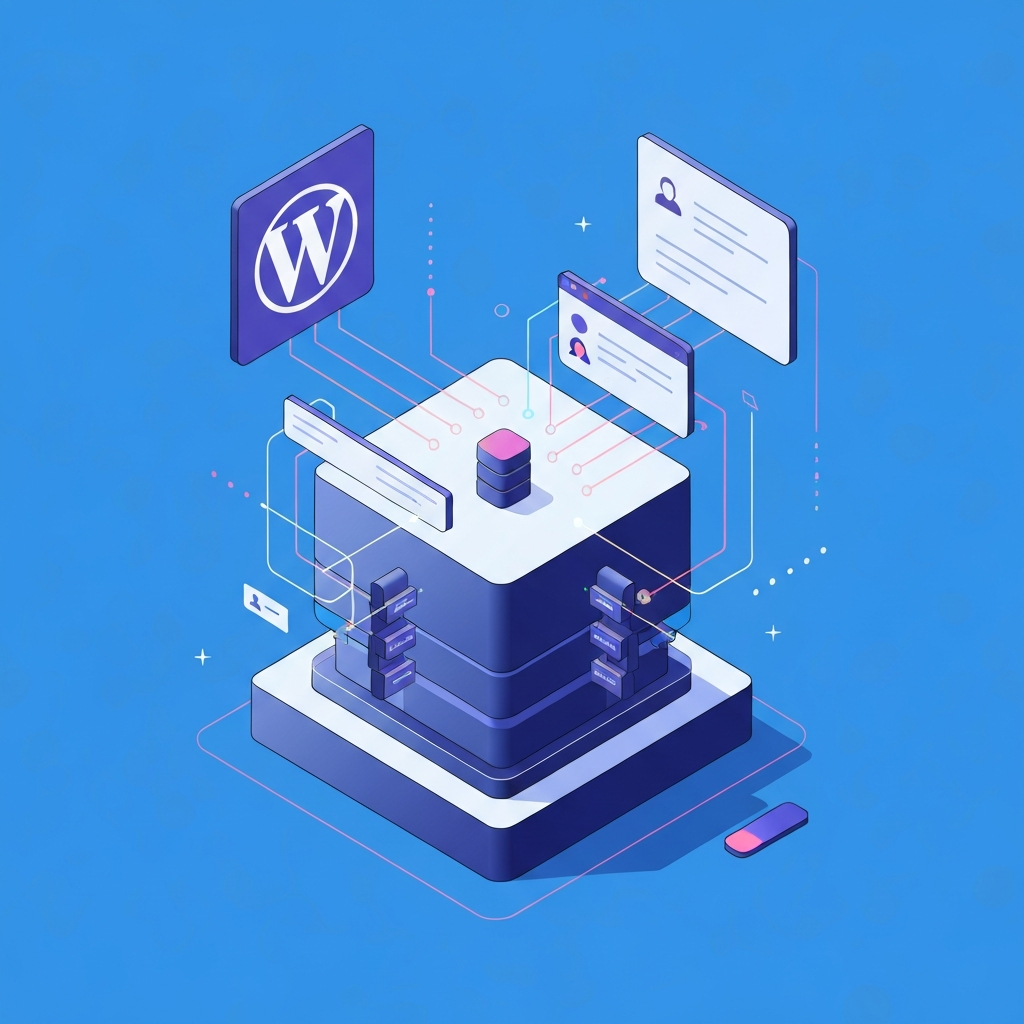
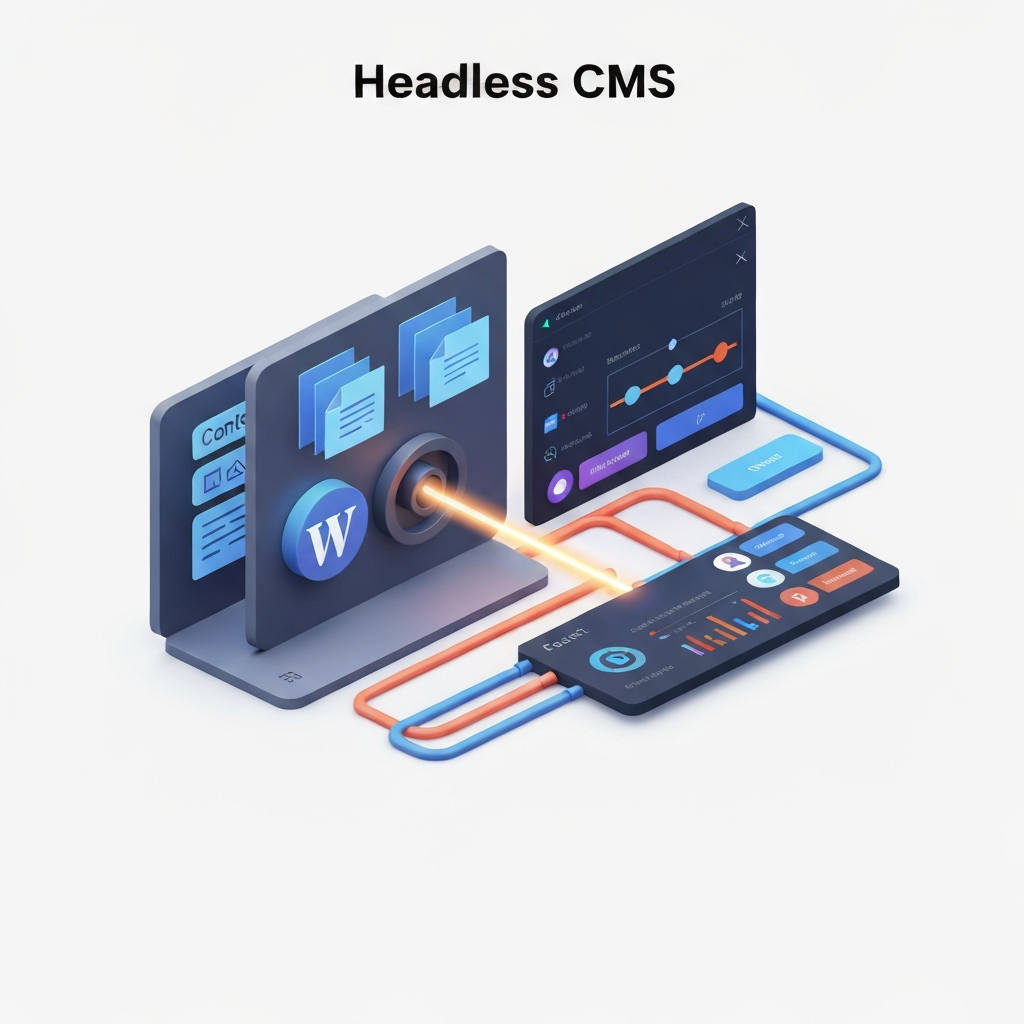
When you integrate React into a WordPress setup, you're essentially using WordPress as a powerful headless CMS. This means WordPress handles content creation, management, and storage, while React takes over the presentation layer, building the front-end interface that users interact with. This separation of concerns offers several significant advantages. It allows for a more modern, dynamic front-end that can be served to various platforms, not just a traditional web browser. Think mobile apps, IoT devices, or even other web applications. This flexibility is a game-changer for businesses looking to deliver consistent experiences across multiple touchpoints.
The Headless Approach Explained
In a headless architecture, the back-end content repository (WordPress) is decoupled from the front-end display layer. WordPress exposes its content through APIs (like the REST API or GraphQL). Your React application then fetches this content via these APIs and renders it dynamically. This is a far cry from the traditional monolithic WordPress setup where the theme dictates the front-end presentation. The benefits include enhanced security, as the admin interface isn't directly tied to the public-facing site in the same way. It also allows front-end developers to work with their preferred tools and workflows without being constrained by WordPress theme structures. This separation is a pivotal shift in how websites are built today, moving towards more flexible and scalable architectures.
How does the WordPress REST API bridge the gap between back-end content management and front-end rendering?
The built-in REST API serves as the data pipeline, exposing WordPress posts, pages, and custom post types as JSON endpoints that a React application can query and render asynchronously.
Why might developers choose WPGraphQL over the standard REST API for data fetching?
WPGraphQL enables precise client-side queries, allowing the React front-end to request only the specific fields needed in a single request, which minimizes payload size and prevents over-fetching data.
How does server-side data fetching via the REST API benefit SEO performance?
Frameworks like Next.js or Gatsby fetch REST API endpoints at build time or on the server, generating fully rendered HTML pages that search engines can easily index without relying on client-side execution.
Why is Next.js considered the flagship framework for SSR in a headless WordPress stack?
Next.js natively supports Server-Side Rendering (SSR) and Incremental Static Regeneration (ISR), enabling dynamic React front-ends to render HTML on the server for each request while keeping content continuously synchronized with WordPress updates.
How does Next.js SSR optimize Core Web Vitals and SEO for headless sites?
By executing data fetches on the server during the initial request, Next.js delivers fully pre-rendered HTML to the browser, significantly reducing First Contentful Paint (FCP) and ensuring search engine crawlers can index complete page content instantly.
What rendering strategies within Next.js provide the best balance of speed and dynamic content?
Next.js allows developers to mix Server-Side Rendering (SSR), Static Site Generation (SSG), and Server Components within the same application, letting high-traffic blog pages stay static while dynamic user dashboards render on demand.
How does Next.js streamline data fetching directly from WordPress endpoints?
Through built-in API routing and optimized fetch caching mechanisms, Next.js seamlessly handles server-side REST API or GraphQL queries, protecting sensitive API keys on the server while delivering fast, cached data payloads to the client.
What authentication mechanisms secure write requests and sensitive data fetching over the REST API?
To securely send data back to WordPress or fetch protected content, applications utilize OAuth, Application Passwords, or JWT (JSON Web Tokens) to authenticate API calls from the React front-end.
Benefits of Using WordPress with React
Pairing React with WordPress provides distinct architectural advantages over traditional PHP theme rendering.
Enhanced Performance and Speed
React's virtual DOM and efficient rendering capabilities contribute significantly to faster load times. By handling UI updates on the client side, React minimizes the need for full page reloads, making the user experience feel instantaneous. This speed boost is crucial for SEO and user retention; studies consistently show that faster websites lead to lower bounce rates and higher conversion rates. For example, a mere one-second delay in page load time can decrease conversions by up to 7%.
Improved User Experience (UX)
The interactive and dynamic nature of React allows for richer, more engaging user interfaces. Complex animations, smooth transitions, and real-time data updates become easier to implement, leading to a more compelling user journey. This focus on interactivity aligns perfectly with modern user expectations. Elevating small business branding with user experience design becomes much more achievable when you have the tools to create truly captivating interfaces.
Greater Flexibility and Scalability
Using WordPress as a headless CMS with a React front-end provides unparalleled flexibility. Your content can be delivered to any platform that can consume an API, not just a web browser. This future-proofs your website and allows for easier expansion into new channels. Scalability is also enhanced, as the front-end and back-end can be scaled independently based on demand. This architectural freedom is invaluable for growing businesses.
Modern Development Workflow
React developers can leverage their familiar tools, libraries, and best practices. This often leads to faster development cycles and easier onboarding for specialized front-end talent. The ability to use modern JavaScript features and build reusable components streamlines the development process. This approach can be particularly beneficial when considering the future of web development, as seen in discussions around Wordpress and react the future is here.
Enhanced Security
Decoupling the front-end from the WordPress back-end can improve security. By exposing content via APIs rather than directly linking the front-end theme to the WordPress core, you can reduce the attack surface. While WordPress itself is secure when properly maintained, this architectural separation adds an extra layer of defense. Regular security audits and timely updates, including vigilance against malware, remain essential, as detailed in guides on how to detect and remove malware from your WordPress website.
Learn Technical SEO for WordPress — make your site genuinely findable to boost your WordPress visibility today with smart SEO tactics. Boost traffic and attract more visitors with effective strategies tailored for success.
How to Implement WordPress with React
There are several ways to bring WordPress and React together, each with its own set of considerations.
Option 1: Using a Headless WordPress Setup
This is the most common and recommended approach for leveraging the full power of React.
- Set up WordPress: Install WordPress on your hosting. This will serve as your content repository.
- Enable REST API or GraphQL: WordPress's built-in REST API allows you to fetch content. For more advanced querying capabilities, you can install a GraphQL plugin like WPGraphQL.
- Build your React Front-end: Create a separate React application. This could be a single-page application (SPA) using frameworks like Create React App, Next.js, or Gatsby.
- Configure On-Demand ISR Webhooks: To eliminate delayed rebuilds, hook into WordPress's
save_postaction. Whenever a post is created, updated, or published, WordPress sends an authenticated HTTP webhook payload to a Next.js API Route or Route Handler (e.g.,/api/revalidate). The Next.js endpoint verifies a secure secret token and invokesrevalidateTag()(e.g.,revalidateTag('posts')) orrevalidatePath(). This instantly purges and regenerates cached static pages on the CDN edge without requiring a full site redeployment. - Fetch Data: Use JavaScript's
fetchAPI, Axios, or GraphQL clients (like Apollo Client ) within your React app to pull data from your WordPress site's API endpoints. - Render Content: Display the fetched content using React components.
This method offers maximum flexibility and performance. Frameworks like Next.js and Gatsby are particularly well-suited for this, offering features like server-side rendering (SSR) and static site generation (SSG) for React applications, which further boost performance and SEO.
Option 2: Using a Page Builder Plugin with React Integration
Some advanced WordPress page builders are beginning to integrate React components or offer React-based front-end capabilities. While this might seem like a simpler route, it can lead to a less "pure" headless experience and inherit some structural limitations of the page builder itself.
Option 3: Custom Theme Development with React Components
It is also possible to build a traditional WordPress theme while incorporating React components for specific dynamic features within certain pages or sections. This hybrid approach requires a deep understanding of both WordPress theme development and React, adding client-side interactivity without moving to a fully decoupled headless architecture.
What Common Pitfalls Occur in Headless WordPress and React Architectures?
While combining WordPress (as a headless CMS) with React offers modern development capabilities and dynamic performance, decoupling the architecture introduces several critical pitfalls:
1. Broken Plugin Ecosystem
- Loss of Out-of-the-Box Frontend Plugins: Traditional WordPress plugins that output HTML, styles, or interactive scripts directly into themes (such as Yoast SEO UI, Gravity Forms, WooCommerce frontend widgets, or page builders like Elementor) cease to work on the client side.
- Custom Integration Burden: Teams must write custom React components and hook into REST or GraphQL API endpoints to recreate functionality that standard plugins usually handle automatically.
2. Degraded Editorial Experience & Loss of WYSIWYG
- Missing Live Previews & Page Building: Block-based layout editing (Gutenberg) and native real-time post previews often break or become drastically delayed in a headless environment.
- Developer Bottlenecks: Content editors lose the ability to assemble new page layouts independently using blocks or shortcodes, relying instead on front-end engineers to code new components for every structural design update.
3. Routing, Redirects, and SEO Pitfalls
- Application-Layer Routing: In monolithic WordPress, URL routing, 301/302 redirects, sitemaps, and canonical tags are automatically managed. In a React setup, developers must manually build and manage routing logic, canonical links, and redirect maps.
- Client-Side Rendering (CSR) Issues: Relying purely on client-side React rendering can severely hinder search engine crawlers and degrade Core Web Vitals. To mitigate this, developers must implement Server-Side Rendering (SSR) or Static Site Generation (SSG) using frameworks like Next.js or Gatsby.
4. Fragmented Infrastructure & Increased Operational Overhead
- Dual Environment Management: Instead of a single WordPress server, teams must host, secure, and maintain two separate infrastructure layers: the PHP/WordPress backend server and the JavaScript/React deployment environment (e.g., Vercel, Netlify, or Node.js instances).
- Cache Invalidation & Schema Drift: Syncing data between WordPress content changes and the static/cached React application requires precise cache invalidation strategies (such as webhooks and incremental static regeneration).
5. API Performance Bottlenecks
- Over-Fetching & Under-Fetching: Fetching complex relational data via standard WordPress REST API endpoints often requires multiple HTTP requests or returns unnecessary data, slowing down client-side rendering.
- Missing GraphQL Optimizations: Unoptimized WPGraphQL or REST queries can put extra load on the WordPress MySQL database, neutralizing the speed advantages expected from a React front-end.
Comparison: Traditional WordPress vs. WordPress + React
To better illustrate the differences, let's compare the two approaches:
| Feature | Traditional WordPress | WordPress + React (Headless) |
|---|---|---|
| Architecture | Monolithic (Back-end & Front-end coupled) | Decoupled (Back-end CMS, Front-end App) |
| Performance | Varies; can be slow with many plugins/heavy themes | Generally much faster; optimized for speed |
| Flexibility | Limited by themes and plugins | Highly flexible; content can be served anywhere |
| Development | PHP, HTML, CSS, JavaScript (often jQuery) | JavaScript (React), Node.js, APIs |
| User Interface | Often template-driven, can be less dynamic | Highly dynamic, interactive, modern |
| Scalability | Can be challenging to scale independently | Front-end and back-end scale independently |
| Learning Curve | Easier for beginners, steeper for advanced features | Steeper for beginners, familiar for React developers |
| Use Cases | Blogs, basic business sites, simple e-commerce | Complex web apps, SPAs, multi-platform content delivery |
| SEO | Generally good, but can be impacted by performance | Excellent when using SSR/SSG frameworks (e.g., Next.js) |
Which Frameworks and Libraries Support React with Headless WordPress?
Several React-based full-stack frameworks and specialized tools support building a headless WordPress front-end:
1. Production Meta-Frameworks (Recommended)
- Next.js: The industry standard for production React applications. Next.js supports Server-Side Rendering (SSR), Static Site Generation (SSG), and Incremental Static Regeneration (ISR), which allow dynamic WordPress content updates to reflect almost instantly while maintaining fast page speeds and top Core Web Vitals.
- Gatsby: A React framework focused on static site generation and content mesh integration. Gatsby provides a official
gatsby-source-wordpressplugin, which uses WPGraphQL to optimize media management, page creation, and build-time caching. - Remix: A full-stack React framework that emphasizes web standards and server-side data loading. It allows developers to handle WordPress REST or GraphQL calls directly in server loaders for fast, dynamic user experiences.
- Astro (with React Integration): While Astro is a multi-framework static engine, its React island architecture allows developers to build content-driven headless WordPress sites using zero client-side JavaScript by default, hydrating interactive React components only where needed.
- Faust.js: Maintained by WP Engine, Faust.js is a dedicated framework designed specifically for headless WordPress using Next.js and React. It natively solves complex headless challenges such as authentication, post previews, Gutenberg block rendering, and WPGraphQL schema mapping.
- TinaCMS: A React-based open-source toolkit for building content management interfaces. TinaCMS can be integrated with headless WordPress to provide inline editing and real-time content updates for a more seamless authoring experience.
2. WordPress-Specific Frameworks & SDKs
- Faust.js: Maintained by WP Engine, Faust.js is a dedicated framework designed specifically for headless WordPress using Next.js and React. It natively solves complex headless challenges such as authentication, post previews, Gutenberg block rendering, and WPGraphQL schema mapping.
- Frontity: An open-source, React-based framework tailored specifically for WordPress. Note: Frontity is no longer under active core development, as its core team transitioned focus to official WordPress core initiatives like the Interactivity API, but legacy builds still exist.
3. Data Fetching & GraphQL Libraries
- Apollo Client / Urql: Declarative GraphQL client libraries used to query data from WordPress via the WPGraphQL plugin.
- Axios / Native Fetch API: Lightweight tools used to consume the built-in WordPress REST API.
- SWR / TanStack Query (React Query): Client-side data-fetching libraries that handle caching, revalidation, and optimistic updates for dynamic REST endpoints in React apps.
How Will Headless WordPress and React Evolve in 2027 and Beyond?
Looking toward 2027 and beyond, the combination of Headless WordPress and React is shifting from an "experimental high-performance stack" into a mature enterprise infrastructure. As web architecture evolves alongside Generative AI, serverless edge compute, and changing search engine paradigms, the headless WordPress + React ecosystem is transforming across several core areas:
1. Generative Engine Optimization (GEO) & Machine-Readable Data
By 2027, web traffic will increasingly rely on AI search engines (Google AI Overviews, ChatGPT, Perplexity, Claude) fetching and summarizing content directly rather than users clicking traditional organic blue links.
- API-First Content Retrieval: AI agents query structured API endpoints directly rather than scraping rendered visual web pages. Headless WordPress combined with WPGraphQL acts as a clean, machine-readable data repository for AI indexing agents.
- Entity Mapping & Schema Injection: Developers will use React frameworks to inject rich JSON-LD schema, semantic HTML5 landmarks, and explicit entity relationships (
sameAs,about,mainEntity) directly into pre-rendered static shells, ensuring AI crawlers digest complete, structured context without executing heavy client-side JavaScript.
2. Edge Rendering, Server Actions, & React Server Components (RSCs)
The distinction between Static Site Generation (SSG) and Server-Side Rendering (SSR) is fading into Edge-Native Hybrid Rendering.
- React Server Components (RSC): Instead of hydrating entire page trees on the browser, frameworks like Next.js and Remix leverage RSCs to execute database/API logic on edge networks (like Vercel or Cloudflare Workers). This reduces client-side JavaScript bundle sizes to near zero while retaining dynamic React reactivity where needed.
- Sub-50ms On-Demand Cache Invalidation: Legacy webhooks that trigger minutes-long static site rebuilds are fully replaced by granular, tag-based revalidation (e.g., Next.js
revalidateTag). When an editor hits "Update" in WordPress, only the specific React UI block on the edge CDN updates instantaneously.
3. Native Visual Editing & Content Mesh Frameworks
One of the primary historical drawbacks of headless WordPress—the loss of live visual previews and Gutenberg drag-and-drop page editing—is being resolved through specialized framework integration:
- Faust.js & Next.js Toolbar Evolution: Frameworks built specifically for headless WordPress (such as Faust.js) now bridge Gutenberg blocks directly to React component schemas natively.
- Real-Time Visual Canvas: Editors can compose, drag, and reorder React components within the native WordPress block editor UI, with instant visual previews rendered directly from the React frontend via decoupled iframe communication.
4. Autonomous AI Agents in Content & Design Workflows
In 2027, AI is moving from simple text-generation plugins to supervised, autonomous agents embedded across both back-end and front-end environments:
- Automated Component Mapping: AI agents will inspect new WordPress Custom Post Types or ACF schemas and automatically output production-ready React UI components matching the design system.
- Automated Accessibility & Performance Budgets: Continuous integration pipelines will deploy synthetic user tests using headless browsers (e.g., via WordPress Playground blueprints) to enforce strict performance budgets and WCAG accessibility standards before automated updates hit production.
5. Multi-Channel & Hyper-Personalized User Experiences
As brands move beyond traditional websites, headless WordPress acts as a unified Content Operating System:
- Omnichannel Publishing: A single WordPress instance powers the React/Next.js web application, mobile native apps (React Native), digital in-store displays, and voice/conversational search agents through unified REST/GraphQL APIs.
- Privacy-Preserving Edge Personalization: By pairing React edge middleware with localized user context (geolocations, referral sources, viewing history), marketers can deliver personalized content blocks instantly at the CDN level without triggering layout shifts (CLS) or privacy-invasive tracking scripts.
Conclusion
Decoupling WordPress with a React frontend creates an enterprise-ready content infrastructure. By leveraging WordPress as a powerful, user-friendly content engine and React as a high-performance UI builder, you can create websites that are not only visually stunning and highly interactive but also incredibly fast and scalable. While it requires a different approach than traditional WordPress development, the benefits in terms of performance, flexibility, and user engagement are substantial. For businesses and developers looking to stay ahead in the dynamic digital landscape, understanding and implementing this powerful partnership is no longer optional—it’s essential.
Frequently Asked Questions
What are the main advantages of using React with WordPress?
The primary advantages revolve around performance and user experience. React's efficient rendering and virtual DOM lead to much faster load times compared to many traditional WordPress themes. This speed translates into a better user experience, with more dynamic and interactive interfaces. Additionally, the decoupled, headless nature of this setup offers greater flexibility and scalability, allowing content to be delivered across various platforms beyond just a website.
Is it difficult to set up WordPress with React?
Yes, it generally involves a steeper learning curve than traditional WordPress development. It requires developers to be comfortable with JavaScript, React, API interactions, and potentially build tools like Next.js or Gatsby. You'll need to manage two separate environments: your WordPress back-end and your React front-end application. However, for experienced developers, the process becomes manageable and highly rewarding.
Can I still use WordPress plugins with a React front-end?
You can still use WordPress plugins for back-end functionality that doesn't directly affect the front-end presentation layer. This includes plugins for SEO (like Yoast SEO), forms (like Gravity Forms or WPForms), e-commerce (WooCommerce), and more. These plugins extend WordPress's capabilities as a content management system. However, plugins that directly control front-end theme appearance might not work as expected or require custom integration with your React app.
How does SEO work with a headless WordPress and React setup?
SEO can be excellent with this setup, but it requires careful implementation. Using frameworks like Next.js or Gatsby is highly recommended because they support Server-Side Rendering (SSR) and Static Site Generation (SSG). These techniques ensure that search engines can easily crawl and index your content, just as they would with a traditional website. Simply relying on client-side rendering alone can present challenges for SEO if not handled correctly.
Is a headless WordPress and React setup overkill for a small blog?
For a basic blog, it might be overkill. Traditional WordPress setups are often simpler, faster to deploy, and easier for beginners to manage. However, if you anticipate significant growth, plan to deliver content across multiple platforms, or desire a highly interactive and modern user interface from the outset, then exploring this combination even for a blog could be a strategic long-term decision. It depends on your specific goals and technical resources.
Looking for implementation support? Visit our web development services page for the full service overview.
About the Author

Brian Keary
Founder & Lead Developer
Brian is the founder of BKThemes with over 20 years of experience in web development. He specializes in WordPress, Shopify, and SEO optimization. A proud alumnus of the University of Wisconsin-Green Bay, Brian has been creating exceptional digital solutions since 2003.
Expertise
Writing since 2003