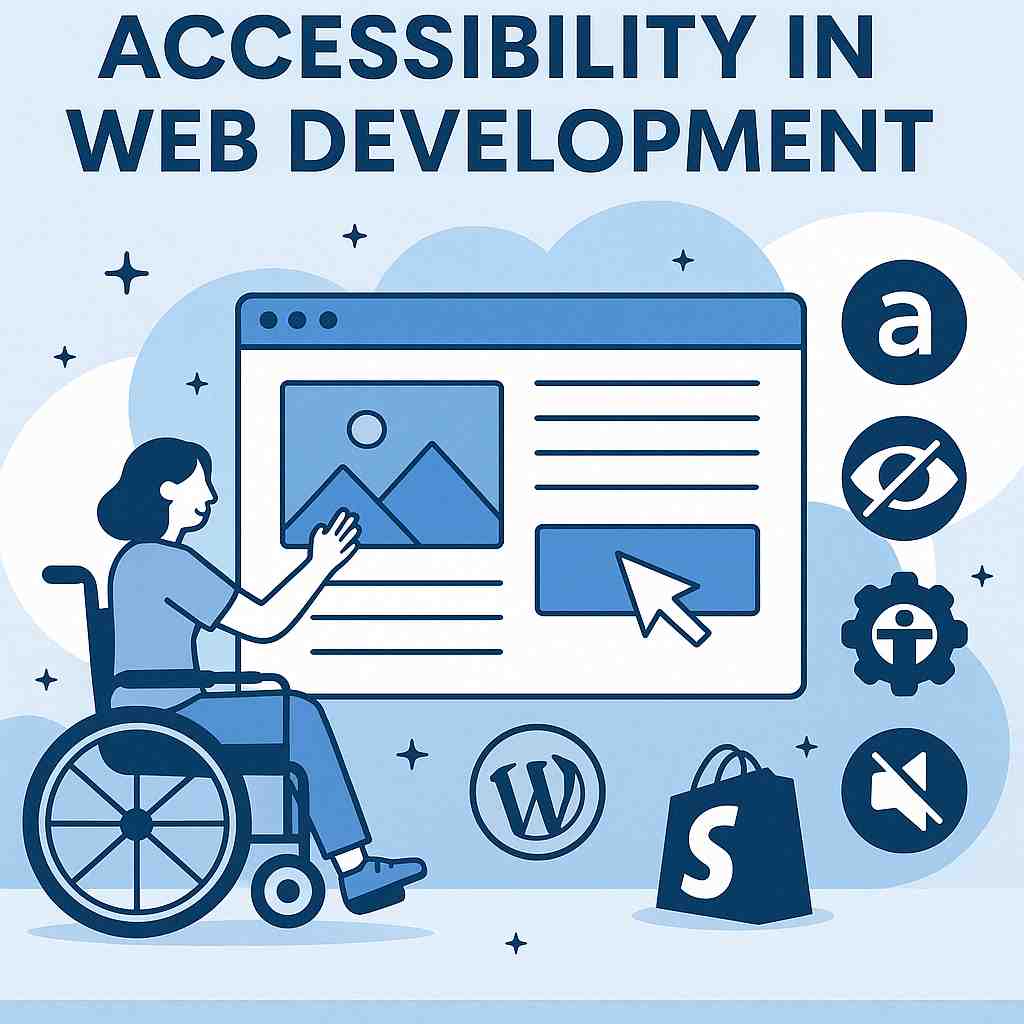
Websites are a crucial gateway to services, products, and information in today's digital world. Ensuring everyone can navigate this gateway, regardless of ability, is where web accessibility development becomes essential. This comprehensive guide will explain what accessibility means, why it matters, and how to build user-friendly, inclusive, and legally compliant websites for WordPress and Shopify.
What is Web Accessibility?
What is Web Accessibility and Why is it Important?
Web accessibility means designing and developing websites so that people with disabilities can perceive, understand, navigate, and interact with them effectively. Disabilities may be visual, auditory, physical, speech-related, cognitive, or neurological.
Who Benefits from Accessible Design
- People with disabilities
- Seniors with reduced vision or mobility
- Mobile users in bright sunlight
- People in noisy or quiet environments
- Users with temporary impairments (like a broken arm)
Accessible websites work better for everyone, improving usability and user satisfaction across the board.
The Legal and Ethical Side of Accessibility
ADA, WCAG, and Global Guidelines
In many countries, digital accessibility is protected by law:
- ADA (Americans with Disabilities Act) in the U.S.
- WCAG (Web Content Accessibility Guidelines) globally recognized standard
- EN 301 549 in Europe
Failure to comply can lead to lawsuits, especially for e-commerce and public-facing websites.
What are the Business Risks of Non-Compliance?
Thousands of businesses face legal action each year for inaccessible websites. It's not just a PR problem—it's a real legal and financial risk.
Accessibility as a Core Value
Beyond compliance, accessibility reflects your brand's commitment to equality, inclusion, and customer care. It's not just about doing things right—it's about doing the right thing.
Common Web Accessibility Barriers
How Do Visual Impairments Affect Web Accessibility?
Visual impairments—ranging from low vision and color blindness to total blindness—impact web accessibility by preventing users from reading low-contrast text, viewing unmagnified layouts, distinguishing color-coded data, or interpreting images without screen-reader text alternatives. These physical barriers stop users from navigating sites via standard mice or visual layouts.
Learn more detailed guidelines through theWorld Wide Web Consortium (W3C) overview on visual disabilities.
Common Barriers and Impacts
- Low Contrast: Weak contrast between text and background colors makes content unreadable for users with low vision.
- Missing Alt Text: Images or graphics lacking descriptive text alternatives leave blind users relying on screen readers completely unaware of visual information.
- Color-Dependent Cues: Using color alone (like red text for errors) hides important warnings from people with color blindness.
- Fixed Text Sizing: Rigid layouts that break or require horizontal scrolling when users zoom in or enlarge fonts frustrate low-vision readers.
- Mouse-Only Navigation: Sites lacking clear keyboard focus states or semantic structure trap users who cannot operate a computer mouse.
Hearing Loss and Deafness
For users who are deaf or hard of hearing, audio content without captions or transcripts is inaccessible. Podcasts, videos, and voiceovers must offer alternative formats.
Motor and Cognitive Challenges
Users with limited motor control might use keyboards or voice commands. Complicated forms, inconsistent layouts, or flashing animations can create obstacles for those with cognitive or neurological disabilities.
Key Principles of Accessible Web Design
What is Perceivable Content in Web Design?
Perceivable content means information and interface parts are presentable to users in ways they can sense. It is the first core principle of the W3C Web Content Accessibility Guidelines (WCAG), ensuring that people with sight, hearing, or touch differences can access every part of a site.
Core Rules for Perceivable Content
- Text Alternatives: Give text options for non-text things like images, icons, and charts so screen readers can read them aloud.
- Time-Based Media: Provide captions for videos and text transcripts for audio clips so deaf or hard-of-hearing users miss nothing.
- Adaptable Layouts: Build content so it adapts to different screens or assistive tools without losing meaning or order.
- Distinguishable Design: Use clear color contrast, readable text sizes, and avoid relying on color alone to share key details.
Operable Interfaces
Users must be able to operate your website, whether through a mouse, keyboard, or assistive technology. That includes logical tab order and accessible navigation menus.
Understandable Layouts
Content must be presented in a clear and predictable way. Headings, buttons, and form fields should all follow a logical flow.
Robust Code
Your site should work well with a wide range of user agents and assistive technologies. Clean HTML, ARIA roles, and semantic structure are key.
How to Ensure Accessibility in WordPress?
To ensure accessibility in WordPress, choose an accessibility-ready theme, add descriptive alt text to images, use proper heading hierarchies, ensure full keyboard navigation, and maintain high color contrast ratios. These steps align your site with global Web Content Accessibility Guidelines (WCAG).
Key Practices for WordPress Accessibility
- Choose the right theme: Select a clean, modern theme (such as Blocksy or standard accessibility-ready themes) that supports proper semantic HTML and keyboard navigation.
- Write descriptive alt text: Add concise, meaningful alternative text to images in the media library so screen readers can describe them to visually impaired users.
- Use logical heading structures: Organize content sequentially using H1, H2, and H3 tags properly rather than choosing heading sizes based only on visual appearance.
- Ensure keyboard operability: Test your website by unplugging the mouse and using the Tab, Enter, and arrow keys to verify all menus, buttons, and links work smoothly.
- Maintain color contrast: Keep a minimum contrast ratio of 4.5:1 for standard text and 3:1 for large text between your foreground and background colors.
- Use clear link text: Avoid generic phrases like "click here" and instead use descriptive text that explains where the link leads.
- Provide multimedia transcripts: Include written transcripts for audio files and captions for all video content.
- Audit and test: Use specialized diagnostic tools like Accessibility Checker or browser extensions to catch markup errors and low-contrast elements
Choosing Accessible Themes
Not all WordPress themes are created equal. Look for themes that are "accessibility-ready" in the WordPress directory. These are tested for compatibility with screen readers, contrast, and keyboard navigation.
Plugins That Enhance Accessibility
Top accessibility plugins for WordPress include:
- WP Accessibility
- Accessibility Checker
- One Click Accessibility
These help fix contrast, skip links, alt tags, and more.
Keyboard Navigation and ARIA Roles
Ensure all elements can be reached via keyboard. Use ARIA (Accessible Rich Internet Applications) roles to describe dynamic content and live regions.
How Can You Ensure Accessibility in Shopify?
To ensure accessibility in Shopify, you must audit your source code, configure clear semantic structures, test the checkout flow using keyboard navigation, and carefully vet third-party apps. Because e-commerce relies heavily on dynamic elements like carts and filters, relying strictly on visual designs or automated overlay widgets will not guarantee global WCAG or ADA compliance.
Key Practices for Shopify Accessibility
- Audit third-party apps: Screen your installed apps carefully because dynamic widgets, product reviews, and size charts regularly inject unvalidated JavaScript that breaks screen reader compatibility.
- Optimize the checkout flow: Test the path from product discovery to final purchase using only the Tab and Enter keys to ensure shoppers never encounter structural keyboard traps.
- Write custom product alt text: Avoid using default image file names as text descriptions; write clear, explicit descriptions explaining the color, texture, and physical characteristics of your product.
- Design minimum contrast targets: Maintain a strict contrast ratio of at least 4.5:1 for standard body copy and 3:1 for interface graphics, interactive form borders, and primary Call-To-Action buttons.
- Announce real-time cart updates: Use proper aria-live attributes within your theme so visually impaired shoppers receive immediate audio alerts when an item is successfully added to their cart.
- Enlarge mobile tap targets: Structure your mobile template layout so buttons, variant swatches, and navigation links have a touch target size of at least 44×44 CSS pixels to accommodate limited fine motor skills.
- Eliminate sticky header obstructions: Check that sticky navigation bars or discount countdowns do not cover up or obscure focus indicators when a user navigates text links using their keyboard.
- Publish an official statement: Post a dedicated, dated Shopify Accessibility Statement outlining your compliance goals, known issues, and a clear contact method for reporting barriers.
Limitations and Opportunities
Shopify themes vary widely in accessibility. Some are optimized, others aren't. Start with a well-reviewed theme and check documentation for accessibility notes.
Using Alt Text and Semantic HTML
Every product image should have descriptive alt text. Use semantic HTML for headings, paragraphs, and lists to make the content understandable to screen readers.
Shopify App Integrations
Apps like Accessibility Enabler and Accessibly provide toolbars, font resizing, contrast toggles, and more. These are especially useful for stores with limited coding ability.
Accessibility vs Usability: What's the Difference?
How They Work Together
- Usability is about how easy something is to use
- Accessibility ensures it's usable by people with disabilities
Both aim to improve user experience, and a site that is both accessible and usable reaches the broadest possible audience.
Improving Both Simultaneously
Clear layouts, readable fonts, responsive design, and logical navigation all support both accessibility and usability—no trade-off needed.
Designing for Screen Readers
Use of Proper HTML Tags
HTML5 elements (like <header>, <nav>, <article>) provide structure and meaning. Avoid excessive <div> and <span> usage.
Skip Navigation Links
Allow screen reader users to bypass repetitive navigation and go straight to content with a "skip to content" link at the top of each page.
Labeling Forms and Buttons
Every input field and button must have a label that screen readers can interpret. Use aria-label, aria-labelledby, or visible <label> tags.
Color and Contrast Best Practices
Accessible Color Palettes
Avoid using color alone to convey meaning (e.g., red for error). Combine with icons, text, or underlines.
Tools to Check Contrast Ratios
Use tools like:
- WebAIM Contrast Checker
- Color Oracle
- Accessible Colors
Aim for a minimum contrast ratio of 4.5:1 for normal text and 3:1 for large text. WCAG contrast ratio guidelines
Font Size, Readability, and Typography
Minimum Font Guidelines
Your body text should be no smaller than 16px for readability. Smaller text can strain the eyes, especially for older users or those with visual impairments.
Line Height and Spacing
Use a line height of at least 1.5 times the font size. Also, ensure there's enough spacing between paragraphs and list items to prevent cluttered text blocks.
Avoiding Fancy Fonts
Stick to clear, sans-serif fonts like Arial, Verdana, or Open Sans. Avoid decorative fonts, which may look nice but can be hard to read or confusing for screen readers.
Image and Media Accessibility
Writing Effective Alt Text
Alt text describes the content of an image for users who can't see it. Keep it:
- Brief
- Descriptive
- Context-aware
Example:
WRONG: "Image"
CORRECT: "Woman using a wheelchair entering a library"
Captioning Videos and Audio Descriptions
Always provide:
- Closed captions for spoken content
- Transcripts for podcasts
- Audio descriptions for visual elements that are important to understanding the media
Creating Accessible Forms and Buttons
Clear Labels and Placeholders
Don't rely on placeholder text alone. Every input field should have a visible and programmatically labeled description.
Error Handling and Feedback
Use simple, clear language for error messages, and guide users on how to correct mistakes. Red text alone is not enough—add icons or text cues.
Touch Target Sizing
Buttons and links should be at least 44×44 pixels to be easily tapped on mobile or touch devices. WCAG Touch Target Size
Mobile Accessibility Considerations
Responsive Design
Your site must adjust gracefully across screen sizes. Use relative units like em, rem, and percentages instead of fixed pixels.
Mobile Screen Reader Support
Ensure headings, landmarks, and forms are logically structured so screen readers like VoiceOver (iOS) and TalkBack (Android) can interpret the layout correctly.
Testing for Accessibility
Manual Testing with Assistive Tech
Try navigating your website using:
- Keyboard only
- Screen readers (e.g., NVDA, JAWS, VoiceOver)
It's a great way to uncover real usability issues.
Automated Tools (WAVE, Axe, Lighthouse)
These tools scan your site for accessibility violations and offer suggestions for improvement.
User Feedback and Accessibility Audits
Real user testing, especially with people who rely on assistive tech, can reveal critical issues that automation can't detect.
Accessibility Plugins and Tools
WordPress Accessibility Helper (WAH)
Adds accessibility settings such as font resizing, contrast toggle, alt tag audits, and skip links.
Shopify Accessibility Tools
Apps like Accessibility Enabler, Accessibly, and EqualWeb offer plug-and-play accessibility enhancements for Shopify stores.
Browser Extensions
Try:
- WAVE (WebAIM)
- axe DevTools
- Color Contrast Analyzer
These help check compliance while browsing or developing.
Maintaining Accessibility Long-Term
Content Updates
Even if your site was fully accessible at launch, adding new images, products, or blog posts may reintroduce accessibility issues. Regular updates matter.
Training Your Team
Teach your content writers, designers, and developers how to keep accessibility in mind during day-to-day updates.
Setting an Accessibility Policy
Outline your commitment, procedures, and responsibilities. This keeps your whole organization aligned on inclusive practices.
Accessibility and SEO: A Hidden Connection
How Accessibility Boosts Rankings
Search engines reward:
- Proper heading structure
- Clear link descriptions
- Mobile-friendly design
These are also accessibility best practices.
Shared Benefits for All Users
Improved speed, usability, and navigation help everyone—especially people with slow internet, outdated devices, or limited tech skills.
Accessibility in Web Development for E-Commerce
Accessible Checkout Flows
A poorly designed checkout process can be a deal-breaker. Make sure:
- Every field is clearly labeled
- Errors are easy to fix
- The entire process works with a keyboard or screen reader
This is especially important for Shopify and WordPress WooCommerce stores.
Navigable Product Listings
Users should be able to navigate product categories, filters, and items without confusion. Use consistent headings, descriptive links, and ARIA labels for dropdowns or dynamic elements.
Inclusive Promotions and Popups
Avoid popups that are hard to dismiss or block the main content. Always ensure promotions are keyboard-friendly and don't trap users on the page.
Cost and ROI of Investing in Accessibility
Development Costs
Yes, building accessible websites may have upfront costs. But integrating accessibility from the start is far more affordable than retrofitting later or facing legal challenges.
Benefits: More Visitors, Better UX
Accessible websites have:
- Lower bounce rates
- Higher engagement
- More return visitors
You open your site to a wider audience, including over 1 billion people globally who live with some form of disability. Global Disability Statistics
Case Studies of Accessible Brands
- Apple: Market leader in inclusive tech
- BBC: Global leader in screen reader navigation and media captions
- Target: Invested in accessibility after a lawsuit and now serves millions better
FAQs About Accessibility in Web Development
What is WCAG and why does it matter?
WCAG (Web Content Accessibility Guidelines) is a set of international standards for web accessibility. It outlines how to make websites usable for everyone, especially those with disabilities.
Is WordPress fully accessible out of the box?
Not entirely. While WordPress core is built with accessibility in mind, some themes and plugins may not be compliant. Choose "accessibility-ready" themes and test your plugins.
What tools can I use to test my site?
Start with:
- WAVE (WebAIM)
- Axe DevTools
- Google Lighthouse
- Screen readers like NVDA or VoiceOver
Can accessibility improve conversion rates?
Yes! Easier navigation, readable content, and a smoother experience benefit all users—not just those with disabilities.
How often should I audit my site for accessibility?
At least every 6–12 months, or whenever you launch a new design or major feature.
Does Shopify support full accessibility?
Shopify has made improvements, but full accessibility depends on the theme and apps you use. Choose themes built with accessibility in mind and test your store thoroughly.
Conclusion: Accessibility Is Everyone's Responsibility
Inclusive Design Is Smart Design
Accessibility in web development isn't just a technical requirement—it's a human one. Every element, from buttons and menus to videos and checkout pages, should welcome everyone, regardless of ability.
Whether you're a solo entrepreneur on Shopify, a developer building custom apps, or a blogger using WordPress, accessibility means treating your users with respect and empathy.
Your Next Steps Toward a More Accessible Web
- Audit your current site with tools and real user feedback
- Choose accessible themes and plugins
- Prioritize clear structure, readable text, and alternative formats
- Keep learning and stay updated on WCAG standards
By making your site more accessible, you build a better internet—one that values inclusivity, equality, and excellent user experience.
At BKThemes, we believe that quality service is paramount. We understand that a successful website goes beyond aesthetic appeal; it requires strategic planning, robust functionality, and effective search engine optimization. Let us partner with you to create a website that not only looks great but also drives significant business growth.
Looking for implementation support? Visit our web development services page for the full service overview.
About the Author

Brian Keary
Founder & Lead Developer
Brian is the founder of BKThemes with over 20 years of experience in web development. He specializes in WordPress, Shopify, and SEO optimization. A proud alumnus of the University of Wisconsin-Green Bay, Brian has been creating exceptional digital solutions since 2003.
Expertise
Writing since 2003