
In the vast and competitive world of e-commerce, simply having an online store isn't enough. To truly stand out, capture attention, and convert visitors into loyal customers, your store needs a unique identity and flawless functionality. This is precisely where Shopify theme development becomes indispensable. Far beyond mere aesthetics, custom Shopify themes are the foundation for a superior user experience, optimal performance, and robust brand representation.
This comprehensive guide will deep dive into the intricacies of Shopify theme development, exploring everything from the foundational technologies to the step-by-step process of creating a high-performance, bespoke theme that drives sales and embodies your brand's vision.
Understanding the Shopify Theme Ecosystem
Before embarking on your Shopify theme development journey, it's crucial to understand the platform's unique ecosystem. Shopify provides a powerful infrastructure, but the frontend presentation—the look, feel, and interactive elements—is dictated by its themes.
What is a Shopify Theme?
A Shopify theme is a collection of files (Liquid, CSS, JavaScript, images) that dictates the design, layout, and functionality of your online store. It controls how your products are displayed, how customers navigate, and ultimately, their overall shopping experience.
Pre-Built vs. Custom Shopify Themes
- Pre-Built (Off-the-Shelf) Themes: Shopify offers a vast Theme Store with free and paid themes. These are great for quick launches and smaller budgets. However, they come with limitations in terms of unique branding, specific feature requirements, and often carry unused code that can impact performance. See Adding, Previewing and Buying Themes to learn more
- Custom Shopify Themes: Tailored specifically for your brand and business needs. Custom Shopify theme development allows for complete creative control, optimized performance, unique features, and seamless integration with your specific business processes. While requiring a higher initial investment, they offer unparalleled flexibility and long-term value.
Shopify's Architecture: Sections, Blocks, and Templates
Shopify themes are built with a modular approach, leveraging components like:
- Templates: Define the layout for specific page types (e.g.,
product.liquid,collection.liquid,page.liquid). - Sections: Reusable modules of content that merchants can add, remove, and reorder from the Shopify Admin's customizer. Examples include hero banners, image galleries, product carousels, or testimonials.
- Blocks: Smaller, configurable units within sections, allowing further customization (e.g., individual slides within a slider section).
- Snippets: Smaller Liquid files that are reused across different templates or sections to avoid code duplication (e.g., a product card snippet).
The Core Technologies for Shopify Theme Development
Successful Shopify theme development relies on a blend of frontend web technologies and Shopify's proprietary templating language.
Liquid: The Heart of Shopify Themes
Liquid is an open-source template language created by Shopify. It's the backbone of every Shopify theme, acting as the bridge between your store's data (products, collections, customers, orders) and its HTML output. Liquid allows developers to dynamically render content based on store data, making themes flexible and powerful.
- Objects: Refer to store data (e.g.,
product.title,cart.total_price). - Tags: Control the logic and flow of templates (e.g.,
{% if %},{% for %},{% assign %}). - Filters: Modify the output of Liquid objects (e.g.,
| money,| date,| img_url).
HTML, CSS, and JavaScript: The Frontend Trifecta
These are the fundamental building blocks of any website, and Shopify theme development is no exception:
- HTML (HyperText Markup Language): Provides the structure and content of your web pages. Semantic HTML is crucial for SEO and accessibility.
- CSS (Cascading Style Sheets): Controls the visual presentation—colors, fonts, layout, spacing, animations, and responsiveness. Modern development often uses CSS preprocessors like Sass/SCSS for better organization and features.
- JavaScript: Adds interactivity, dynamic content, and complex functionalities to your store. This can range from simple form validations to advanced AJAX calls and custom UI components.
Tools of the Trade: Development Environment
Efficient Shopify theme development requires a robust set of tools:
- Shopify CLI (Command Line Interface): Essential for local theme development, allowing you to develop themes locally, preview changes in real-time, push updates to your Shopify store, and streamline your workflow. It's the modern standard for theme development.
- Code Editor: VS Code is a popular choice due to its extensive extensions for Liquid, HTML, CSS, and JavaScript, making development faster and more efficient.
- Version Control (Git): Indispensable for tracking changes, collaborating with teams, and reverting to previous versions if needed.
- Shopify Partner Account: Necessary for creating development stores and managing client projects.
Shopify growth support
Need help turning your Shopify store into a faster-selling machine?
This post is in Shopify, so here’s the most relevant next step if you want help applying it.
We help merchants improve store speed, custom functionality, theme quality, and conversion flow without turning the backend into spaghetti.
- Custom Liquid, theme, and app integration work
- Store optimization for speed, UX, and conversions
- Ongoing support for growth-stage Shopify brands
The Shopify Theme Development Process: A Step-by-Step Guide
A structured approach ensures a smooth and successful Shopify theme development project.
1. Discovery and Planning
This initial phase involves understanding the client's business goals, target audience, brand identity, and specific feature requirements. It includes:
- Detailed requirement gathering and documentation.
- Competitive analysis and market research.
- Wireframing and user flow diagrams.
- High-fidelity design mockups (e.g., in Figma, Sketch, Adobe XD) for key pages.
2. Setting Up Your Development Environment
Once designs are approved, set up your workspace:
- Create a development store via your Shopify Partner Account.
- Install Shopify CLI and log in.
- Clone a starter theme (like Shopify's Dawn theme) or create a blank theme using Shopify CLI.
3. Theme Scaffolding and Structure
Organize your theme files and directories according to Shopify's best practices. This involves configuring config/settings_schema.json for global settings and structuring your layout, templates, sections, snippets, assets, and locales folders.
4. Building Sections, Blocks, and Templates
This is where the core development happens:
- Translate design mockups into semantic HTML structures.
- Apply styling using CSS/SCSS, ensuring responsiveness across all devices.
- Implement dynamic content using Liquid, fetching data for products, collections, blog posts, etc.
- Create custom sections and blocks, empowering merchants to customize their store via the theme customizer without coding.
- Integrate dynamic functionality with JavaScript, such as interactive sliders, AJAX add-to-cart, or custom filters.
5. Implementing Advanced Functionality
Beyond standard features, custom Shopify theme development often involves:
- Custom product options (e.g., engraving, color swatches).
- Integration with third-party apps and services (e.g., reviews, loyalty programs, email marketing).
- Advanced search and filtering capabilities.
- Custom checkout logic (if using Shopify Plus).
- Utilizing Shopify APIs for unique integrations.
6. Performance Optimization
A fast store is crucial for SEO and user experience. Optimization steps include:
- Minifying CSS and JavaScript files.
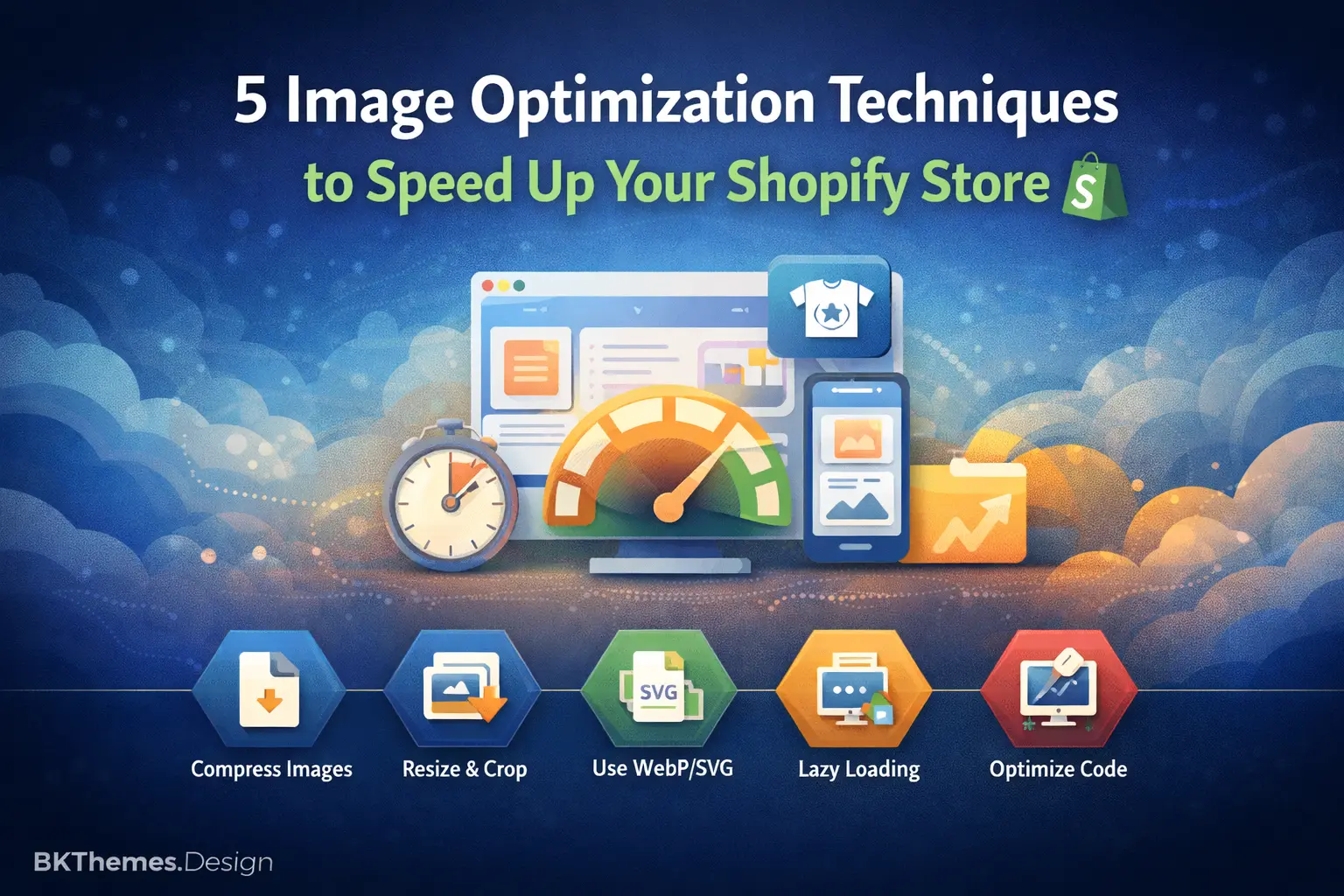
- Optimizing images (compression, lazy loading, appropriate formats like WebP).
- Reducing render-blocking resources.
- Implementing efficient Liquid code to minimize server calls.
- Ensuring compliance with Google's Core Web Vitals.
7. Cross-Browser and Device Responsiveness
Thorough testing on various browsers (Chrome, Firefox, Safari, Edge) and devices (desktops, tablets, smartphones) is essential to ensure a consistent and flawless experience for all users. A mobile-first approach is critical in today's e-commerce landscape.
8. Quality Assurance and Testing
Before launch, rigorous testing is paramount:
- Functionality Testing: Every button, link, form, and feature works as intended.
- User Experience (UX) Testing: Navigation is intuitive, and the customer journey is smooth.
- Performance Testing: Speed and load times are optimal using tools like Google PageSpeed Insights.
- Security Audits: Ensuring no vulnerabilities.
- Accessibility Testing: Conforming to WCAG guidelines.
9. Deployment and Launch
Once approved, the theme is uploaded to the Shopify store. Final checks are performed on the live environment before making it the published theme. This involves configuring settings, integrating final content, and enabling necessary apps.
10. Post-Launch Maintenance and Updates
The work doesn't stop at launch. Ongoing support may include:
- Monitoring performance and making continuous improvements.
- Implementing new features or design updates.
- Addressing any bugs or issues that arise.
- Ensuring compatibility with new Shopify updates.
Key Considerations for Successful Shopify Theme Development
To ensure your custom Shopify theme delivers maximum impact, keep these crucial factors in mind:
- User Experience (UX) and User Interface (UI) Design: A beautiful store is good, but an intuitive, easy-to-navigate, and delightful store is better. Focus on clear calls to action, logical layouts, and a seamless checkout process.
- Mobile-First Approach: Over half of all online sales come from mobile devices. Design and develop with mobile users in mind first, then scale up for larger screens.
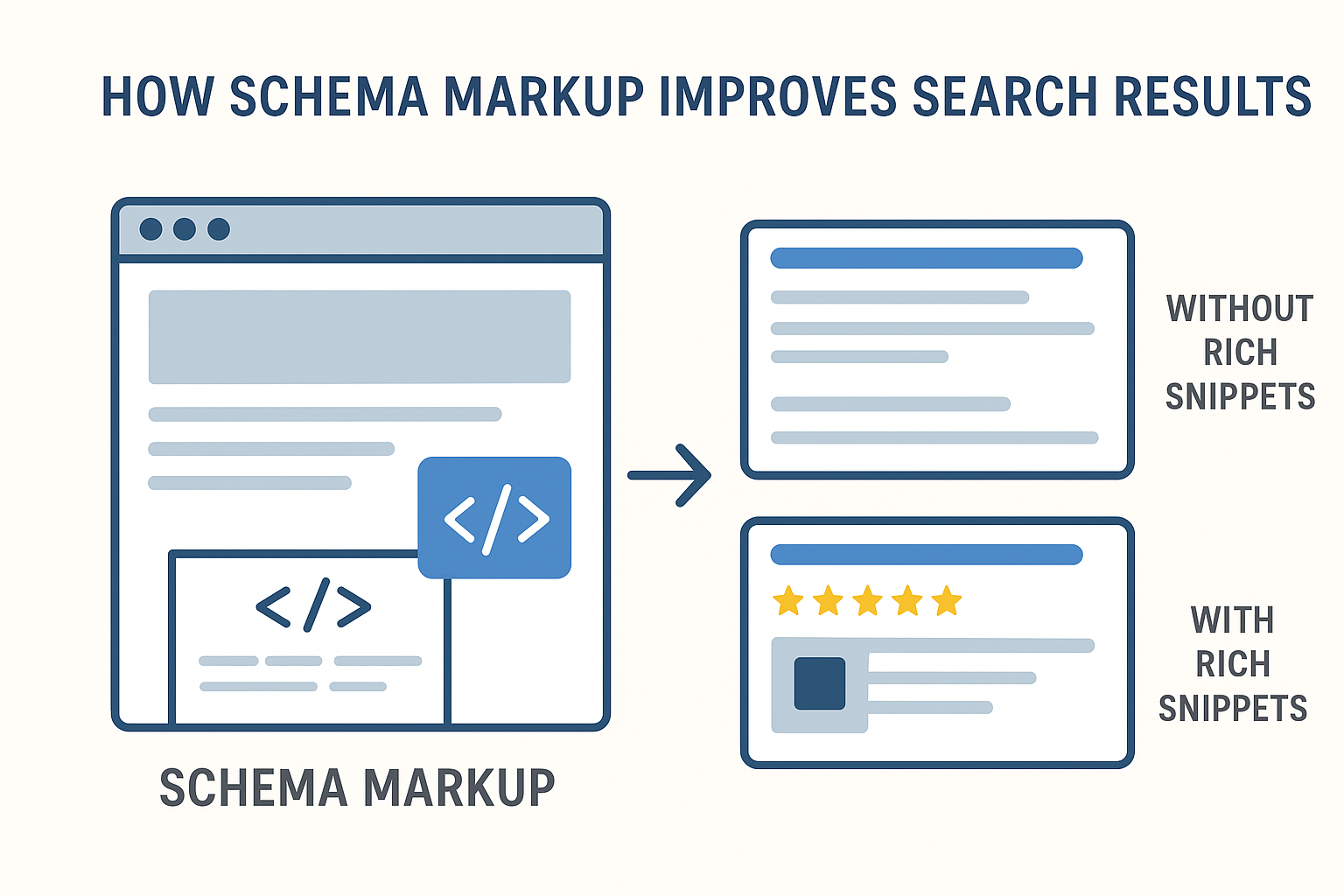
- SEO Best Practices Integration: A well-developed theme supports SEO. This includes semantic HTML, proper heading structure, fast loading times, schema markup for rich snippets, and mobile responsiveness.
- Performance and Speed: Slow stores kill conversions and hurt SEO. Prioritize efficient code, optimized assets, and server-side rendering where possible.
- Scalability and Maintainability: Write clean, well-documented, and modular code. This makes future updates, feature additions, and troubleshooting much easier and cost-effective.
- Accessibility: Ensure your store is usable by everyone, including those with disabilities. Adhering to WCAG (Web Content Accessibility Guidelines) is not just ethical, but can also improve SEO.
Why Invest in Custom Shopify Theme Development?
While off-the-shelf themes offer a quick start, investing in custom Shopify theme development provides significant advantages:
- Unique Branding and Differentiation: Stand out from competitors with a truly unique look and feel that perfectly reflects your brand's personality.
- Optimized Performance: Custom themes are built lean, with only the features you need, leading to faster load times and better search engine rankings.
- Enhanced User Experience and Conversion Rates: A tailored UX guides customers seamlessly through the purchase journey, reducing friction and boosting conversions.
- Seamless Integration: Integrate specific apps, APIs, and custom functionalities precisely as required by your business model without workarounds or conflicts.
- Future-Proofing Your Online Store: A well-architected custom theme is easier to update and adapt to future trends and Shopify platform changes, protecting your investment.
- Scalability: Designed with growth in mind, a custom theme can easily accommodate new products, features, and increased traffic.
Choosing the Right Shopify Theme Development Partner
Selecting the right agency or freelancer for your Shopify theme development is critical to your project's success. Look for a partner who demonstrates:
- Deep Expertise: Proficient in Liquid, HTML, CSS (especially SCSS), JavaScript, and the Shopify CLI.
- Proven Track Record: A strong portfolio of successful Shopify theme development projects.
- eCommerce Acumen: Understanding of eCommerce best practices, conversion optimization, and user psychology.
- Communication and Transparency: Clear project management, regular updates, and open communication channels.
- Post-Launch Support: Offering ongoing maintenance, monitoring, and updates to ensure long-term success.
Conclusion: Unlock Your Store's Full Potential with Custom Shopify Theme Development
In the dynamic world of online retail, your Shopify store's theme is much more than just a skin; it's a critical business asset. Investing in professional Shopify theme development empowers you to create a high-performing, brand-aligned, and user-centric online store that not only looks exceptional but also delivers tangible business results.
From leveraging the power of Liquid to mastering frontend technologies and adhering to best practices in UX, SEO, and performance, custom Shopify themes are the ultimate tool for carving out a unique space in the eCommerce landscape. Don't settle for generic; embrace the power of bespoke development to elevate your brand and drive unparalleled growth.
Ready to transform your Shopify store? Let's build something extraordinary together!
Get Your Custom Shopify Theme Today!
📧 Want to Stay Updated?
Get the latest web development tips and insights delivered to your inbox.
🚀 What Services do you Offer?
About the Author

Brian Keary
Founder & Lead Developer
Brian is the founder of BKThemes with over 20 years of experience in web development. He specializes in WordPress, Shopify, and SEO optimization. A proud alumnus of the University of Wisconsin-Green Bay, Brian has been creating exceptional digital solutions since 2003.
Expertise
Writing since 2003