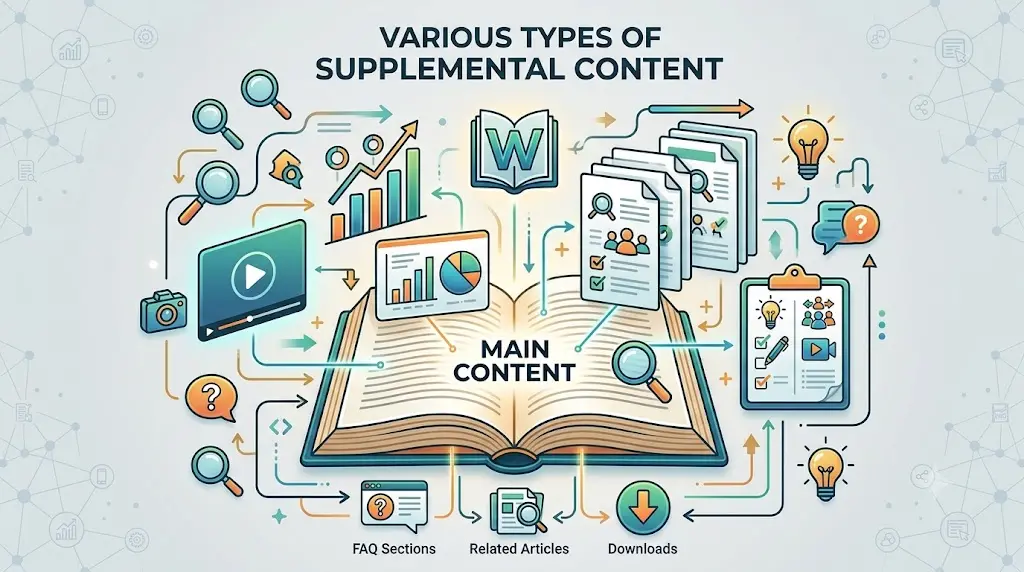
Did you know that content containing relevant images receives 94% more total views than content without them Marketing Stats, 2026? In the digital landscape of 2026, text alone is akin to a theater production without a set—it might tell a story, but it lacks the soul required to hold an audience’s attention. Integrating high-quality images is no longer just a design choice; it is a fundamental pillar of modern search engine optimization. When you weave stunning visuals into your narrative, you aren't just decorating a page; you are building a bridge between complex information and human comprehension.
Key Takeaways
- Always compress images to ensure they do not slow down your page load speed.
- Use descriptive file names and alt text to boost your SEO visibility.
- Original data visualizations and infographics are gold mines for earning backlinks.
- AI is a powerful tool, but always curate and edit the output for quality.
- Keep your image sitemap updated to ensure all visual assets are indexed properly.
Who this is for
This guide is for website owners, content creators, and digital marketers who want to improve their user engagement metrics while simultaneously climbing the search engine results pages. If you are struggling to keep visitors on your page for more than a few seconds, or if your bounce rates are climbing higher than a mountain goat, you need a visual strategy. Whether you are running a boutique design firm like Double green landscapes or managing a high-traffic travel blog, visual storytelling is the secret sauce for building authority and trust.
Who this is NOT for
This guide is not for people who believe that SEO is strictly about keyword density or backlink volume without regard for user experience. If you are looking for a quick fix to bypass quality standards, or if you prefer a text-heavy, academic style that ignores modern browsing habits, you will likely find these recommendations frustrating. Visual optimization requires patience, technical effort, and a keen eye for detail, which might not align with a "publish and pray" content philosophy.
Why visuals are the backbone of engagement
Visual elements act as the anchor for human attention in a sea of endless scrolling. Our brains process images approximately 60,000 times faster than text, making visuals the primary vehicle for delivering a quick, punchy message before a user decides whether to stay or bounce. If your site is currently losing visitors, you might want to look into The Undeniable Power of Branding and Visual Identity in Web Design to understand how poor engagement signals impact your bottom line. By strategically placing infographics, diagrams, or high-definition photos, you provide a respite for the reader's eyes, breaking up dense walls of text that often induce "scrolling fatigue."
Mistakes to avoid
The most common error I see in 2026 is the reckless use of bloated, unoptimized image files that turn a lightning-fast website into a sluggish crawl. You should never upload raw files straight from your camera, as these can weigh several megabytes and destroy your core web vitals. Another fatal mistake is ignoring alt text, which is the only way search engine crawlers understand what is happening inside your image files. Furthermore, avoid using generic stock photos that look like they belong in a corporate pamphlet from the early 2000s; users have developed an uncanny ability to spot "fake" imagery, and it actively damages your brand’s perceived authenticity.
We have put togther a video to show you how to optimize images for SEO to improve your website rankings and user experience.
Comparison of visual formats for web use
| Format | Best Use Case | Compression Quality | Browser Support |
|---|---|---|---|
| WebP | Modern web standard | Excellent | High |
| JPEG | Complex photography | Good | Universal |
| PNG | Transparent graphics | Lossless | Universal |
| SVG | Icons and logos | Vector-based | High |
| AVIF | High-performance needs | Superior | Growing |
Actionable checklist for visual optimization
Before you hit the publish button, walk through this checklist to ensure your images are performing at their peak. First, always compress your images using tools that support modern formats like WebP or AVIF to keep your page weight under 500kb. Second, rename your file names to be descriptive; instead of "IMG_001.jpg," use "mountain-landscape-photography-tips.jpg." Third, write descriptive alt text that provides context for screen readers and search engines alike. Finally, implement lazy loading to ensure that off-screen images do not hinder the initial load time of your page.
How to use images for link building
Images can be your most powerful asset for gaining backlinks through a strategy known as "link reclamation" or visual outreach. When you create original, high-value infographics or unique data visualizations, you create an asset that other bloggers and journalists want to cite. Once you have these assets, you can reach out to relevant sites and offer your image as a resource in exchange for a credit link back to your original page. This is a core component of any Practical outreach playbook for stronger backlinks a hands on guide to link building seo growth. By providing value in the form of visual data, you turn your content into a magnet for authority.
The impact of AI on image generation
Artificial intelligence has fundamentally changed the cost-benefit analysis of custom imagery. We are now in an era where you can generate high-quality, unique illustrations that perfectly match your brand voice without needing a massive budget for a photographer. However, you must be careful; AI-generated images can sometimes contain odd artifacts or "uncanny valley" elements that distract the reader. Always review AI outputs with a critical eye, ensuring they don't undermine the professionalism of your site.
Technical implementation and sitemaps
Your images need a clear path to be discovered by search bots, which means you must include them in your image-specific sitemap. Many developers forget this step, leading to orphaned media files that never appear in image search results. Once your images are properly mapped, search engines can index them more reliably, leading to a noticeable bump in referral traffic from image search queries.
Designing for the future
As we move deeper into 2026, the focus is shifting toward interactive visuals and responsive design that adapts to every screen size. It is not enough for an image to look good; it must also behave well. Consider using modern CSS techniques to style your containers to add a unique aesthetic flair that makes your brand stand out from the cookie-cutter templates. When your site feels custom-made, users are more likely to perceive your content as expert-level, which directly impacts your search rankings.
What is the most important factor for image SEO?
The most important factor for image SEO is providing descriptive metadata through alt text and accurate file names. Search engines cannot "see" images like humans do, so they rely entirely on the text labels you provide to understand the content. By clearly describing what is in the image, you help search engines categorize your content correctly, which drastically increases the chances of your images appearing in Google Image Search results.
How does image file size affect my rankings?
Large, unoptimized image files are one of the fastest ways to kill your search rankings because they increase page load time. Google has made it clear that page speed is a significant ranking factor, and a slow-loading site causes a higher bounce rate. When users leave your site immediately after clicking, Google interprets this as a sign that your content is not helpful, leading to a drop in your position.
Are stock photos bad for SEO?
Stock photos are not inherently "bad," but they are often ineffective for building brand authority and engagement. Because stock photos are used by thousands of other websites, they don't help you stand out or build trust with your audience. Using original photography or custom-designed graphics is always the superior choice if you want to rank higher and build a loyal following.
What is the best file format for web images in 2026?
In 2026, WebP and AVIF are widely considered the best file formats for web imagery. These formats offer superior compression ratios compared to traditional JPEG or PNG files, meaning you can maintain high visual quality while keeping file sizes extremely small. Most modern browsers support these formats, making them the industry standard for high-performance websites.
Can I use AI to generate all my website images?
While you can use AI to generate many of your images, relying on it for 100% of your visual content is risky. AI images can sometimes lack the specific context or "human touch" required to resonate with your target audience. It is best to use AI for base concepts or background assets, while supplementing with real-world photos or human-designed graphics to maintain a genuine connection with your readers.
Image Optimization as a Core Component of On-Page SEO
Image optimization is a vital pillar of modern on-page SEO because search engine algorithms use visual content, descriptive metadata, and technical performance metrics to evaluate overall page relevancy and quality. Integrating optimized media establishes critical topical relevance while directly influencing key user experience signals.
- Contextual & Semantic Relevance: Search engine crawlers process alt text, descriptive file naming, and surrounding textual context to construct entity relationships and understand visual content. Proper image labeling helps search engines index media accurately and surface it in image search results.
- Core Web Vitals & Technical Speed: Large, uncompressed visual assets increase Largest Contentful Paint (LCP) and overall page load time. Utilizing modern image formats (like WebP or AVIF) alongside proper compression and lazy loading minimizes page weight, directly improving speed metrics that search engines weight heavily for ranking.
- User Engagement & Behavioral Signals: High-quality visuals break up dense body text, reducing bounce rates and increasing average time on page. Favorable engagement patterns demonstrate to search engines that the content effectively satisfies user intent.
Conclusion
Incorporating high-quality images is an essential strategy for any creator looking to dominate the search results in 2026. By balancing technical optimization—like compression and sitemaps—with high-quality, authentic visual storytelling, you create a website that is both loved by search engines and cherished by users. Remember that every image is an opportunity to communicate, educate, and convert. Treat your visual assets with the same respect as your written content, and you will find that your traffic, engagement, and authority grow in tandem. Start small, audit your current library, and begin replacing "filler" images with high-value assets today. The effort you invest now will pay dividends in the form of a more resilient, authoritative, and engaging digital presence.
If you need help in getting your images optimized for both user experience and search engine performance, consider checking out our on-page SEO service.
About the Author

Brian Keary
Founder & Lead Developer
Brian is the founder of BKThemes with over 20 years of experience in web development. He specializes in WordPress, Shopify, and SEO optimization. A proud alumnus of the University of Wisconsin-Green Bay, Brian has been creating exceptional digital solutions since 2003.
Expertise
Writing since 2003