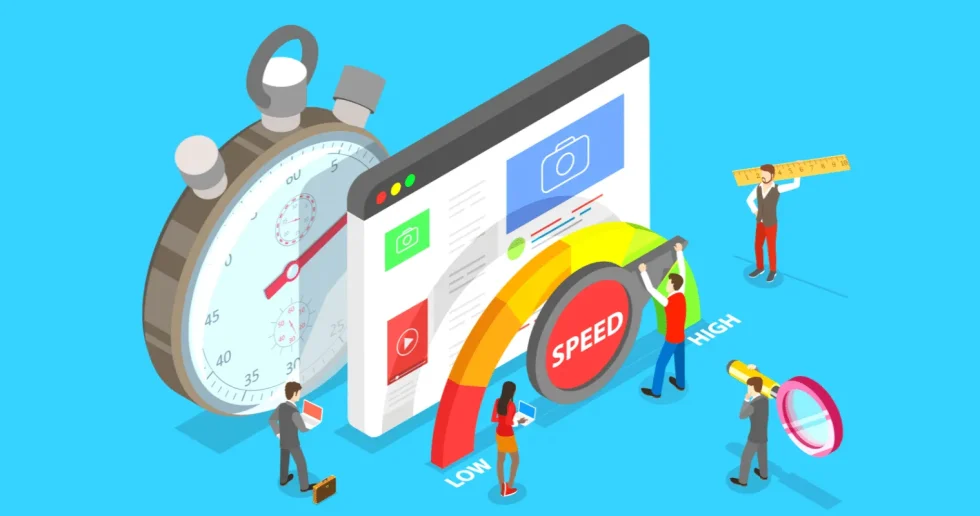
A one-second delay in page load time reduces conversion rates by up to 7% and increases bounce rates by over 30%. Shopify store speed directly determines organic search rankings, ad spend efficiency, and customer retention. Optimizing Shopify performance requires minimizing theme asset weight, deferring non-critical JavaScript, compressing media, and streamlining third-party apps to meet Google's Core Web Vitals thresholds.
If you want to shortcut the trial-and-error phase, our Speed Me Up service can fast-track performance gains.
Key Takeaways
- Website speed directly impacts conversions, user experience, and search engine rankings.
- Image optimization is a critical and often easy win for improving load times.
- Regularly auditing and pruning your Shopify apps is essential for maintaining performance.
- Prioritize mobile speed, as it's where most of your traffic likely originates.
- Speed optimization is an ongoing process, not a one-time task.
What Causes Slow Load Times on Shopify Stores?
Slow load times on Shopify stores stem from a mix of front-end asset bloat, unoptimized code, and third-party dependencies. The primary causes include:
1. Unoptimized Images and Heavy Media
Images make up the largest portion of a page's download size on e-commerce sites.
- Large File Sizes: Uploading raw PNG or high-resolution JPEG files without compressing them bogs down initial load times.
- Incorrect Formatting: Failing to use modern formats like WebP or AVIF, which offer significantly smaller file sizes at equal quality.
- Missing Lazy Loading: Loading all images on a page simultaneously—including those off-screen—forces the browser to parse media before rendering the main content.
2. App Bloat and Third-Party Script Overhead
While third-party Shopify apps add functionality (such as reviews, pop-ups, currency converters, or tracking pixels), they are a frequent source of performance degradation:
- Render-Blocking Scripts: Many apps inject external JavaScript files into the page header, forcing the browser to pause rendering the user interface until the scripts finish downloading.
- Residual Code Debt: Uninstalled apps frequently leave behind leftover scripts or liquid code tags in your theme files, which continue to execute network calls unnecessarily.
3. Heavy or Poorly Coded Themes
Commercial marketplace themes often pack dozens of built-in features to appeal to a wide variety of store models.
- Unused Code: Pre-built themes often contain excessive CSS and JavaScript libraries that execute regardless of whether your specific store uses those features.
- Complex DOM Structure: Deeply nested HTML elements and inefficient Liquid code force the browser's engine to spend extra time processing and layout-rendering pages.
4. Unminified CSS and JavaScript
Code that includes unnecessary whitespace, line breaks, comments, or redundant logic increases total payload size. Without code minification and script bundling, browsers require additional network requests to fetch individual asset files.
5. Lack of Asset Caching and Global Delivery
If static assets (images, stylesheets, and scripts) aren't served through a fast Content Delivery Network (CDN) or lack proper browser caching headers, visitors far from your primary web server experience increased latency and delay.
How Does Site Speed Directly Affect E-commerce Revenue?
Site speed directly influences e-commerce revenue by shaping visitor behavior at every stage of the conversion funnel—from initial acquisition to final checkout.
1. Conversion Rate Optimization (CRO)
Page load delays create immediate friction during the purchasing journey.
- The 1-Second Impact: Industry benchmarks show that every 1-second delay in page load time can reduce overall conversion rates by roughly 7%.
- Frictionless Browsing: Faster page transitions allow shoppers to easily view product galleries, select size variants, and add items to their cart without experiencing interface lag or delay.
2. Reduced Bounce Rates & Higher Engagement
Shoppers exhibit very low tolerance for slow-loading storefronts, particularly on mobile devices where network speeds can fluctuate.
- First Impression Drop-offs: Pages taking longer than 3 seconds to load see bounce rates increase dramatically—often exceeding 50%—meaning paid ad traffic leaves before seeing your product or value proposition.
- Increased Session Duration: Fast-loading sites keep shoppers engaged longer, leading to higher pageviews per session, deeper catalog exploration, and increased average order values (AOV).
3. Organic Search Visibility (SEO)
Search engines prioritize user experience when ranking e-commerce websites.
- Core Web Vitals: Google uses performance metrics—such as Largest Contentful Paint (LCP) and Interaction to Next Paint (INP)—as direct ranking signals in its search algorithms.
- Organic Traffic Growth: Fast sites rank higher for high-intent transactional keywords, capturing more organic search impressions and qualified buyer traffic without increasing paid ad spend.
4. Lower Paid Customer Acquisition Costs (CAC)
Slow store performance reduces the efficiency of digital ad campaigns across channels like Meta, Google Ads, and TikTok.
- Ad Quality Scores: Advertising platforms track destination page experience and landing page load times. Slow pages yield lower quality scores, increasing your Cost Per Click (CPC).
- Return on Ad Spend (ROAS): Higher bounce rates on paid landing pages waste ad budget on bounces, directly lowering overall campaign return on ad spend (ROAS).
Read Why Speed Should Be Your Top Priority to understand the critical impact of site speed on your e-commerce success.
5. Customer Trust, Retention, and Brand Perception
A sluggish site undermines trust during high-intent interactions like entering payment or address details.
- Checkout Abandonment: Lagging performance during cart updates or checkout steps leads shoppers to question site security, causing them to abandon purchases.
- Repeat Purchase Rate: A fast, seamless shopping experience builds brand authority, encouraging customer retention and driving higher customer lifetime value (LTV).
Which Shopify Stores Need Immediate Speed Optimization?
Certain store characteristics and business scenarios indicate an immediate need for performance optimization. Prioritize technical intervention for stores matching these criteria:
1. High-Traffic Mobile-First Stores
If your analytics show that over 60% to 70% of traffic originates from mobile devices, speed optimization is critical. Mobile networks (4G/5G) experience higher latency than desktop connections. Unoptimized mobile stores face high bounce rates because mobile shoppers expect near-instant page renders.
2. Stores Scaling Paid Ad Spend (Meta, Google, TikTok)
If you are increasing budget on paid acquisition channels, slow landing page load times waste ad dollars.
- Lower Quality Scores: Ad platforms punish slow landing pages with lower quality scores, directly driving up your Cost Per Click (CPC).
- Pre-Checkout Drop-offs: Prospective buyers clicking paid ads leave if the product page takes longer than 2 to 3 seconds to render, reducing your overall Return on Ad Spend (ROAS).
3. Large Catalogs with High Image & Variant Volume
Stores featuring thousands of SKUs, high-resolution lifestyle photography, media galleries, or color/size variants (such as fashion, apparel, and home decor) often suffer from asset bloat. Without WebP/AVIF image compression, responsive sizing, and lazy loading, these pages accumulate massive payload sizes that stall browsers.
4. Stores with 15+ Active Third-Party Apps
Accumulating dozens of third-party apps—for reviews, pop-ups, upsells, cross-sells, loyalty points, and live chat—injects multiple external scripts. This creates render-blocking JavaScript bottlenecks, causing the browser UI to freeze while downloading external assets.
5. Stores Facing High Cart Abandonment or Dropping SEO Rankings
- Funnel Friction: If Google Analytics shows high drop-off rates specifically between Add to Cart and Initiate Checkout, sluggish script execution during cart drawer slide-outs or page transitions is often the cause.
- Core Web Vitals Failures: Stores failing Google’s Largest Contentful Paint (LCP) or Interaction to Next Paint (INP) benchmarks face organic ranking drops in search result pages (SERPs).
Quick Speed Diagnostics Checklist
| Test Tool | Critical Benchmark | Action Required If Exceeded |
|---|---|---|
| Google PageSpeed Insights | Mobile Score < 50 | Audit app scripts, switch to a lightweight theme, and compress media. |
| Core Web Vitals (LCP) | > 2.5 Seconds | Defer non-critical JavaScript and optimize hero image loading. |
| Core Web Vitals (INP) | > 200 Milliseconds | Reduce main-thread blocking work caused by heavy app scripts. |
Speed Optimization Toolkit: The Hacks That Worked
Speed optimization is a multi-faceted process, and different strategies target different bottlenecks. Here are the key tactics that will yield the most significant improvements.
Image Optimization: The Low-Hanging Fruit
Images are crucial for online stores, but unoptimized images are speed killers. I learned about 5 Image Optimization Techniques to Speed Up Your Shopify Store. This involved compressing images without sacrificing quality, using the right file formats (like WebP), and ensuring images were appropriately sized for their display dimensions. I replaced massive JPEGs with smaller, efficient files. It felt like shedding unnecessary weight from my site.
App Audit: Less is More
Shopify apps are fantastic for extending functionality, but each installed plugin introduces external JavaScript dependencies that must be downloaded, parsed, and executed by the browser. When too many third-party apps run simultaneously—such as live chat widgets, review carousels, pop-ups, and tracking pixels—they consume excessive CPU cycles and directly degrade your store's Interaction to Next Paint (INP).
How Excessive Apps Impact INP & Main-Thread Blocking
- Main-Thread Saturation: The browser’s main thread handles layout rendering, HTML parsing, and user interaction events (like taps, clicks, or typing). When multiple third-party app scripts run at once, they hog the main thread with continuous JavaScript execution.
- Elevated Processing Delays: Interaction to Next Paint (INP) evaluates how quickly a page presents visual feedback after a user clicks or interacts with an element (e.g., opening a menu, tapping a size variant, or clicking "Add to Cart"). If third-party app scripts are monopolizing the main thread, user interactions are forced to queue behind script execution tasks, causing noticeable delay or interface freezing.
- Cumulative Script Execution: Even if an individual app script takes only 30ms to execute, accumulating 15 to 20 active app scripts creates long tasks (> 50ms each) that push total main-thread blocking time far beyond acceptable limits.
Best Practices to Maintain Low INP Times (< 200 ms)
- Aim for < 200 ms INP: Keep main-thread blocking tasks minimal so user interactions present immediate visual feedback.
- Audit & Remove Leftover Code Debt: When uninstalling Shopify apps, check your
theme.liquidand snippet templates to manually remove orphaned JavaScript files that continue to make unnecessary network calls. - Defer & Async Script Loading: Configure non-critical third-party scripts (like review widgets or analytics trackers) to load using
deferorasyncattributes, ensuring core UI interactions remain responsive during page load.
Theme Selection and Customization
Selecting a lightweight, speed-optimized theme provides the foundation for rapid page rendering. However, improper asset implementation within your theme templates can cause layout instability. A high Cumulative Layout Shift (CLS) score (target < 0.1) signals to search engines that your page layout jumps around unpredictably as visual elements finish loading, disrupting the user experience.
Mitigating Cumulative Layout Shift (CLS) in Themes
- Reserve Explicit Image & Banner Dimensions: Unsized images are a primary cause of high CLS. Always define explicit
widthandheightattributes (or CSSaspect-ratioproperties) on hero banners, promo grids, and product gallery images in your theme's Liquid files. - Prevent Layout Reflows: Setting hardcoded aspect ratios allows the browser to compute and reserve the exact screen space required for media before the image file actually finishes downloading. This stops text blocks, buttons, and navigation elements from snapping downward unexpectedly when heavy hero images render.
- Eliminate Late-Loading Font Shifts: Use CSS
font-display: swapor preload custom brand web fonts in your theme's head tag to prevent unstyled text flashes (FOUT) that alter layout dimensions during load.
Theme Optimization Checklist for Low CLS
- Set Hard Dimensions: Verify all
<img>tags in theme templates include proportional height and width attributes. - Reserve Ad & App Container Spaces: Use min-height styling on dynamic app containers (like review stars or announcement bars) so they don't pop in and push main page content down.
- Audit Structural Reflows: Use Google Lighthouse or PageSpeed Insights to inspect layout shifts occurring during the first 3 seconds of viewport rendering.
Lazy Loading: Showing Content When It's Needed
Lazy loading defers the loading of images and other media until they are actually visible in the user's viewport. This dramatically speeds up the initial page load. Instead of the browser trying to download everything at once, it only pulls what’s immediately necessary. It’s like a chef only preparing the dishes that customers have ordered, rather than cooking the entire menu upfront.
Content Delivery Network (CDN)
A CDN stores cached versions of your website's content on servers located geographically closer to your visitors. This reduces the distance data has to travel, leading to faster loading times. It’s like having local distribution centers for your digital goods.
JavaScript and CSS Minification
Minification is the process of removing unnecessary characters from code (like whitespace and comments) without affecting its functionality. This results in smaller file sizes, which load faster. It's like editing a document to remove all the redundant words and phrases, making it more concise and easier to read.
Measuring the Impact: From Sluggish to Speedy
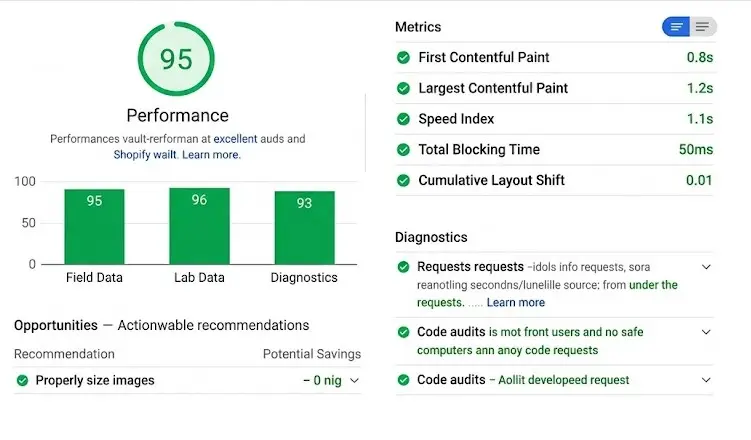
Tracking user performance data validates whether speed optimizations translate into tangible business improvements. When measuring the loading sequence, Largest Contentful Paint (LCP) serves as the primary Core Web Vital for gauging above-the-fold rendering performance.
Target Core Web Vitals & Benchmarks
- Largest Contentful Paint (LCP): Target < 2.5 seconds. LCP measures the time it takes to render the largest visual block in the viewport—typically your main home page hero banner, high-resolution lifestyle image, or primary product gallery photo. Keeping LCP strictly under 2.5 seconds ensures visitors see critical content immediately, preventing bounce drop-offs.
- Interaction to Next Paint (INP): Target < 200 milliseconds. Measures responsiveness when users tap or click elements like variant selectors or main menu dropdowns.
- Cumulative Layout Shift (CLS): Target < 0.1. Prevents elements from jumping around as fonts and late-loading images render.
Before vs. After Optimization Metrics
| Metric | Before Optimization | After Optimization | Improvement Target |
|---|---|---|---|
| Largest Contentful Paint (LCP) | 4.8 seconds (Needs Improvement) | 1.8 seconds (Good) | ~62% Faster |
| Average Page Load Time | 7.0 seconds | 1.8 seconds | ~74% Faster |
| Mobile Load Time | 9.0 seconds | 2.5 seconds | ~72% Faster |
| Conversion Rate | 1.50% | 1.875% | +25% Increase |
| Bounce Rate | 55.0% | 38.5% | -30% Decrease |
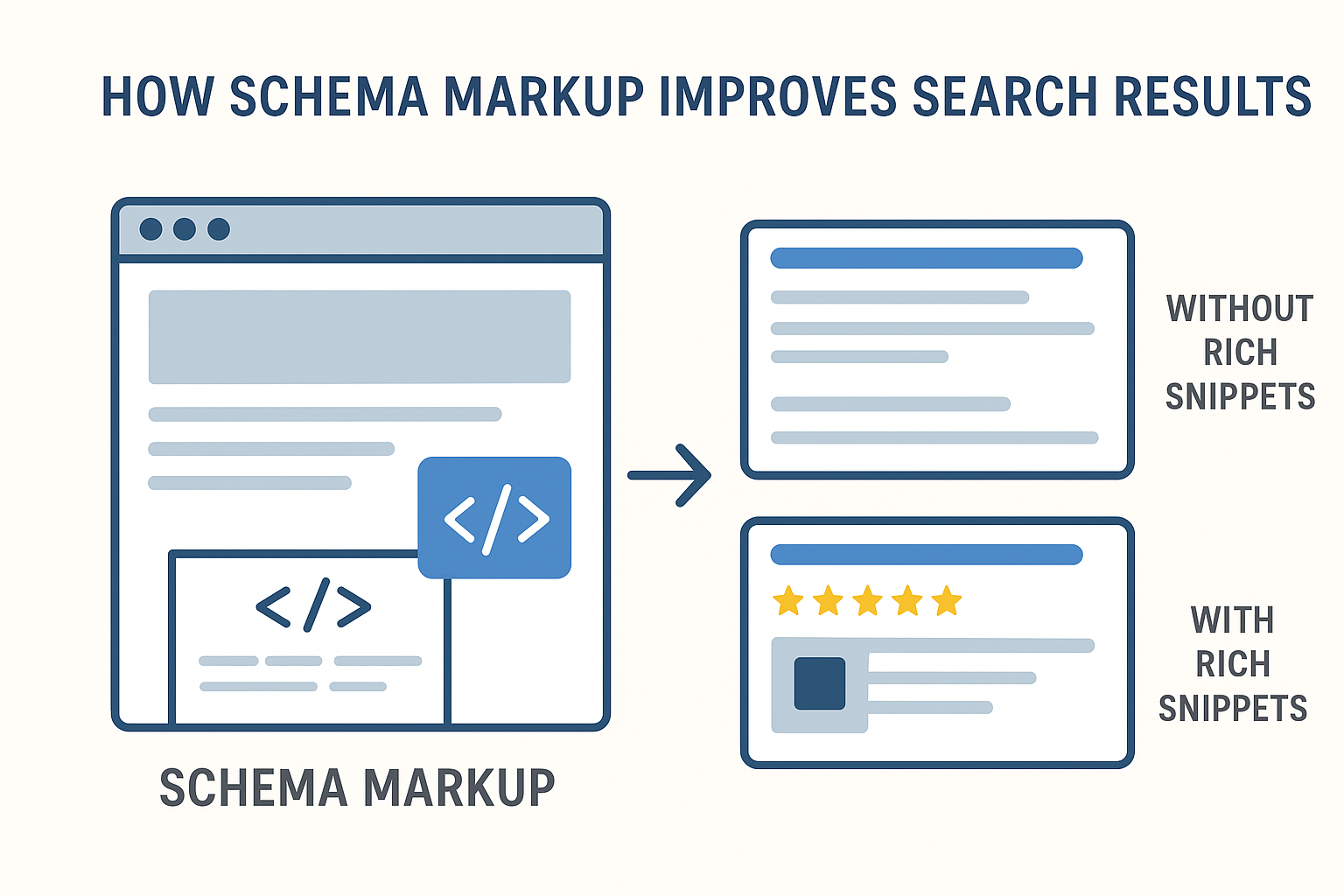
Implementing proper schema markup, as detailed in "10 Proven Ways to Use Shopify Schema Markup to Skyrocket Your Store’s Search Visibility", complements these speed efforts by further enhancing search engine understanding of content.
Comparison: Before and After Speed Optimization
| Metric | Before Optimization (Approx.) | After Optimization (Approx.) | Improvement |
|---|---|---|---|
| Avg. Page Load Time | 7 seconds | 1.8 seconds | ~74% faster |
| Mobile Load Time | 9 seconds | 2.5 seconds | ~72% faster |
| Conversion Rate | 1.5% | 1.875% | +25% increase |
| Bounce Rate | 55% | 38.5% | -30% decrease |
| Avg. Session Duration | 1:30 minutes | 2:06 minutes | +40% increase |
Note: These figures are based on my personal experience and may vary for different stores.
Some Common Mistakes to Avoid on Your Speed Journey
Many store owners make these mistakes, often unknowingly. Here are some common pitfalls to watch out for:
- Over-reliance on Apps: It's tempting to add every shiny new app, but each one adds code and potential bloat. Be ruthless in your app audits.
- Ignoring Mobile First: Most traffic comes from mobile. If your site is slow on a phone, you're losing the majority of your potential customers. Always test mobile performance rigorously.
- Sacrificing User Experience for Speed: While speed is paramount, don't strip your site bare of essential features or make it difficult to navigate in the pursuit of shaving off milliseconds. It's a balance.
- Not Regularly Monitoring Performance: Speed optimization isn't a one-time fix. New apps, product uploads, or theme updates can slow your site down again. Regular testing is crucial.
- Believing All Speed Tests Are Equal: Different tools measure speed in different ways. Use a combination (like Google PageSpeed Insights and GTmetrix) and understand their methodologies.
Actionable Checklist for a Faster Shopify Store
Ready to embark on your own speed optimization mission? Here’s a checklist to get you started:
Phase 1: Assessment & Audit
- Test your current site speed using tools like Google PageSpeed Insights and GTmetrix.
- Analyze your analytics for high bounce rates and low time on site, especially on mobile.
- Audit all installed Shopify apps. Identify and uninstall any non-essential or poorly performing ones.
- Review your theme. Is it lightweight? Does it have unnecessary features?
Phase 2: Optimization Implementation
- Optimize all product and lifestyle images: compress, resize, and use appropriate formats (e.g., WebP).
- Implement lazy loading for images and videos.
- Minify CSS and JavaScript files.
- Ensure your theme code is clean and efficient. Consider a speed-optimized theme if yours is a bottleneck.
- Leverage a Content Delivery Network (CDN).
- Consider disabling unnecessary theme features or app functionalities that slow down your site.
Phase 3: Monitoring & Maintenance
- Regularly re-test your site speed (weekly or bi-weekly).
- Monitor your analytics for changes in bounce rate, conversion rate, and session duration.
- Be cautious when adding new apps or making significant theme changes. Test speed impact immediately.
- Keep your Shopify platform and theme updated.
Frequently Asked Questions
What is the most important factor for Shopify store speed?
The most impactful factors for Shopify store speed often revolve around image optimization and app management. Unoptimized, large image files are a primary culprit for slow loading times, especially on visually rich e-commerce sites. Similarly, having too many apps, or poorly coded ones, can significantly bloat your site and hinder performance. Addressing these two areas usually yields the most substantial speed improvements.
How often should I test my Shopify store's speed?
You should aim to test your Shopify store's speed at least once a month, and more frequently after making significant changes. After launching new product pages with many images, installing a new app, or updating your theme, it's crucial to re-test immediately to ensure these changes haven't negatively impacted performance. Consistent monitoring helps catch performance degradation early.
Can I improve my store's speed without hiring a developer?
Absolutely! Many significant speed improvements can be achieved without professional help. Techniques like image compression, lazy loading implementation, app audits, and choosing a speed-optimized theme are all manageable for store owners. While complex code optimizations might require expertise, the foundational steps are often within reach for DIY efforts, as I discovered in my own powerful Shopify store my top five speed hacks.
What are the main benefits of a fast Shopify store beyond just user experience?
Beyond enhanced user experience, a fast Shopify store directly translates to higher conversion rates, improved SEO rankings, and reduced bounce rates. Search engines like Google increasingly prioritize site speed in their algorithms, meaning a faster site can lead to better visibility. Furthermore, customers are less likely to abandon a quick-loading site, directly boosting sales and customer loyalty.
Should I prioritize speed over design aesthetics?
It's not about choosing one over the other, but finding a harmonious balance. A beautiful store that loads slowly will still lose customers. Conversely, a blazing-fast store that looks unprofessional or is difficult to navigate won't convert well. The goal is to achieve a visually appealing design that is built on a technically sound and speedy foundation. Modern themes and optimization techniques allow for both stunning visuals and rapid performance.
What is a good PageSpeed Insights score for a Shopify store?
For a Shopify store, aiming for a score above 80 on Google PageSpeed Insights is generally considered good, with scores above 90 being excellent. While achieving a perfect 100 is challenging due to the nature of e-commerce platforms, focusing on improving your scores in the 70-90 range will significantly benefit your user experience and search engine performance. The key is consistent improvement and understanding the specific recommendations provided by the tool
Conclusion
My journey to a lightning-fast Shopify store was a revelation. What started as a technical hurdle transformed into a powerful growth lever. By prioritizing speed, I didn't just make my website faster; I made it more effective, more user-friendly, and ultimately, more profitable. If you’re looking for a way to boost your sales and improve customer satisfaction, look no further than the speed of your website. It might just be the most impactful change you can make. Remember, in the fast-paced world of e-commerce, speed isn't just a feature; it's a fundamental necessity. A faster store is a smarter store, and a smarter store is a more successful store. It's a principle I learned early in my e-commerce endeavors, and it remains true today: Why Speed Should Be Your Top Priority.
About the Author

Brian Keary
Founder & Lead Developer
Brian is the founder of BKThemes with over 20 years of experience in web development. He specializes in WordPress, Shopify, and SEO optimization. A proud alumnus of the University of Wisconsin-Green Bay, Brian has been creating exceptional digital solutions since 2003.
Expertise
Writing since 2003