
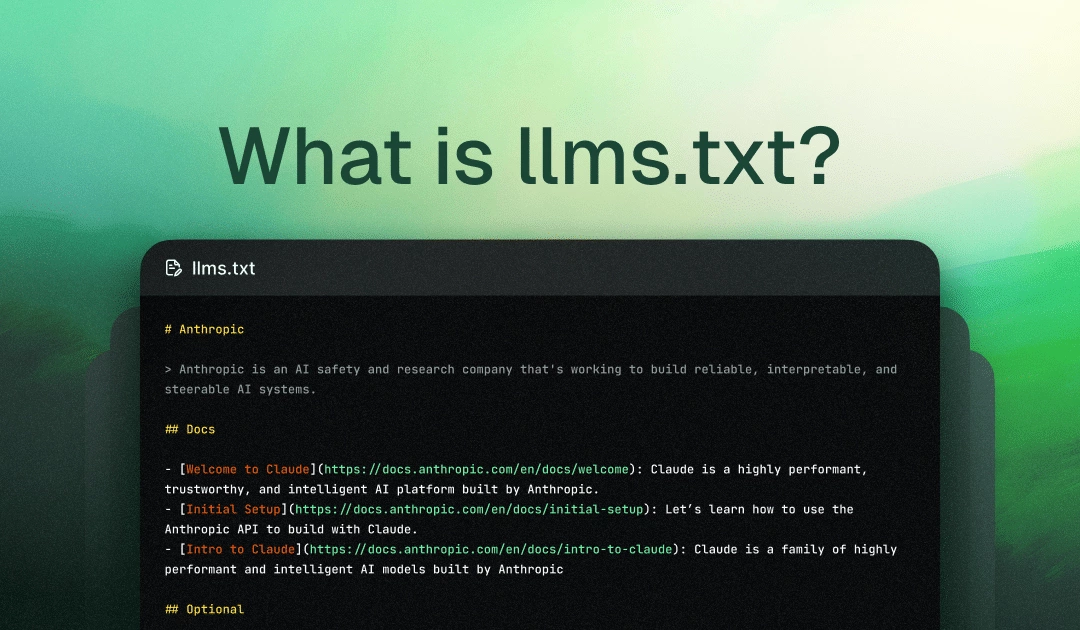
An llms.txt file is a proposed web standard placed in a site's root directory (/llms.txt) that provides Large Language Models (LLMs) with curated, Markdown-formatted documentation and canonical paths. First proposed by Jeremy Howard and Answer.AI in September 2024, the file acts as an informational manifest rather than an access control protocol like robots.txt. For most standard business and content sites, an llms.txt file is not required in 2025; however, it benefits developer portals, API documentation hubs, and knowledge bases seeking accurate representation in AI-generated answers.
For broader LLM visibility strategy, see LLM Tracking and How To Do It in 2026.
Is an llms.txt File Related to a Learning Management System (LMS)?
No, an llms.txt file is not related to a Learning Management System (LMS).
Because the acronyms look similar, they are frequently confused, but they serve entirely different domains:
- LMS (Learning Management System): Software platforms used by educational institutions and companies to host, deliver, and track online courses, training, and educational content (e.g., Canvas, Blackboard, Moodle).
llms.txt: A proposed web file convention designed specifically for Large Language Models (LLMs).
What Is an llms.txt File?
Placed in a website's root directory (e.g., [example.com/llms.txt](https://example.com/llms.txt)), this Markdown file acts as a curated "cheat sheet" or map for AI tools, search assistants, and autonomous agents.
It provides clean, structured summaries and direct links to a website's most critical pages or API documentation, making it easier for AI language models (like ChatGPT, Claude, or Google Gemini) to retrieve accurate, up-to-date context without sifting through unnecessary web page markup.
What Does This File Actually Do?
An llms.txt file is an emerging web convention—a plain text or Markdown file placed at a website's root directory.
It acts as a "cheat sheet" for Large Language Models (LLMs), curating and directing AI crawlers to a site's most important, accurate, and up-to-date content.
It’s mostly seen in contexts involving:
- AI model transparency declarations
- Websites offering educational AI content
- Web platforms building or hosting language models
How do Large Language Models (LLMs) rely on web crawling to acquire training and operational data?
Large Language Models (LLMs) depend on automated web crawlers (or "spiders") to traverse the public internet, extracting vast datasets of text, documentation, and structured media. This scraped web data serves as the foundational corpus used to train foundational AI models, fine-tune domain-specific capabilities, and provide real-time information via Retrieval-Augmented Generation (RAG).
How does web crawling enable LLMs to bridge the gap between static training and live web knowledge?
While pre-trained LLMs are bound by a specific knowledge cutoff date, active web crawling allows AI agents and search assistants to fetch real-time data directly from root domain URLs. When a user submits a query, the model invokes search crawlers to read current web pages, parse site metadata, and return fresh, cited responses.
What tension exists between web publishers and LLM web crawlers?
As AI crawlers scrape digital content to train models and generate direct answers, web owners face challenges regarding bandwidth consumption, copyright usage, and loss of direct site traffic. Consequently, site administrators actively manage AI crawler permissions using directive files—such as robots.txt access controls and machine-readable curation manifests like llms.txt—to specify how their content may be ingested.
Why Are SEOs Seeing It in 2025?
Publishing an llms.txt file is primarily an Answer Engine Optimization (AEO) strategy. By giving AI bots a clear, structured map, websites aim to:
- Direct AI tools toward official documentation instead of parsing outdated or duplicate pages.
- Ensure AI assistants and chatbots cite current and accurate information when users ask about the brand or its services.
- Provide cleaner data for AI to summarize and represent.
Do You Need One?
Short answer: No, not yet.
For the vast majority of websites—including small businesses, standard blogs, e-commerce stores, and service agencies—an llms.txt file is not mandatory or officially required by major search engines like Google.
Key Considerations
- Current Status:
llms.txtis an emerging, proposed web standard designed to help AI models and LLM crawlers locate key markdown documentation or canonical content easily. - Who Actually Needs One Now? It is primarily beneficial if you run developer platforms, API documentation hubs, AI research projects, or large documentation repositories where you want AI assistants (like Claude or ChatGPT) to parse clean, structured markdown instead of rendering complex web pages.
- Difference from
robots.txt: Unlikerobots.txtorsitemap.xml, anllms.txtfile does not directly affect standard search engine indexing or crawling rules.
If your site doesn't fall into the high-volume developer/documentation category, you can safely monitor the trend for now without needing to implement one immediately.
What Syntax and Sections Should You Include in an llms.txt File?
An llms.txt file uses standard Markdown syntax to present structured, machine-readable information to AI crawlers, language models, and search assistants.
The proposed standard emphasizes clean, concise Markdown so AI models can parse the file quickly without dealing with HTML overhead or visual clutter.
Core Sections & Syntax Structure
A complete llms.txt file consists of two main parts: Header Metadata and Categorized Links.
1. Title and Summary Header
# [Title]: The top-level heading specifies the site name or dataset title.- Blockquote (
>): A brief summary statement detailing what the website or organization does, giving the AI model high-level context before it reads further.
# Example Corp

> Example Corp builds open-source developer tools for cloud database management and automated deployment pipelines.
2. Optional Key-Value Directives
You can include optional Key-Value fields at the top to declare dataset metadata, permissions, or licensing:
dataset: https://example.com/docs
license: MIT
provider: Example Corp
access: public
3. Categorized Resource Lists
Use standard H2 headings (##) to organize your site’s canonical pages into logical sections. Under each section, list resource links using Markdown bullet points along with brief descriptive context:
- Format:
- [Link Text](URL): Brief description explaining what the page covers.
## Core Documentation

- [Getting Started Guide](https://example.com/docs/getting-started): Step-by-step setup instructions for new developers.
- [API Reference](https://example.com/docs/api): Complete endpoints, request payloads, and response examples.

## Key Features & Product Guides

- [Database Syncing](https://example.com/features/sync): Overview of real-time database synchronization architecture.
- [Authentication](https://example.com/docs/auth): Guide on configuring OAuth2 and JWT authentication.
4. Optional Optional/Extended Files (llms-full.txt)
If your site has extensive documentation, you can link to an expanded file (llms-full.txt) containing the full text of all documentation combined into a single raw Markdown file:
## Full Documentation Access

- [Complete Documentation Manifest](https://example.com/llms-full.txt): Complete, concatenated Markdown copy of all official documentation for deep AI ingestion.
Key Best Practices
- Keep It Concise: Only include primary canonical resources, API documentation, key guides, and authoritative pages. Avoid cluttering the file with duplicate content, tag archives, or promotional landing pages.
- Use Plain Markdown: Stick to basic Markdown syntax (headings, list items, blockquotes, and links). Avoid adding inline HTML elements or complex visual styling.
- Root Location: Place the file directly in your website's root directory (
[https://yourdomain.com/llms.txt](https://yourdomain.com/llms.txt)).
How Is It Different from Robots.txt?
While it sounds similar to robots.txt, they serve different purposes:
- robots.txt: Tells traditional search engine crawlers what pages they cannot access or scrape (access-control).
- llms.txt: Tells AI models what they should prioritize, acting as a curated map of high-value information.
- Sitemaps (sitemap.xml): Lists all the URLs on a website for search engines.
| Feature | robots.txt | llms.txt |
|---|---|---|
| Purpose | Control crawler access | Declare AI/data usage |
| Standardized | ✅ Yes | ❌ Not yet |
| Required by Google | ✅ Yes | ❌ No |
| Affects SEO? | ✅ Definitely | ❌ Not currently |
| File path | /robots.txt | /llms.txt |
What Is the Current Industry Adoption of llms.txt?
The current industry adoption of llms.txt sits in a transition phase between an emerging community proposal and a mainstream technical convention.
1. Overall Adoption Rate
- Broader Web Adoption: Recent industry studies analyzing large domain datasets show an overall adoption rate of roughly 8% to 10% across indexed websites.
- Enterprise & Top Domains: Adoption is significantly higher among top-tier domains. Roughly 9% to 10% of the top 1,000 to 10,000 global websites now deploy an
llms.txtorllms-full.txtfile in their root directory.
2. Adoption by Sector
- High-Adoption Sectors: Early and heavy adopters include developer-facing SaaS platforms, documentation hubs (such as GitBook), AI-native startups, open-source repositories, and technical publishing platforms.
- Lower-Adoption Sectors: Traditional consumer e-commerce, local businesses, and non-technical industries lag behind, largely treating
llms.txtas optional or waiting for official Search Engine Organization guidance.
3. AI Platform & Search Engine Support
- Confirmed Support: Platforms like Anthropic (Claude) and Perplexity have publicly acknowledged or integrated support for
llms.txtto help parse curated Markdown files during retrieval-augmented generation (RAG) and search. - Unconfirmed / Unofficial Support: OpenAI exhibits retrieval behaviors consistent with reading structured Markdown files, though it hasn't maintained a explicit directive standard. Google has not officially integrated
llms.txtas a required or ranking signal, continuing to rely primarily on standard web crawling, sitemaps, and Schema markup.
4. Standard Status
llms.txt remains a community-managed proposed standard (originally authored by Jeremy Howard) rather than a formal specification governed by bodies like the W3C or IETF. As a result, while marketing, engineering, and SEO teams use it as a brand-governance tool to direct AI crawlers to canonical documentation, legal and compliance teams in enterprise environments often treat it as a secondary, low-risk optimization rather than a mandatory requirement.
Should Website Owners and SEOs Monitor llms.txt Adoption?
Yes, website owners and SEOs should monitor llms.txt adoption, but for reason-based strategic reasons rather than traditional search engine rankings.
The perception around llms.txt underwent a sharp realignment: Google updated its AI optimization documentation confirming that Google Search and AI Overviews do not use llms.txt for indexing or ranking signals. However, Chrome simultaneously introduced automated llms.txt audits under its default Agentic Browsing Lighthouse category.
Monitoring llms.txt adoption matters depending on your technical niche and long-term web strategy:
1. It Matters for Business-to-Agent (B2A) Infrastructure, Not SEO
While search engine crawlers (Googlebot, Bingbot, GPTBot) overwhelmingly skip llms.txt and parse raw HTML directly, autonomous coding agents, IDE tools, and agentic browsers rely on it.
- Tools like Claude Code, Cursor, Windsurf, GitHub Copilot, and Aider actively check
/llms.txtand/llms-full.txtby default. - If your website offers API documentation, developer tools, technical code repositories, or complex service workflows, providing a clean Markdown map helps developer agents route context efficiently without wasting token context windows.
2. Low Implementation Overhead vs. High Future Utility
Creating an llms.txt file takes minimal engineering effort—often just a few hours to curate a Markdown file containing canonical links to your core pages.
- Because it is a zero-risk, low-lift implementation, monitoring the trend ensures you aren't caught off guard if major search engines shift their stance or if agent-driven web traffic becomes a primary referral source.
3. Protecting Brand Authority in Autonomous Retrieval
As personal AI agents begin executing tasks on behalf of users (like booking flights, comparing technical specs, or pulling compliance documents), llms.txt acts as an authoritative directory. It guides agents directly to official factsheets or canonical documentation instead of sales-heavy landing pages or outdated marketing copy.
Recommended Action Plan
- If you manage developer docs, technical SaaS, or APIs: Deploy an
llms.txtfile now. It directly improves the experience for developers using AI coding assistants. - If you manage traditional e-commerce, content blogs, or local business sites: Keep monitoring the space, but do not prioritize it as an urgent SEO deliverable. Focus instead on core technical foundations—structured schema markup, Core Web Vitals, and authoritative human-first content—which remain the primary signals for both traditional search and AI search visibility.
How Should Developers and Technical SEOs Implement llms.txt?
Implementing an llms.txt file is a straightforward technical process that bridges the gap between human-facing web design and machine-readable data ingest.
The specification (proposed by Jeremy Howard) follows a strict subset of Markdown to provide LLM agents, coding assistants (like Cursor, Windsurf, or Claude Code), and retrieval-augmented generation (RAG) systems with a curated map of your site's canonical pages.
Step 1: Follow the Official Syntax Specification
An llms.txt file must be a plain-text Markdown file using only standard Markdown primitives:
#for the single H1 Title (Site/Project Name)>for the main Blockquote (Site summary)##for H2 Section Headings- [Link Text](URL): Descriptionfor key resource items
Standard Syntax Template
# Your Company Name

> Brief 1–2 sentence description explaining what your product, service, or company does.

## Core Documentation

- [Getting Started Guide](https://example.com/docs/getting-started): Step-by-step installation and setup guide.
- [API Reference](https://example.com/docs/api): REST API endpoints, parameters, authentication, and examples.

## Key Features & Products

- [Feature Overview](https://example.com/features): High-level breakdown of platform capabilities and performance benchmarks.

## Optional

- [llms-full.txt](https://example.com/llms-full.txt): Complete, concatenated Markdown export of all primary documentation for deep context ingestion.
- [Changelog](https://example.com/changelog): Latest software release notes and updates.
Syntax Rules:
- Do not use unsupported Markdown: Avoid H3–H6 tags, inline HTML, custom CSS classes, tables, or images.
- Descriptions are Mandatory: Every link in a list must have a factual, non-promotional description preceded by a colon.
- Use Standard Markdown Only: Stick to the supported Markdown primitives listed above to ensure compatibility with AI agents.
Step 2: Configure Server Hosting & Headers
Developers must ensure the file is served with correct HTTP properties to prevent retrieval failures by AI agents:
- Root Directory Path: Host the file at
[https://example.com/llms.txt](https://example.com/llms.txt). - Content-Type Header: Ensure the server returns
Content-Type: text/plain; charset=utf-8(nottext/html). - Public Access: The URL must return a
200 OKHTTP status without login barriers, basic auth, or redirects to login portals. - CORS Headers: Allow cross-origin requests so web-based developer agents and extensions can parse the file without being blocked by CORS policies.
Example Server Directives
- Nginx Configuration:
location = /llms.txt {
    default_type text/plain;
    add_header Access-Control-Allow-Origin "*";
}
- Apache (
.htaccess):
<Files "llms.txt">
    Header set Content-Type "text/plain; charset=utf-8"
    Header set Access-Control-Allow-Origin "*"
</Files>
Step 3: Implement Discovery Rel Links (Optional Advanced Step)
Under the v2 spec proposal, developers can declare relationships directly within individual HTML pages using <link> tags in the <head> or via HTTP Response Headers:
- HTML Header Link:
<!-- Points the AI from a web page to its clean Markdown equivalent -->
<link rel="alternate" type="text/markdown" href="https://example.com/docs/getting-started.md">

<!-- Points the AI to the root site manifest -->
<link rel="describedby" href="https://example.com/llms.txt">
Step 4: Keep File Sizes Within Token Budgets
Because agents fetch llms.txt into their prompt context windows, avoid linking to every page on your site.
- Recommended Token Range: Aim for 1,000 to 8,000 tokens (approx. 5–30 KB).
- Filter Unnecessary Pages: Omit
/login,/privacy-policy,/terms, duplicate archives, or promotional marketing landing pages. Limit the file to canonical, evergreen technical resources.
Step 5: Verification & Testing
Once deployed, verify the implementation with these steps:
- Header Check: Run
curl -I [https://example.com/llms.txt](https://example.com/llms.txt)to confirm a200 OKstatus andtext/plainheader. - Syntax Validation: Verify that your Markdown parses cleanly without breaking on invalid syntax.
- Prompt Test: Feed your
[https://example.com/llms.txt](https://example.com/llms.txt)URL or raw text into developer tools (e.g., Claude Code, Cursor, or ChatGPT) and test if the LLM correctly parses your site structure and primary documentation.
Here are 6 targeted, structured FAQs designed to accompany an article on llms.txt:
Frequently Asked Questions (FAQ)
1. What is an llms.txt file, and why does it exist?
An llms.txt file is a plain Markdown file placed at a website's root directory ([yoursite.com/llms.txt](https://yoursite.com/llms.txt)). It provides a clean, curated map of a site’s most important canonical pages, summaries, and technical resources. It was created to help AI models, search assistants, and autonomous coding agents parse essential website context quickly without sifting through HTML clutter like navigation menus, ads, or footers.
2. Does an llms.txt file directly affect traditional Google Search rankings?
No. Google’s official guidance confirms that Google Search and Google AI Overviews do not use llms.txt for indexing or ranking algorithms. Publishing an llms.txt file will neither boost nor penalize your standard web SEO. Its primary benefit is providing context for AI agents, developer tools, and generative search tools that pull real-time data during user prompts.
3. How does llms.txt differ from robots.txt and sitemap.xml?
robots.txt: Instructs search engines and crawlers on which URLs they are allowed or forbidden to crawl (an access-control file).sitemap.xml: An exhaustive index listing every public URL on a site to ensure complete search engine indexing.llms.txt: A highly selective, machine-readable "cheat sheet" written in Markdown that highlights only the most authoritative pages and documentation for fast AI retrieval.
4. What is the difference between llms.txt and llms-full.txt?
While llms.txt acts as an index containing links and brief descriptions, llms-full.txt is an optional companion file that aggregates the full text of all core documentation into a single, comprehensive Markdown file. llms-full.txt allows AI tools and developer agents to ingest an entire site's technical knowledge base in a single request.
5. Does my website actually need an llms.txt file?
It depends on your website's focus:
- Recommended: If you operate a developer platform, API service, technical SaaS, or documentation hub, deploying an
llms.txtfile provides immediate value to AI agents and developers using coding assistants like Cursor, Windsurf, or Claude Code. - Optional: For standard business websites, e-commerce stores, and blogs,
llms.txtis strictly optional. You can safely focus on standard SEO, structured schema markup, and clear site navigation instead.
6. What syntax rules should be followed when creating an llms.txt file?
The file uses basic Markdown syntax:
- A single H1 header for the project or site name.
- A blockquote (
>) for a brief overview summary. - H2 section headers (
##) to organize resource topics (e.g.,## Core Documentation). - Bullet lists formatted strictly as
- [Link Text](URL): Short factual description. - The file must be served from the root URL as plain text (
Content-Type: text/plain; charset=utf-8).
Final Thoughts: To Use or Not to Use?
In 2025, an llms.txt file is not mandatory, not officially supported, and not something most website owners need to worry about.
But the SEO landscape is evolving. Just as schema markup, Core Web Vitals, and mobile-first indexing once seemed optional—they became standard.
So if you’re curious, proactive, or operating in the AI content space, adding an llms.txt file could be a low-risk, forward-thinking move.
Want Help Auditing Your Site’s AI Readiness?
Whether you run a SaaS, theme marketplace, or educational site, we can help you:
- Set up AI transparency files
- Optimize schema, robots.txt, and technical SEO
- Future-proof your content structure
Reach out to bkthemes.design for expert support and fast-loading, SEO themes built for 2025 and beyond.
Looking for implementation support? Visit our web development services page for the full service overview.
About the Author

Brian Keary
Founder & Lead Developer
Brian is the founder of BKThemes with over 20 years of experience in web development. He specializes in WordPress, Shopify, and SEO optimization. A proud alumnus of the University of Wisconsin-Green Bay, Brian has been creating exceptional digital solutions since 2003.
Expertise
Writing since 2003