A Journey Through Time: The History of Web Design
The Static Beginnings
Back in the early '90s, web design was pretty basic. Websites were static just simple HTML pages with text and a few hyperlinks. There wasn't much to look at, and everything was built by hand. But even in those early days, the seeds of today's web were being planted.
CSS Changes the Game
When CSS (Cascading Style Sheets) came along in the mid-'90s, things started to get interesting. Suddenly, designers could separate content from design, which meant they could experiment with layouts, colors, and fonts without messing up the underlying code. It was a big deal and the web started to look a lot better because of it.
Responsive Design: A Mobile World
Fast forward to the 2010s, and the world was going mobile. Responsive design became the standard, allowing websites to adapt to different screen sizes. This wasn't just about convenience it was about survival. If your site didn't work on mobile, you were practically invisible.
How has Technology Shaped Web Design?
Technology transformed web design from basic, text-heavy static pages in the 1990s into immersive, interactive, and user-centered digital experiences. Hardware limits, mobile devices, and coding standards forced design to continuously adapt to new capabilities.
From Static Text to Rich Media
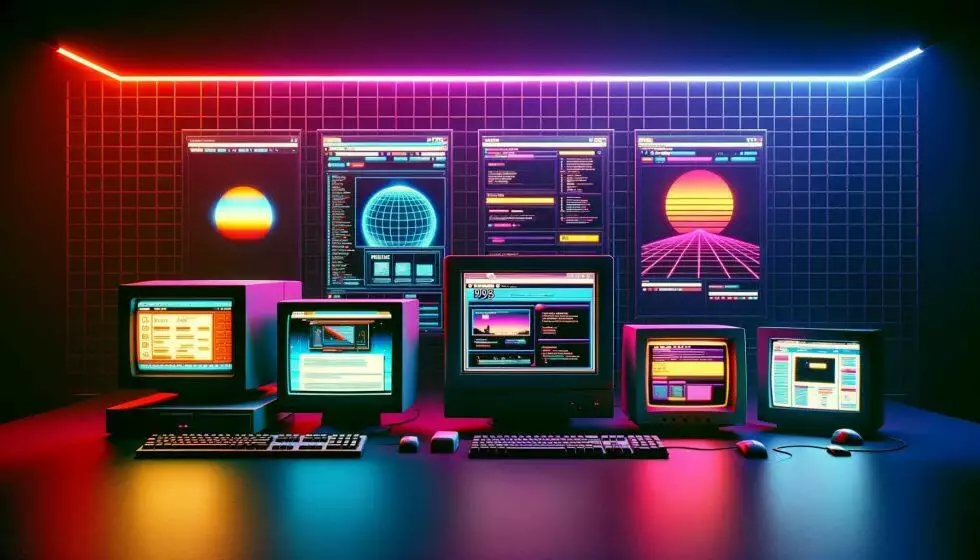
- Early HTML (1990s): Sites used basic text, system fonts like Times New Roman, and blue underlined links.
- Flash Era (2000s): Adobe Flash introduced animations, audio, and custom layouts. It faded when mobile devices rejected it for draining batteries and failing security standards.
- Modern CSS3 and HTML5: Open standards replaced plugins, allowing fast, beautiful layouts with native animations and responsive styling.
The Mobile Shift
- Smartphones: The launch of mobile devices forced a shift from fixed-width desktop pages to responsive design that scales to any screen size.
- Performance Limits: Data plans and mobile processors made fast load times and minimal file sizes critical design requirements.
Interaction and Experience
- JavaScript Frameworks: Tools like React and Angular turned static pages into dynamic web applications with instant updates.
- User Experience (UX): Design shifted away from flashy gimmicks toward clean layouts, accessibility compliance, and intuitive user flows.
- Artificial Intelligence: Current design workflows use AI for personalized layouts, automated asset creation, and smart interfaces.
The Rise of CMS Platforms
Platforms like WordPress, Joomla, and Drupal made it possible for anyone not just coders to build and manage websites. Templates and plugins made life easier for designers and opened the door for small businesses and hobbyists to get online.
From Photoshop to Figma
In the old days, many web designers relied on tools like Photoshop to mock up designs. Today, cloud-based tools like Figma and Sketch have taken over. These tools make it easier for teams to collaborate and test designs quickly, which is especially helpful in our fast-paced world.
The AI Revolution
Industry research confirms that generative AI tools significantly accelerate design and development workflows, though human oversight remains essential for maintaining output quality:
- General Task Productivity: Research by the Nielsen Norman Group (NN/g) found that generative AI tools increased overall employee task productivity by 66% on average across knowledge-work tasks, with the highest gains occurring in complex tasks and lower-skilled roles.
- Workflow Acceleration: According to Figma’s Design Report, 78% of designers report that AI tools speed up their workflows—particularly for repetitive tasks such as layer organization, initial asset generation, and component creation.
- Prototyping & Analysis: AI-assisted qualitative analysis tools reduce synthesis time for user research data from 12–16 hours down to 2–3 hours, while prompt-based design engines accelerate wireframing and prototyping cycles by up to 40%.
What's in the Modern Web Designer's Toolkit?
The web designer's job has never been more exciting or more complex. Today's designers need a mix of creativity, technical know-how, and problem-solving skills.
1. UX/UI Expertise
Good web design isn't just about making things look pretty. It's about creating experiences that make sense to users. That's where UX (user experience) and UI (user interface) design come in.
2. A Little Coding Never Hurts
While tools like Webflow and Squarespace let you build without code, understanding the basics of HTML, CSS, and JavaScript gives designers a big advantage. It's like knowing the rules before you break them.
3. Accessibility Matters
Making websites accessible to everyone regardless of ability isn't just the right thing to do; it's also becoming a legal requirement in many places. Web designers need to think about features like screen readers, keyboard navigation, and proper color contrast. You can start ensuring your site meets these standards by reviewing the Department of Justice’s ADA Digital Accessibility Rules and checking your current site using the WAVE Accessibility Checker.
4. SEO Know-How
Web designers who understand SEO (search engine optimization) can create websites that not only look great but also perform well in search results. That means paying attention to things like page load speeds, alt text, and metadata.
5. Collaboration Skills
Design is a team effort. Whether you're working with developers, marketers, or clients, good communication and collaboration are essential.
What Challenges are Web Designers Facing Today?
Let's face it: being a web designer isn't without its challenges. The field is moving fast, and staying on top of the latest trends and tools can feel like a full-time job.
1. Competing with DIY Tools
With platforms like Wix and Squarespace making it easier than ever to build websites, professional designers need to show why they're worth the investment. Customization, creativity, and strategy are what set them apart.
2. Keeping Up with Technology
The pace of change can be overwhelming. Just when you've mastered one tool, another one comes along. Staying relevant means being a lifelong learner.
3. Ethical Dilemmas
Web designers face tough questions about things like user privacy and the use of dark patterns (tricks that manipulate users into doing something). Navigating these issues requires a strong ethical compass.
What's Next for Web Design?
So, what does the future hold? Here are some trends we're already starting to see:
1. Hyper-Personalized Experiences
AI is making it possible to create websites that adapt to each user's preferences and behavior. Imagine visiting a site that feels like it was made just for you that's where we're headed.
2. No-Code Platforms
Platforms like Webflow and Bubble are making it easier than ever for people to build websites without knowing how to code. While this opens the door for more people to create, it also raises the bar for professional designers to deliver truly standout work.
3. Sustainability in Design
As concerns about the environment grow, web designers are thinking about how to create more sustainable websites. That might mean reducing file sizes, using green hosting, or designing for energy efficiency.
4. Immersive Technologies
AR (augmented reality) and VR (virtual reality) are starting to make their way into web design, offering new ways for users to interact with content. Think virtual tours, 3D product views, smart glasses, and more.
5. Voice and Gesture Interfaces
With the rise of smart devices, designers will need to create websites that work seamlessly with voice commands and even gestures.
Will AI Replace Web Designers?
Here's the million-dollar question: will AI take over web design? The short answer is no. While AI is great at handling repetitive tasks and crunching data, it can't replicate human creativity, intuition, or empathy.
What AI does do is make designers' lives easier. It handles the grunt work, so designers can focus on what they do best: coming up with innovative ideas and creating meaningful connections between brands and users.
The Bottom Line
Web design has come a long way, and it's only going to keep evolving. With AI, immersive technologies, low code, and no-code platforms shaping the future, designers have more tools than ever to bring their ideas to life.
But at the end of the day, web design isn't just about technology it's about people. Great design solves problems, tells stories, and connects us. That's something no AI can replicate, and it's why the future of web design will always have a place for human creativity.
Frequently Asked Question (FAQ)
How did CSS transform early web design?
Introduced in the mid-1990s, CSS separated website content from styling. This allowed designers to easily experiment with visual elements like layout, colors, and typography without modifying the site's core HTML code.
Why is responsive design considered essential for modern websites?
With mobile internet usage surging in the 2010s, responsive design became necessary to ensure websites automatically adapt to different screen sizes. Failing to offer a mobile-friendly experience makes a site virtually invisible to searchers and mobile users.
How do modern tools like Figma differ from older web design tools?
Legacy workflows relied heavily on static software like Photoshop to create mockups. Modern cloud-based design platforms like Figma enable real-time team collaboration, rapid prototyping, and faster design testing.
Will artificial intelligence replace professional web designers?
No. While AI platforms like Wix ADI automate repetitive tasks, optimize images, and generate layouts, they lack human creativity, empathy, and strategic problem-solving skills needed for custom design.
What ethical challenges do web designers face regarding user experience?
Designers must navigate privacy concerns and avoid using dark patterns—manipulative design tricks intended to mislead users into taking unintended actions. Ethical web design prioritizes user consent, transparency, and digital accessibility compliance.
What emerging technologies are shaping the future of web design?
Web design is expanding into hyper-personalized user experiences, no-code builders, eco-friendly green hosting, voice/gesture controls, and immersive augmented/virtual reality integrations.
Looking for implementation support? Visit our web development services page for the full service overview.
About the Author

Brian Keary
Founder & Lead Developer
Brian is the founder of BKThemes with over 20 years of experience in web development. He specializes in WordPress, Shopify, and SEO optimization. A proud alumnus of the University of Wisconsin-Green Bay, Brian has been creating exceptional digital solutions since 2003.
Expertise
Writing since 2003