
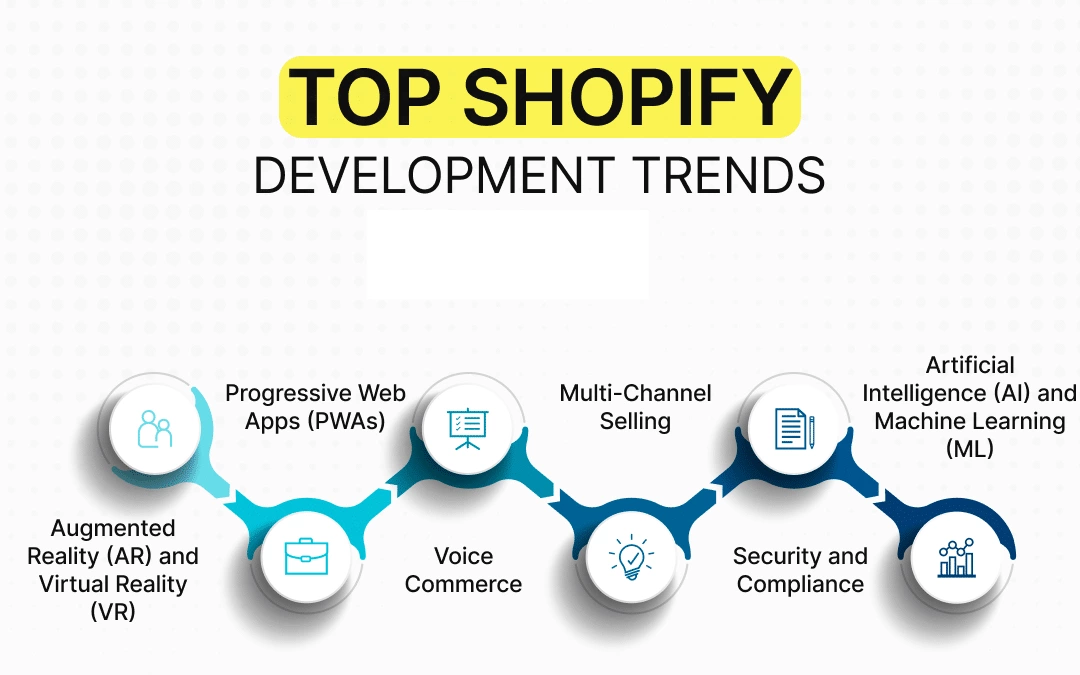
Online stores now face a harsh reality: mobile shoppers abandon pages that take more than a few seconds to load, and search engines reward speed with better rankings. That pressure explains why Shopify's developer tools changed sharply in 2025. The platform now pushes headless architecture, AI-assisted tooling, and performance-first frameworks as the default path for serious merchants.
This article breaks down the coding trends reshaping Shopify development this year. We will cover headless commerce, Hydrogen and Oxygen, GraphQL-first API work, progressive web apps, sustainable coding, and security practices. Each section explains what the trend is, why it matters, and how to apply it to real storefronts.
Why Is Headless Commerce Becoming the Default for Modern Shopify Stores?
Headless commerce separates the front end that customers see from the back end that stores products, orders, and inventory. Shopify keeps handling commerce logic, while developers build the storefront with whatever technology fits the brand. The result is freedom to design highly customized shopping experiences without fighting theme limits.
The architectural shift matters because it changes what teams can build. Instead of working inside Liquid templates, developers can use modern front-end frameworks. The most common choices in 2025 include:
- React for component-driven interfaces with many libraries
- Vue.js for a gentler learning curve and flexible integration
- Next.js for hybrid rendering, routing, and strong performance defaults
Each framework brings trade-offs in learning time and hosting complexity, but all three let teams ship interactive experiences that traditional themes struggle to match.
Why Merchants Are Adopting It
Headless setups appeal to stores with specific demands. A few recurring reasons come up:
- Custom checkout flows that differ from standard theme layouts
- Multi-channel selling, where the same catalog feeds a website, app, and in-store display
- Faster iteration, since front-end deploys no longer depend on theme releases
- Framework flexibility, letting teams hire for skills they already have
The trade-off is real. Headless projects require more engineering effort up front, and merchants lose some plug-and-play theme convenience. For stores with complex needs, though, the control usually justifies the cost.
How Does GraphQL Power Modern Shopify Storefront API Integrations?
Any headless build depends on a reliable data layer. Shopify's Storefront API provides that layer, giving developers programmatic access to products, collections, carts, and customer data. In 2025, the recommended way to query it is GraphQL rather than REST.
GraphQL lets a client request exactly the fields it needs in a single call. That precision reduces over-fetching, which matters on mobile connections where every extra kilobyte counts. To understand the query language itself, the official GraphQL specification and documentation is the best starting point.
Practical Integration Advice
Teams building headless storefronts should follow a few consistent patterns:
- Use GraphQL for data fetching instead of the older REST endpoints, which Shopify has been gradually deprecating for storefront use
- Cache responses carefully, especially for catalog data that changes infrequently
- Implement webhooks for order management, so backend systems react to events like order creation or fulfillment without constant polling
- Version your queries and monitor Shopify's API changelog for deprecations
Webhooks deserve special attention. Polling the API for order updates wastes rate limit budget and adds latency. Event-driven webhooks keep inventory, ERPs, and fulfillment tools in sync with far less overhead.
How Do Hydrogen and Oxygen Reshape Custom Storefronts?
Shopify's own answer to headless complexity arrived in the form of two products. Hydrogen is a React-based framework built specifically for Shopify storefronts. Oxygen is the companion hosting layer, designed to run Hydrogen sites on global infrastructure.
Together, they remove much of the setup friction that once made headless projects expensive. Developers get routing, caching, and commerce components out of the box, then deploy to hosting built for the platform.
Hydrogen v2 is built on Remix to explain data loading and nested routes. This architecture helps developers manage complex storefronts by clearly separating data fetching from UI rendering, making it easier to reason about performance and maintainability.
Server-Side Rendering and SEO
Hydrogen supports server-side rendering, which generates page HTML on the server before sending it to the browser. That approach delivers two concrete benefits:
- Better SEO, because crawlers receive fully rendered content instead of waiting for client-side JavaScript
- Faster perceived load times, since users see real content sooner
For stores that depend on organic search traffic, SSR is often the deciding factor between a headless build and a traditional theme. React's own documentation on server rendering explains the underlying mechanics if you want to go deeper.
How Is AI Becoming a Standard Part of the Shopify Stack?
Artificial intelligence moved from novelty to utility in e-commerce operations in 2025. Shopify stores now use AI for several everyday jobs:
- Smart product recommendations that adapt to browsing and purchase history
- Chatbots and virtual assistants that answer pre-sale questions around the clock
- Predictive analytics that forecast demand and flag inventory risk
- Automated content and copy suggestions through tools like Shopify Magic
Shopify Magic is the platform's built-in AI assistant. It generates product descriptions, suggests recommendations, and helps merchants draft store content without a dedicated copywriter.
What Developers Should Build
For development teams, the opportunity lies in connecting AI outputs to storefront logic. A few practical patterns:
- Feed behavioral data into recommendation models so suggestions reflect real browsing patterns
- Expose AI chat as a component that can be dropped into any page template
- Guard against latency, since AI calls can slow page loads if made synchronously
- Review outputs for accuracy, especially for regulated product categories
AI works best as an enhancement layer. Stores that bolt it on without performance testing often end up with slower pages and frustrated customers.
How Do Progressive Web Apps Deliver App-Like Mobile Experiences?
Progressive Web Apps, or PWAs, blend website reach with app-like behavior. On Shopify, a PWA can load instantly after the first visit, send push notifications, and keep working when the connection drops.
The technology behind offline browsing is the Service Worker, a script the browser runs in the background. It caches assets and intercepts network requests, so repeat visits feel near-instant. The MDN guide to service workers covers the mechanics in detail.
Where PWAs Pay Off
PWAs suit stores with mobile-heavy audiences and repeat purchase patterns. Consider these use cases:
- Push notifications for restock alerts, flash sales, and abandoned cart reminders
- Offline browsing of previously viewed products, useful in low-coverage areas
- Home screen installation, which reduces friction for loyal customers
- Lower development cost than maintaining separate native apps
PWAs are not a universal replacement for native apps, especially where deep device integration is required. For most retail storefronts, though, they deliver most of the benefit at a fraction of the cost.
How Are Performance Budgets and Sustainable Coding Taking Hold?
Speed and sustainability have converged into a single discipline. Efficient code is fast code, and fast code consumes fewer resources. In 2025, more Shopify teams formalize this with performance budgets that cap page weight and load time.
Sustainable coding practices on Shopify typically include:
- Image optimization, using modern formats like WebP and responsive sizing
- Code optimization, removing unused scripts and deferring non-critical JavaScript
- Reducing HTTP requests, by bundling assets and limiting third-party tags
- Carbon-neutral hosting, which offsets the energy used to serve a store
Google's web performance guidance remains the most practical reference for measuring and improving these metrics. Core Web Vitals scores directly influence both rankings and conversion rates.
Building a Performance Culture
Performance degrades quietly. A new app here, a tracking script there, and suddenly a fast store becomes slow. Teams that sustain speed do three things well:
- Set explicit budgets for JavaScript size, image weight, and load time
- Audit third-party scripts every quarter and remove what no longer earns its cost
- Test on real devices, rather than only fast office connections
INP is the primary Core Web Vital replacing FID for interactive headless elements, measuring the latency of user interactions to ensure a responsive experience. Monitoring INP helps developers identify and address performance bottlenecks that could degrade the user experience on interactive pages.
Why Is Security Coding Becoming Non-Negotiable?
Customer trust depends on secure stores, and regulators increasingly agree. Security is now a core development concern rather than an afterthought. The Shopify Security page documents the platform-level protections merchants inherit, but store owners and developers still carry responsibilities of their own.
Key measures for 2025 include:
- Two-factor authentication for all staff accounts with admin access
- GDPR compliance, covering data collection, consent, and deletion requests
- SSL/TLS encryption across every page and endpoint
- AI-based fraud prevention that flags suspicious orders before fulfillment
GDPR obligations deserve particular care for stores selling into Europe. Consent management, data minimization, and clear privacy policies are legal requirements, not optional extras. The official GDPR portal provides the regulation text and practical compliance guidance.
Patching and Updates
The simplest security habit is also the most neglected: keeping software current. Developers should regularly update Shopify themes and plugins to patch known vulnerabilities. Outdated apps are a common entry point for attacks, and many breaches trace back to unpatched components.
How Are API Developments Expanding What Stores Can Do?
Shopify's API surface grew meaningfully, and each addition opens new storefront capabilities. Three developments stand out for 2025:
- GraphQL API improvements, offering richer queries and better performance for complex storefronts
- Subscription APIs, supporting recurring billing for memberships, boxes, and services
- Order Editing API, letting merchants modify orders after purchase without manual workarounds
The Order Editing API is especially useful for stores with high support volume. Customers who need to change a size, address, or quantity can be helped directly, reducing cancellations and refunds.
Shopify has a CLI version 3 that streamlines local development, theme management, and app scaffolding. The CLI integrates with Hydrogen and other modern frameworks, allowing developers to preview changes in real-time and deploy updates efficiently.
Migration Guidance
Teams still relying on REST should plan a move to GraphQL. The migration is rarely urgent overnight, but the direction is clear. A sensible sequence looks like this:
- Inventory every REST call in your codebase and note its purpose
- Map each call to the equivalent GraphQL query or mutation
- Migrate read operations first, since they carry lower risk
- Add webhooks wherever polling currently handles order events
- Retire REST endpoints once parity is confirmed
We offer a migration service to help stores transition from REST to GraphQL smoothly.
How Are Developer Tooling and Workflow Improvements Enhancing Shopify Development?
Beyond frameworks, the day-to-day developer experience on Shopify improved in 2025. Better CLI tooling, theme previews, and local development environments shorten feedback loops. Teams can test changes locally, preview them on real store data, and ship with more confidence.
A few workflow habits separate high-performing teams:
- Version control everything, including theme settings and app configuration
- Use staging stores that mirror production data structure
- Automate testing for critical paths like cart and checkout
- Document API integrations so new team members ramp up quickly
These practices are not glamorous, but they prevent the kind of errors that cost real revenue during peak sales periods.
How Do You Choose the Right Approach for Your Store?
Not every store needs every trend. The right stack depends on catalog size, team skills, budget, and growth plans. The table below compares the two main paths.
| Factor | Traditional Theme | Headless with Hydrogen |
|---|---|---|
| Setup cost | Lower | Higher |
| Time to launch | Faster | Longer |
| Design flexibility | Limited to theme structure | Near unlimited |
| Performance ceiling | Good with optimization | Very high |
| Maintenance burden | Lower | Higher |
| Best for | Small to mid-size stores | Complex, high-traffic stores |
A store with a few hundred products and a simple catalog often thrives on a well-optimized theme. A brand with custom experiences, multiple channels, and an in-house dev team usually benefits from headless. The decision should follow business needs, not trend pressure.
How Can You Avoid the Rewrite Trap?
The most expensive mistake we see is a full replatform undertaken for its own sake. Teams announce a headless migration, spend two quarters rebuilding features that already worked, and launch with the same conversion rate they had before. A safer path is to migrate incrementally: move a single high-value route, such as the product page or landing pages for paid campaigns, onto the new stack while the rest of the store stays on the theme. Measure the impact, then expand. This keeps revenue flowing during the transition and gives the team real data instead of assumptions.
What Should You Measure Before and After Architectural Changes?
Key metrics to measure before and after architectural changes include Core Web Vitals (LCP, INP, CLS), mobile conversion rates, and server TTFB. Useful baselines include:
- Core Web Vitals for the top twenty landing pages by traffic
- Conversion rate segmented by mobile and desktop
- Average page weight and the number of third-party scripts
- Time to first byte from your hosting region
- Support ticket volume tied to order changes and returns
Revisit these numbers quarterly. Trends matter more than any single reading, and a slow drift in page weight is easier to correct than a sudden collapse in speed after a campaign launch.
A Practical Roadmap for the Year
For teams unsure where to begin, a phased plan works well:
- Quarter one: audit performance, security, and app inventory; remove what no longer earns its keep
- Quarter two: migrate read operations to GraphQL and add webhooks for order events
- Quarter three: pilot a headless route or PWA enhancement on your highest-traffic pages
- Quarter four: evaluate results, then decide whether to expand, pause, or roll back
This sequence front-loads the cheapest wins. Performance and security fixes cost little and pay back quickly, while architectural changes demand more investment and deserve evidence before commitment.
Frequently Asked Questions
What is headless commerce on Shopify?
Headless commerce means separating the customer-facing storefront from Shopify's backend commerce engine. Shopify still manages products, orders, and payments, while developers build the front end with frameworks like React, Vue.js, or Next.js. This setup allows highly customized experiences and better performance, though it requires more engineering effort than a standard theme.
Do I need Hydrogen to build a headless Shopify store?
No. Hydrogen is Shopify's official React framework, and it simplifies headless development with built-in commerce components and server-side rendering. However, you can build a headless storefront with Next.js, Vue.js, or any framework that connects to the Storefront API. Hydrogen and Oxygen simply reduce setup work and hosting complexity.
Why should developers use GraphQL instead of REST on Shopify?
GraphQL lets you request only the fields you need in a single query, which reduces data transfer and speeds up page loads. Shopify has been steering storefront development toward GraphQL while deprecating older REST endpoints. For new projects, GraphQL is the recommended choice, and existing stores should plan a gradual migration.
How does server-side rendering improve SEO for Shopify stores?
Server-side rendering generates the page HTML on the server before it reaches the browser. Search engine crawlers receive complete content immediately instead of waiting for JavaScript to execute. This improves indexing and typically produces faster perceived load times, which helps both rankings and conversion rates.
What security practices should every Shopify store follow?
At minimum, enable two-factor authentication for all admin accounts, keep SSL/TLS encryption active, and update themes and apps regularly to patch vulnerabilities. Stores selling to European customers must also meet GDPR requirements for consent and data handling. AI-based fraud prevention adds another layer by flagging suspicious orders before fulfillment.
Are progressive web apps worth it for Shopify stores?
PWAs are worth considering for stores with mobile-heavy, repeat-purchase audiences. They enable push notifications, offline browsing through service workers, and home screen installation, all at lower cost than native apps. Stores with mostly desktop traffic or one-time buyers may see less benefit and can prioritize other improvements first.
Final Thoughts
The trends covered here are not predictions about distant technology. They describe tools available today, adopted by stores competing for the same customers you serve. The gap between a well-built storefront and an average one shows up in load times, search rankings, and checkout completion rates, and it compounds over time.
Our advice remains unchanged: start small, measure honestly, and let business needs drive technical choices. A store that ships one concrete improvement each quarter will outperform one that chases every trend at once. Pick the weakest link in your current setup, fix it properly, and build from there. That discipline, more than any single framework, is what keeps a Shopify store competitive through 2025 and beyond.
Check out our Shopify Maintenance Plans to keep your store running like a well-oiled machine, ensuring your customers have the best shopping experience possible.
About the Author

Brian Keary
Founder & Lead Developer
Brian is the founder of BKThemes with over 20 years of experience in web development. He specializes in WordPress, Shopify, and SEO optimization. A proud alumnus of the University of Wisconsin-Green Bay, Brian has been creating exceptional digital solutions since 2003.
Expertise
Writing since 2003