On-page SEO is the practice of optimizing individual web page components—including content, HTML tags, URLs, and internal links—to rank higher in search engines and earn relevant organic traffic. This guide covers the essential on-page ranking factors, keyword optimization steps, and technical practices required to build an effective SEO foundation.
What Are the Key Takeaways for On-Page SEO Beginners?
- The ins and outs of on-page SEO and why it’s a must-know for beginners.
- How to conduct keyword research that truly connects with search intent.
- The vital components: title tags, meta descriptions, headings, and URLs.
- Elevating content: mastering E-E-A-T, readability, and image optimization.
- Next-level tactics: internal/external linking, structured data, and mobile optimization.
- Measuring your progress: key KPIs and essential tools.
- Your go-to resources: checklists, case studies, and when to call in the experts.
- Practical proof point: software development company SEO case study.
What Exactly Is On-Page SEO and Why Is It a Game-Changer for Beginners?
On-page SEO boosts search engine rankings and improves user experience by aligning technical relevance signals with human user intent:
1. Elevating Search Engine Rankings
- Crystal Clear Signals: Placing primary and secondary keywords in key elements—such as title tags, meta descriptions, headings, and URLs—provides explicit signposts that help search crawlers accurately index and understand your content.
- Demonstrating Quality (E-E-A-T): Incorporating original insights, clear citations, and authoritative references establishes Experience, Expertise, Authoritativeness, and Trustworthiness (E-E-A-T), signaling high content value to search algorithms.
- Enhanced SERP Visibility: Using structured data and schema markup makes your content eligible for rich snippets (like How-To boxes or breadcrumbs), improving click-through rates (CTR) from search results.
2. Enhancing User Experience
- Reader-Friendly Structure: A logical hierarchy of headings (H1, H2, H3), short paragraphs, and bullet points makes complex information easy to scan so visitors can quickly find answers.
- Lower Bounce Rates & Higher Engagement: Concise meta descriptions set accurate expectations before a click, while strategic internal linking guides readers smoothly to related topics, encouraging longer site visits and deeper exploration.
- Optimized Performance: Compressing images, adding descriptive alt text, and ensuring responsive mobile layouts ensure fast loading speeds and smooth navigation across all devices.
How Does On-Page SEO Elevate Search Engine Rankings and Enhance User Experience?
On-page SEO elevates search engine rankings and enhances user experience through three primary mechanisms:
- Crystal Clear Signals: Strategically placing keywords in your title tags, headings, and URLs provides explicit signposts that help search engines understand and accurately index your pages for relevant search queries.
- Reader-Friendly Structure: Establishing a logical hierarchy using structured headings (H1, H2, H3) and scannable elements like bullet points makes content easy to digest, allowing human visitors to find answers quickly.
- Engagement Multiplier: Compelling meta descriptions boost initial click-through rates from search results, while well-placed internal links encourage users to explore further into your site, increasing dwell time and significantly reducing bounce rates.
By harmonizing what search engines need with what users want, on-page SEO becomes a powerful dual-action strategy that satisfies both algorithms and human visitors, setting you up perfectly to explore other SEO disciplines.
What Distinguishes On-Page, Off-Page, and Technical SEO?
Each facet of SEO targets a unique area of your website’s optimization, working together to create a robust, all-encompassing strategy:
| SEO Category | Area of Focus | Key Benefit |
| On-Page SEO | Content, HTML tags, internal links | Boosts relevance signals and user engagement |
| Off-Page SEO | Backlinks, social signals, brand mentions | Builds authority and trust through external validation |
| Technical SEO | Site architecture, page speed, mobile-friendliness | Ensures crawlability, indexing, and optimal performance |
On-page SEO directly shapes how your content is perceived, off-page SEO builds your domain’s authority through external endorsements, and technical SEO ensures your site is healthy and accessible. Understanding these distinctions helps beginners allocate their efforts wisely before diving into more complex implementations.
What Are the Fundamental Principles of SEO for Beginners?
The fundamental principles of SEO for beginners include creating high-value content that matches user intent, targeting relevant keywords naturally, optimizing on-page elements like title tags and headings, and ensuring a fast, mobile-friendly technical foundation that search engines can easily crawl and index.
1. Core Content and Keywords
- Write for humans first: Make text clear, useful, and original.
- Match search intent: Answer the specific questions your audience is asking.
- Use smart keywords: Find terms people actually type into search engines. Avoid unnatural keyword stuffing.
2. On-Page Optimization
- Unique title tags: Write short, descriptive titles for every page.
- Clear headings: Use a single main H1 heading per page, followed by logical H2 and H3 subheadings.
- Clean URLs: Keep web addresses short, simple, and relevant to the page topic.
- Image alt text: Add short text descriptions to images so search engines understand them.
Learn why your image urls are killing your ranking efforts.
3. Technical and Authority Basics
- Mobile responsiveness: Ensure your site works and looks great on mobile phones.
- Page speed: Improve loading times so visitors do not leave immediately.
- Secure connection: Use HTTPS encryption to protect users and build trust.
- Earn quality links: Build credibility by getting natural links from other reputable websites.
You can monitor your overall performance using the Google Search Console.
Why Is On-Page SEO Absolutely Crucial for Small Businesses and E-commerce Sites?
Small businesses and e-commerce operations often navigate with tighter marketing budgets, making on-page SEO an exceptionally high-ROI starting point. It’s your engine for driving organic visibility for product pages, service descriptions, and local search queries, all without the hefty price tag of paid advertising.
- It hones in on local relevance by weaving location-specific keywords into your titles and meta tags.
- It streamlines the customer journey with clear calls-to-action in headings and smart internal linking.
- It amplifies credibility by showcasing your expertise, detailed product information, and trust signals within your content.
By meticulously optimizing on-page elements, small businesses can capture more qualified leads and convert casual browsers into loyal customers more efficiently, laying the groundwork for sustainable growth and paving the way for professional support when the time is right.
How Can Beginners Create a Roadmap for Keyword Research?
To create a keyword research roadmap, beginners should define core niche topics, brainstorm seed terms, expand the list using tools like SEMrush or free options like Google Keyword Planner, filter by search volume and low difficulty scores, match search intent, and map target terms to a content calendar.
1. Define Goals and Brainstorm Seed Topics
- Identify core themes: Write down 5 to 10 main topics related to your business, products, or blog.
- Think like your audience: Consider what words people type when they need your service.
- List broad seed terms: Start with short, general phrases (e.g., "vegan baking") before narrowing down.
2. Expand Your Keyword List with Tools
- Use research tools: Plug your seed terms into platforms like SEMrush or Ahrefs to generate hundreds of variations.
- Look for long-tail keywords: Target specific, multi-word phrases (e.g., "easy vegan chocolate chip cookie recipe") that have less competition.
- Check free sources: Use Google Autocomplete and Google Trends to find extra query ideas.
3. Analyze and Prioritize Metrics
- Search volume: Check monthly search numbers to see if enough people care about the topic.
- Keyword difficulty (KD): Pick low-difficulty scores (often 0 to 30) so you can rank faster as a beginner.
- Search intent: Ask what the user wants—are they looking for information, a comparison, or to buy something?
4. Map and Track Your Progress
- Create a content calendar: Assign one primary target keyword and a few related sub-keywords to each future article or page.
- Monitor performance: Track your page rankings and adjustments over time using analytics tools.
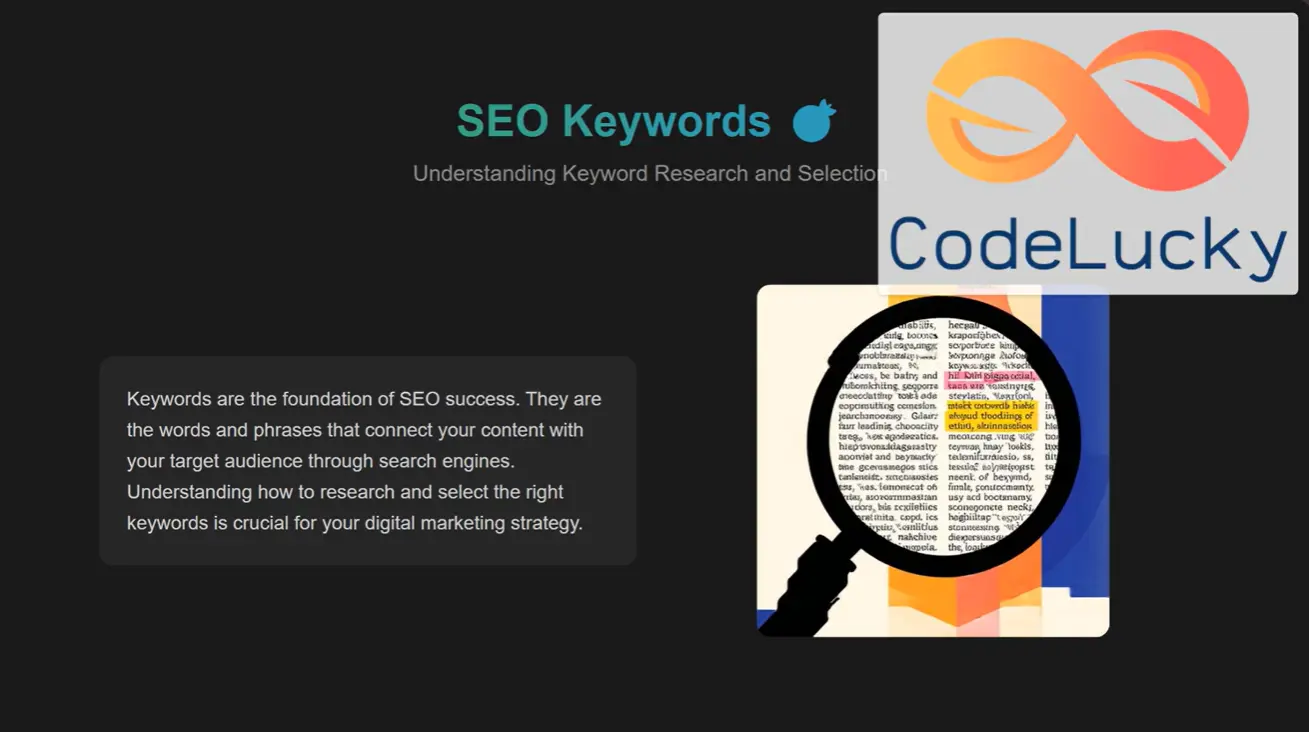
Watch this video to see a visual demonstration of how to brainstorm and pick seed topics:
What is the Essential Beginner's Playbook for Keyword Research?
A beginner's playbook for keyword research boils down to a structured, 4-step framework that connects audience intent with actionable search data:
1. Define Goals & Brainstorm Seed Topics
- Identify Core Themes: List 5 to 10 central topics essential to your business, products, or services.
- Think Like Your Customer: Consider the specific problems your audience is trying to solve and the exact terminology they use.
- List Broad Seed Terms: Start with short, general phrases (e.g., "vegan baking") to establish base categories before diving into specifics.
2. Uncover & Expand Your Keyword List
- Use Research Tools: Input seed terms into platforms like Ahrefs or Semrush to generate variations and related terms.
- Target Long-Tail Keywords: Focus on longer, multi-word phrases (e.g., "easy vegan chocolate chip cookie recipe") which carry higher conversion rates and lower competition.
- Tap Free Features: Check Google Autocomplete, "People Also Ask" boxes, and Google Trends for real-time query ideas.
3. Analyze & Prioritize Core Metrics
- Evaluate Search Volume: Verify there is sufficient monthly search activity to justify creating content.
- Assess Keyword Difficulty (KD): Target lower competition scores (typically 0–30 for new sites) to achieve faster rankings.
- Determine Search Intent: Categorize queries into Informational (guides/blogs), Navigational (brand searches), or Transactional (product/checkout pages) to ensure your landing page content matches what searchers expect.
4. Map Terms to Your Content Roadmap
- Assign Target Terms: Allocate one primary keyword and a few supporting sub-keywords to each dedicated page or article to prevent keyword cannibalization.
- Build a Content Calendar: Plan publish dates based on keyword priority and topical relevance.
- Track Rankings: Use tools like Google Search Console to monitor impression growth, click-through rates, and position changes over time.
What Are the Top Methods for Beginners to Uncover the Right Keywords?
Successful keyword research for beginners is a smart blend of leveraging free tools, analyzing competitors, and tapping into customer insights:
- Tap into Google Autocomplete and People Also Ask features to discover popular query variations and related questions.
- Scrutinize competitor page titles and headings to pinpoint high-ranking terms they’re using.
- Gather direct customer feedback and frequently asked questions to capture real-world language.
These methods reveal both high-volume terms and niche phrases, helping you build a robust seed list that you can then refine using dedicated keyword research tools. Mastering these techniques bridges the gap between raw data and practical on-page application, leading seamlessly into the critical concept of search intent.
How Does Grasping Search Intent Sharpen Your Keyword Selection?
Search intent breaks down user queries into their underlying motivations: informational, navigational, or transactional. Aligning your pages with these intent types ensures your content perfectly matches what users are looking for:
- Informational: Queries like “What is on-page SEO?” are perfect for engaging blog posts and detailed guides.
- Navigational: Searches such as “bkthemes design SEO services” are ideal for your dedicated service pages and portfolio showcases.
- Transactional: Terms like “book SEO consultation” should lead directly to your contact forms or e-commerce pages.
By precisely matching intent, you significantly improve engagement metrics and conversion rates, which in turn reinforces your site’s relevancy signals to search engines and drives more meaningful actions. This clarity is your gateway to harnessing the power of long-tail keywords for broader reach.
Why Are Long-Tail Keywords Your Secret Weapon for On-Page SEO Success?
Long-tail keywords are those longer, more specific phrases that often come with less competition and a higher likelihood of conversion. For beginners, targeting terms like “step-by-step image optimization tutorial” attracts users who are further down the funnel and ready to take action. The key benefits include:
- A greater chance of satisfying users due to the query’s specificity.
- Easier ranking opportunities for highly targeted, niche queries.
- The ability to build deeper content by exploring subtopics within your main themes.
Effectively leveraging long-tail keywords enriches your content strategy, prepares you for optimizing core page elements, and drives more qualified traffic directly to your service inquiries.
What Are the Core On-Page SEO Elements Every Beginner Must Optimize?
On-page SEO is built upon a set of fundamental elements that act as crucial signals of relevance and quality to search engines, while simultaneously guiding your visitors through your content. Mastering these key aspects—title tags, meta descriptions, headings, and URLs—ensures that every single page clearly communicates its purpose, leading to better click-through rates and more accurate indexing. Let’s dive into each of these essential elements.
How to Perfect Title Tags for Superior Click-Through Rates and Rankings
- Aim for titles under 60 characters to prevent them from being cut off in search results.
- Place your primary keywords at the beginning and consider adding your brand name at the end.
- Craft a unique title for every single page to avoid duplicate content issues.
Optimized title tags not only boost your relevance signals but also act as a compelling invitation for users to click. Highlighting a clear benefit, such as “Boost Your Traffic with Essential On-Page SEO Basics,” aligns perfectly with user intent and search engine preferences, naturally leading us into meta description strategies.
What Are the Golden Rules for Writing Captivating Meta Descriptions?
Meta descriptions serve as a concise summary of your page’s content within the search results, playing a significant role in influencing click decisions. To craft effective meta descriptions, follow these guidelines:
- Keep them within the 150–160 character sweet spot to ensure they display fully.
- Weave in your primary and secondary keywords naturally and contextually.
- Present a clear value proposition or a compelling call-to-action, like “Discover simple on-page SEO steps to climb the search rankings.”
Well-written meta descriptions act as the perfect bridge between the search results page and the promise of your content, preparing visitors for the structured headings they’ll encounter next.
How Should Headings (H1, H2, H3) Be Strategically Used for Structure and Readability?
Headings function as a clear, hierarchical roadmap for both your human readers and search engine crawlers. Follow these guidelines:
- Use only one H1 tag per page, ensuring it accurately reflects the main topic.
- Break down your content into distinct H2 sections that address specific questions or themes.
- Employ H3 subheadings to elaborate on supporting points or outline specific steps within an H2 section.
This structured approach significantly enhances scanability, improves accessibility for all users, and reinforces keyword placement, seamlessly guiding you toward best practices for URLs. See W3C for the best practices.
What Are the Best Practices for SEO-Friendly URLs for Beginners?
For beginners, creating SEO-friendly URLs requires balancing clarity, simplicity, and descriptive relevance. The best practices include:
- Keep URLs Short and Concise: Use clean, easy-to-read URL paths that clearly state the topic (e.g.,
/optimize-title-tags) rather than long, messy strings of numbers or parameters. - Separate Words with Hyphens: Use standard hyphens (
-) to separate words instead of underscores (_), spaces, or running words together, ensuring search engines and human users can parse each term easily. - Include Your Primary Keyword: Naturally integrate your target keyword into the URL slug to reinforce relevance signals for search engine crawlers.
- Omit Unnecessary Stop Words & Dates: Remove clutter like filler words (a, the, of, for) and static dates (like
/2024/05/) to keep the URL timeless, cleaner, and easier to share or update over time. - Use Lowercase Letters: Always use lowercase characters to prevent broken links or duplicate content issues caused by case-sensitive web servers.
Clean, descriptive URLs amplify relevance signals and build user trust, setting a strong foundation for content quality and engagement optimizations.
How Can Content Quality and User Engagement Be Elevated for On-Page SEO?
Elevating content quality and user engagement relies on four core strategies:
- Demonstrating E-E-A-T Principles: Search engines favor content built on Experience, Expertise, Authoritativeness, and Trustworthiness. Showcase real-world case studies, clear author credentials, and verifiable citations to build authority and trust with both algorithms and human readers.
- Natural Keyword Integration: Avoid keyword stuffing by maintaining a 1–2% keyword density. Seamlessly weave in synonyms, related phrases, and semantic subtopics to keep text flowing naturally while thoroughly covering user intent.
- Smart Formatting for Scannability: Boost readability by structuring content with short 3–4 sentence paragraphs, descriptive bulleted lists, strategic bolding, and clear heading hierarchies (H1, H2, H3).
- Comprehensive Image Optimization: Enhance user experience and image search relevance by compressing images to improve page speed, using descriptive file names, and adding keyword-rich alt text.
What Are the E-E-A-T Principles and How Do They Shape Your Content?
E-E-A-T stands for Experience, Expertise, Authoritativeness, and Trustworthiness. Derived from Google’s Search Quality Rater Guidelines, it is a quality framework search engines use to evaluate the credibility, accuracy, and overall value of web content.
Here is how each principle functions and shapes your content strategy:
- Experience : Infuse your content with real-world examples, compelling case studies, or showcase your portfolio.
- Expertise : Clearly display author credentials and share unique industry insights.
- Authoritativeness : Reference established guidelines and cite reputable, recognized sources.
- Trustworthiness : Ensure accuracy with verifiable data, clear citations, and transparent contact information.
Demonstrating E-E-A-T effectively not only bolsters your credibility but also strengthens search algorithms’ confidence in your content, leading to improved user engagement and better performance in the SERPs.
Why Is E-E-A-T a Cornerstone of SEO Success?
E-E-A-T (Experience, Expertise, Authoritativeness, and Trustworthiness) is a cornerstone of SEO success because search engines use it as a primary quality benchmark to determine which content deserves top rankings.
- Google Quality Evaluation Benchmark: E-E-A-T originates from Google’s Search Quality Rater Guidelines, which human evaluators use to measure how well search results deliver reliable, high-value information to users.
- Algorithm Confidence: Demonstrating real-world experience, proven expertise, authoritative citations, and transparent trust signals gives search algorithms confidence in your content's accuracy and credibility.
- User Engagement and Retention: High-E-E-A-T content builds immediate trust with visitors, leading to higher engagement, lower bounce rates, and increased conversions—reinforcing your site's overall search authority.
How to Seamlessly Integrate Keywords Without Falling into Keyword Stuffing Traps?
- Incorporate synonyms and related phrases naturally throughout your headers and paragraphs. See Semantic SEO with Natural Language and Long-Tail Keywords to learn more.
- Maintain a keyword density of around 1–2 percent, consciously avoiding forced or repetitive usage.
- Leverage semantic clusters by thoroughly covering related subtopics and co-occurring terms.
This balanced approach ensures you meet search engine requirements while prioritizing readability, setting the stage for the importance of formatting and readability next.
Why Are Readability and Smart Formatting Key Drivers of User Engagement?
Readability and smart formatting drive user engagement by making content immediately accessible and easy to consume:
- Digestible Information Delivery: Short, 3–4 sentence paragraphs prevent "walls of text" that overwhelm readers, reducing cognitive load and lowering bounce rates.
- Scannability for Busy Readers: Bullet points and structured tables break down complex data into easily digestible segments, allowing visitors to quickly find the exact answers they are looking for.
- Visual Hierarchy & Emphasis: Using strategic bolding and italics draws the eye to key insights and essential takeaways, guiding users smoothly through the material and encouraging longer time on page.
How to Optimize Images: Mastering Alt Text, File Names, and Compression
| Image Element | Best Practice | Resulting Benefit |
| Alt Text | Provide descriptive, keyword-rich alt text | Improves relevance in image search results |
| File Names | Use descriptive, hyphen-separated filenames | Enhances crawlability and context |
| Compression | Compress files effectively without sacrificing visible quality | Reduces page load times significantly |
Optimizing your images aligns perfectly with on-page performance metrics and readability goals, naturally leading into advanced SEO opportunities like strategic linking.
What Advanced On-Page SEO Techniques Should Beginners Explore?
Once you have the fundamentals of on-page SEO down, these four advanced techniques give search engines deeper technical context and maximize your visibility:
- Strategic Internal Linking & Topic Clusters: Connect related content using descriptive, keyword-rich anchor text. Link from high-authority "pillar" pages to specific "cluster" articles to pass page equity and establish clear topical authority across your site.
- Structured Data & Schema Markup: Implement structured data markups (such as
Article,HowTo, orBreadcrumbListschema). This explicitly defines your content entities for search engines, making your pages eligible for rich snippets like expanded search cards, FAQs, and breadcrumbs. - Citing High-Authority External Sources: Link out to reputable, trusted websites within your niche when citing statistics or complex claims. This demonstrates thorough research, validates factual accuracy, and strengthens your content's E-E-A-T signals.
- Technical On-Page Enhancements (Speed & Mobile): Go beyond basic content by optimizing page load performance—minifying CSS/JS files, enabling lazy loading for media, and ensuring fluid responsive design—to improve core usability and search engine indexability.
How to Leverage Internal Linking to Supercharge SEO and Streamline Navigation
- Link from your core pillar pages to related cluster articles using entity-rich anchor text (e.g., “optimize title tags”).
- Ensure every important page on your site has at least two to three internal links pointing to it.
- Employ logical pathways that intuitively match reader intent, such as directing visitors searching for “keyword research” to your “content optimization” resources.
Strategic internal links reinforce topical relevance across your site and keep users engaged, which naturally leads to the benefits of external linking.
How Does Internal Linking Elevate Search Engine Rankings?
Incorporating internal links between related pages on your website is a fundamental SEO best practice, as it aids both search engines and users in navigating your site and understanding its structure.
This source emphasizes the critical importance of internal linking as a core SEO best practice.
Why Linking Out to Authoritative Sources Is a Smart SEO Move
Linking out to respected industry websites demonstrates the depth of your research and builds invaluable trust with your audience. The key benefits of citing authoritative external links include:
- It signals that your content is thoroughly researched and factually accurate.
- It provides your readers with valuable additional resources for deeper exploration and learning.
- It enhances your own site’s credibility and perceived authority through association with trusted sources.
Including external citations creates a more balanced and informative ecosystem for your users and sets the stage for implementing structured data enhancements.
How Does Structured Data and Schema Markup Boost SEO Visibility?
Structured data involves embedding code snippets that define specific entities and their relationships, making your pages eligible for rich snippets in search results.
Key schema types particularly beneficial for on-page SEO include:
- HowTo: Ideal for step-by-step guides and tutorials.
- Article: Perfect for blog posts, news articles, and informational content.
- BreadcrumbList: Clearly defines your site’s navigation hierarchy.
Implementing these markups helps search engines display more engaging and informative results—such as how-to boxes and rich cards—significantly boosting click-through rates and overall brand visibility.
What Are the Best Practices for Ensuring Mobile-Friendliness and Optimal Page Speed?
Mobile-friendliness and lightning-fast load times are direct influencers of search rankings and user retention. To optimize your site’s performance:
- Employ responsive design principles to ensure your layouts adapt seamlessly across all devices.
- Minify your CSS, JavaScript, and HTML files to reduce their size.
- Implement lazy loading for images and videos, so they only load as users scroll down the page.
These technical enhancements complement your on-page content optimizations and deliver a superior user experience across every platform.
Why Are Mobile Friendliness and Page Speed Essential for SEO?
Given all the evidence, there’s no reason to delay making your website mobile-friendly and optimizing its page speed. A mobile-optimized site automatically adjusts its display to fit the screen size perfectly.
This source strongly emphasizes the critical importance of mobile-friendliness and page speed for achieving SEO success.
How Beginners Can Effectively Measure and Monitor Their On-Page SEO Wins
Tracking your performance metrics is essential for validating your efforts and guiding continuous improvement. Beginners should concentrate on key indicators that reflect both visibility in search results and user engagement on your site.
What Key Performance Indicators (KPIs) Should Beginners Keep an Eye On?
To accurately evaluate your site’s growth and user engagement, focus on these five essential Key Performance Indicators (KPIs):
- Organic Impressions and Clicks: Understand the volume of your visibility in search results and how often users engage by clicking through.
- Average Position: Monitor how your ranking changes for your target keywords over time.
- Bounce Rate and Time on Page: Gauge the relevance and readability of your content by observing how long visitors stay and if they leave immediately.
- Pages per Session: Assess the effectiveness of your internal linking strategy and site structure in encouraging exploration.
- Conversion Rate: Measure the percentage of visitors who complete a desired action, such as filling out a contact form or making a purchase.
Consistently monitoring these KPIs will highlight your strengths and pinpoint areas needing enhancement, naturally leading you to select the right tools for streamlined analytics.
Which Tools Are Your Best Allies for Monitoring On-Page SEO Performance?
Your best allies for tracking and measuring on-page SEO performance fall into three main categories:
- Google Search Console: Your go-to for tracking impressions, clicks, and identifying any indexing issues.
- Google Analytics: Essential for measuring user behavior, engagement levels, and conversion tracking.
- SEO Platforms: Services like Semrush and Ahrefs provide comprehensive keyword tracking, site audit capabilities, and in-depth competitor analysis.
Leveraging these powerful platforms empowers beginners to refine their strategies effectively and prepare for regular, insightful content audits.
How Often Should On-Page SEO Content Be Audited and Refreshed?
Maintaining the relevance and effectiveness of your content requires periodic, strategic reviews:
- Quarterly Audits: Evaluate your core hub pages and evergreen content to ensure accuracy and freshness.
- Bi-Annual Reviews: Update your cluster articles with the latest insights, current statistics, and relevant new examples.
- As-Needed Updates: Revise service-related pages promptly whenever your offerings or market trends undergo significant changes.
Regular auditing ensures your content stays aligned with evolving user intent and algorithm updates, fostering long-term SEO success.
Where Can Beginners Find Essential Resources and Support for On-Page SEO?
Beginners can find essential resources and support for on-page SEO across four primary areas:
- Actionable Checklists and Templates: Interactive and downloadable on-page SEO checklists streamline the execution process by giving you a step-by-step framework to audit title tags, meta descriptions, heading structures (H1, H2, H3), URL formatting, and image alt attributes before publishing.
- Real-World Case Studies: Reviewing case studies—such as how e-commerce stores boost organic traffic by optimizing product tags or how local businesses gain visibility with geographic terms—provides practical proof of how on-page principles drive actual traffic growth.
- Official Search & Analytics Documentation: Free guides and official documentation from engines like Google Search Console offer authoritative guidance on indexation, search guidelines, and technical performance metrics.
- Professional SEO Consultation: When site complexity grows (e.g., managing 20–30+ pages), partnering with seasoned web development and SEO experts provides tailored keyword strategies, technical schema implementation, and scalable content audit workflows.
What Checklists and Templates Make On-Page SEO Implementation a Breeze?
Downloadable and interactive checklists are invaluable for minimizing errors and diligently tracking your progress. A typical on-page SEO checklist might include:
- Title tag length verification (under 60 characters)
- Meta description including a clear call-to-action
- H1, H2, H3 hierarchy confirmation
- URL structure review for clarity and keywords
- Internal and external link audit
- Image alt text and file name check
Utilizing these templates speeds up the step-by-step optimization process and ensures consistency across all your pages, naturally leading you to explore success stories.
How Do Case Studies Illustrate Real-World On-Page SEO Triumphs?
Case studies demonstrate the practical value of on-page SEO by providing concrete evidence of how specific optimizations lead to measurable performance improvements:
- E-commerce Traffic Growth: Refining product page elements—such as rewriting title tags and meta descriptions to better match buyer intent—can directly drive substantial traffic increases, such as an e-commerce store achieving a 40% surge in organic traffic.
- Local Search Dominance: Incorporating geographic terms and location-specific modifiers into page headings and image alt text helps service-based businesses improve their local search rankings and capture targeted nearby leads.
- Validated Optimization Tactics: Real-world results offer tangible proof that foundational on-page adjustments work, providing site owners with the confidence to scale their SEO strategies or invest in advanced technical improvements.
These tangible, real-world results serve as powerful validation for on-page tactics and inspire confidence as you consider next-level strategies or professional consultation services.
When Is the Right Time to Consider Professional SEO Consultation Services?
Beginners should seriously explore expert support when:
- Your website has grown beyond 20–30 pages, necessitating scalable optimization workflows.
- Your market is highly competitive, demanding in-depth technical audits and advanced structured data implementation.
- You’re seeking highly customized keyword strategies, comprehensive content calendars, and portfolio-driven, measurable results.
At this juncture, partnering with a professional SEO team can significantly enhance your domain authority, accelerate your growth trajectory, and ensure sustained, high-level performance.
Despite its perceived complexity, on-page SEO is an accessible discipline for beginners when approached with a clear, systematic strategy. By mastering the foundational elements, refining your content quality, applying advanced tactics, and diligently monitoring your performance, you’ll build a robust organic presence. As your business continues to flourish, professional consultation can provide the expertise needed to further elevate your strategy and deliver truly measurable results.
If you’re ready to propel your on-page optimization efforts to the next level, explore consultation options with the experts and transform your website into a powerful engine for lead generation and growth.
Frequently Asked Questions (FAQ)
1. What is the difference between On-Page, Off-Page, and Technical SEO?
On-page SEO focuses on optimizing the content and HTML elements directly on your site (like title tags, headings, and internal links). Off-page SEO builds your website’s authority through external actions like earning backlinks and brand mentions. Technical SEO addresses back-end site infrastructure, ensuring search engines can easily crawl, index, and load your pages quickly.
2. How long should title tags and meta descriptions be for SEO?
Title tags should be kept under 60 characters so they display properly in search engine results without being cut off. Meta descriptions should aim for 150–160 characters, providing a clear summary and a compelling call-to-action to encourage searchers to click through.
3. Why are long-tail keywords better for beginners?
Long-tail keywords are longer, more specific search phrases (e.g., "easy vegan chocolate chip cookie recipe") that usually have lower search competition and higher conversion potential than broad seed terms. Targeting these specific terms allows new sites to rank faster and attract visitors with strong intent.
4. What does E-E-A-T stand for and why is it important?
E-E-A-T stands for Experience, Expertise, Authoritativeness, and Trustworthiness. It is a framework derived from Google's Search Quality Rater Guidelines used to evaluate content quality. Demonstrating E-E-A-T—by highlighting real-world experience, author credentials, reputable citations, and secure web practices—helps search engines trust your site and award higher rankings.
5. How do I optimize images without slowing down my website?
Image optimization involves three main steps:
- Compression: Reduce file sizes using tools like TinyPNG without sacrificing visible image quality.
- Descriptive Filenames: Name your images clearly using hyphens to separate words (e.g.,
on-page-seo-checklist.jpg). - Alt Text: Add keyword-rich, descriptive alt text to help search engines understand the image content and improve accessibility.
6. How often should I audit and update my existing on-page content?
It is recommended to run quarterly audits on high-value pillar pages and evergreen content to ensure details remain fresh and accurate. Perform bi-annual reviews for supporting cluster articles, and update service or product pages as soon as offerings, pricing, or market trends change.
About the Author

Brian Keary
Founder & Lead Developer
Brian is the founder of BKThemes with over 20 years of experience in web development. He specializes in WordPress, Shopify, and SEO optimization. A proud alumnus of the University of Wisconsin-Green Bay, Brian has been creating exceptional digital solutions since 2003.
Expertise
Writing since 2003