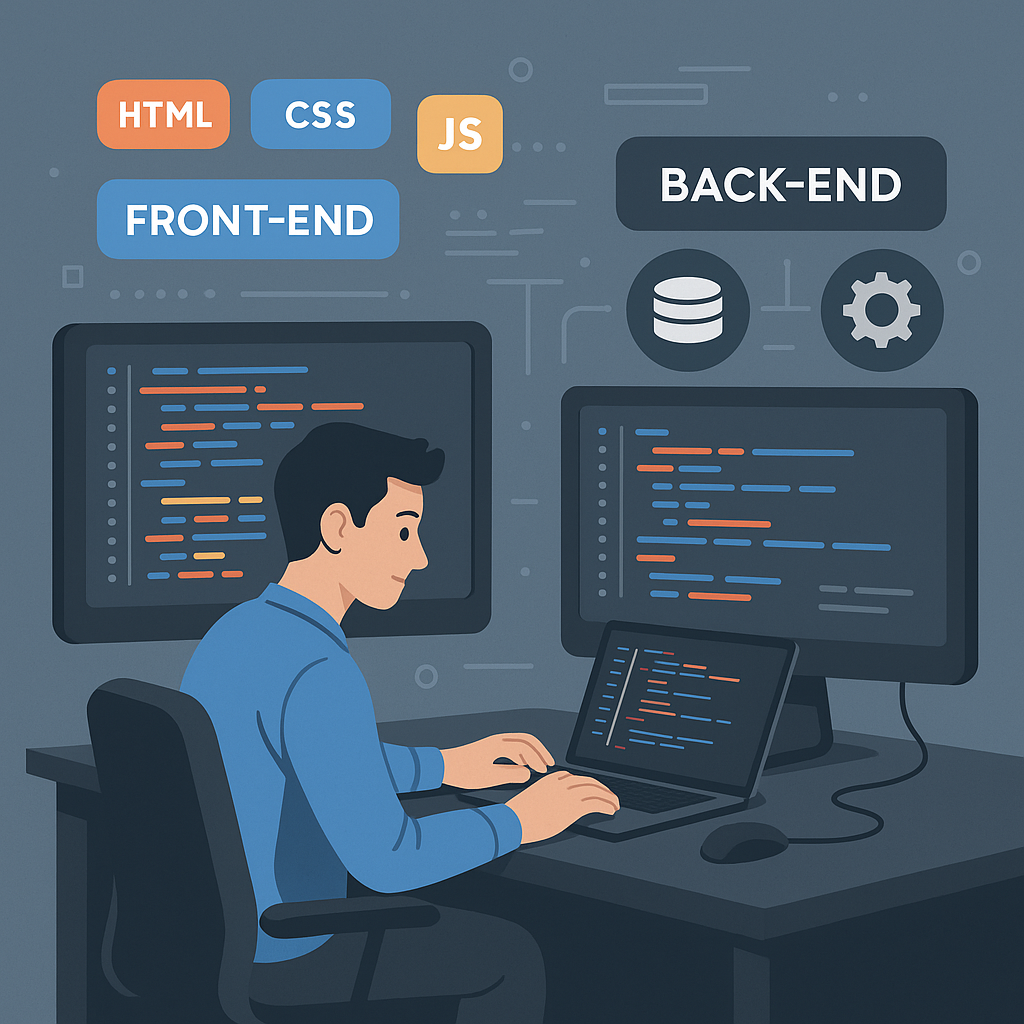
Web development expenses cover everything it takes to design, build, secure, host, and maintain a website or digital product. They can swing widely depending on project complexity, platform choices, and your long-term goals. This guide walks through why budgets differ, how feature and technical decisions map to cost ranges, and how multi-location organizations should plan for scale, compliance, and operational efficiency. You’ll get the primary cost drivers, platform-by-platform comparisons, realistic maintenance expectations, and insight into how team structure and experience shape price and ROI.
We also map practical steps to evaluate proposals, phase features for staged delivery, and estimate per-location incremental costs for multi-site rollouts. Throughout, we include semantic and structured-data tips to help decision-makers compare proposals objectively and write better RFPs for agencies and vendors.
What Are the Main Factors That Determine Web Development Expenses?
Web development expenses depend primarily on the project's functional complexity, design customization, and the choice of your development team.
📊 Primary Cost Drivers
- Complexity & Scope: Basic informational pages cost significantly less than dynamic portals. Features like user dashboards, payment gateways, and booking systems sharply increase labor hours.
- Design & UX Customization: Using pre-made templates or themes offers affordable, fast deployment. In contrast, tailored visual branding and custom UI/UX design require dedicated design phases.
- Technology Stack: Content Management Systems (like WordPress or Shopify) reduce setup time. Custom builds using frameworks like React, Angular, or backend microservices demand specialized engineering.
- Team & Location: Freelancers charge lower rates than full-service digital agencies. Geographically, North American or Western European developers bill at higher hourly rates than teams based in Eastern Europe or Asia.
- Ongoing Maintenance: Costs don't stop at launch. Cloud hosting, domain registration, SSL certificates, and routine security updates add recurring monthly or annual fees.
🗒 Cost Estimates by Site Type
| Website Type | Estimated Cost Range | Best For |
|---|---|---|
| Basic / Template Site | 2,000 | Portfolios, blogs, and local service landing pages. |
| Small Business Site | 15,000 | Content-rich company websites with lead generation forms. |
| E-Commerce Platform | 50,000 | Online stores with inventory management and payment gateways. |
| Custom Enterprise Build | 100,000+ | Large-scale, highly secure web apps and custom portals. |
These drivers interact—advanced integrations often increase hosting and security requirements, which, in turn, increase maintenance needs. Recognizing these connections helps you focus negotiations and scope decisions on the highest-impact items. To balance this investment, many teams rely on strict Design System documentation or utilize modern UI Component Libraries to front-load the heavy lifting and save hours during development.
To summarize each driver’s common effect, the table below maps drivers to typical workstreams and expected cost impact. Use it when you’re weighing trade-offs in a scope of work.
| Driver | Typical Workstream | Cost Impact |
|---|---|---|
| Design Complexity | Wireframes, prototypes, custom UI, animations | Low–High (template vs custom) |
| Functionality | E-commerce, APIs, CRM, membership portals | Medium–High (simple forms to complex systems) |
| Platform | WordPress, Shopify, Custom framework | Low–High (off-the-shelf vs bespoke) |
| Integrations | Payment gateways, ERPs, single sign-on | Medium–High (depends on API maturity) |
| Hosting & Performance | CDN, auto-scaling, caching, backups | Low–Medium–High (traffic and SLA driven) |
| Security & Compliance | Pen testing, encryption, and audits | Medium–High (industry/regulatory dependent) |
This table highlights where budget pressures typically occur and helps stakeholders decide whether trade-offs make sense. Next, we look at how design choices specifically affect price and schedule.
How Does Design Complexity Affect Website Pricing?

Design complexity affects website pricing because it directly dictates the number of billable hours required from specialized UI/UX designers and front-end developers. While a template-based site can be launched in days, a highly complex custom design involves a multi-stage creative process that increases costs by thousands of dollars.
The Cost Breakdown: Design Approach Comparison
| Design Approach | Average Cost Impact | Production Time | What It Includes |
|---|---|---|---|
| Template-Based Design | 2,000 | 1 to 2 weeks | Modifying existing themes (WordPress, Shopify) with your logo, colors, and content. |
| Semi-Custom Design | 7,000 | 3 to 6 weeks | Tweaking structural layouts of a template or using component libraries to build unique layouts. |
| Fully Custom Design | 30,000+ | 2 to 4+ months | Designing a site from scratch based on strict brand guidelines, unique user journeys, and competitive research. |
Specific Ways Design Complexity Drives Cost
- The UI/UX Discovery Phase: Custom sites require high-fidelity wireframes and interactive prototypes (built in tools like Figma). You pay for the strategy behind user psychology, conversion paths, and unique layouts before a single line of code is written.
- The Number of Unique Templates: A site with 50 pages that all use the exact same blog layout is cheap to design. A site where the Homepage, Product Page, About Page, and Dashboard all require completely unique layouts multiplies the designer's workload.
- Custom Graphics and Assets: Off-the-shelf stock photography costs very little. Bespoke illustrations, 3D elements, custom iconography, and branded photography require specialized digital artists, which heavily pads the budget.
- Animations and Interactions: Adding standard hover effects to buttons is simple. Creating complex scroll-triggered animations, 3D graphics (WebGL), or dynamic micro-interactions requires advanced front-end engineers who charge premium rates.
- Responsive Complexity: Ensuring a complex design breaks down beautifully and legibly across smartphones, tablets, laptops, and ultra-wide monitors requires extensive testing and layout reconfiguration.
A tiered design approach—baseline templates plus a few custom high-impact pages—lets you control costs while reserving budget where it matters most. The next subsection explains how functionality choices multiply budget needs.
What Role Does Website Functionality Play in Project Budgets?
Website functionality plays the most significant role in project budgets because it dictates the backend architecture, database complexity, security protocols, and total engineering hours required to build the site. While visual design shapes how a website looks, functionality determines what it does—moving a project from simple page formatting into deep software engineering.
Functionality vs. Budget: A Direct Comparison
How Advanced Features Drive Expenses
- Database Architecture: Storing text and images for a blog is simple. Storing complex, relational data—like matching customer profiles to specific order histories, tracking subscription statuses, and managing variable inventory—requires robust custom database structuring.
- Third-Party Integrations: Connecting a website to external software multiplies development time. Syncing your site with CRMs (Salesforce), ERPs, inventory software, or shipping APIs (FedEx/UPS) requires building, testing, and debugging custom connections to ensure data passes smoothly without breaking.
- E-Commerce Mechanics: Shopping carts add substantial complexity. You are budgeting for secure payment gateways, dynamic tax and shipping calculations, discount code engines, and automated email confirmation triggers.
- User Roles and Permissions: If your site has different levels of access (e.g., an Admin panel, a Vendor panel, and a Customer dashboard), developers must write strict security rules to ensure users can only see and edit their allowed data.
- Security & Compliance: Standard websites need basic SSL certificates. Websites handling sensitive health data (HIPAA), financial data (PCI-DSS), or user data in Europe (GDPR) require specialized security audits, data encryption, and rigorous penetration testing.
Explore 7 Signs You're Losing Leads to see if a CRM could help you capture more business.
How Much Does Custom Website Development Cost?
Custom website development costs depend on project type, required features, platform, and vendor rates. Realistic cost bands help stakeholders set budgets before engaging vendors. Projects vary widely: a simple business site, a bespoke brochure site, a small-to-medium e-commerce store, and an enterprise multi-location platform each demand very different investments determined by features and integrations. Knowing typical lower and upper bounds helps you spot when a low price masks technical debt or when a higher cost buys scalability and lower long-term maintenance. The platform comparison below clarifies common cost bands and suitable use cases.
| Platform | Typical Cost Range | Best for Use Case | Maintenance Complexity |
|---|---|---|---|
| WordPress (custom) | $5,000 – $50,000 | Content sites, multi-location CMS with plugins | Medium (plugins, updates) |
| Shopify (customized) | $8,000 – $75,000 | Retail and catalog e-commerce | Medium–High (apps, transaction fees) |
| Custom Framework | $30,000 – $250,000+ | Enterprise, complex integrations, large scale | High (custom infra) |
Trade-offs are clear: WordPress is cost-efficient for content and local pages, Shopify streamlines commerce with a rich app ecosystem, and custom frameworks give full control at a higher upfront cost while avoiding platform constraints. When reviewing quotes, ask vendors to itemize integrations, recurring license or app fees, and hosting assumptions.
BKThemes builds on WordPress, Shopify, and bespoke solutions, aligning platform choice with long-term value and using modular architecture to limit future rework. We position our services to help multi-location businesses reduce costs, improve efficiency, meet compliance needs, and support sustainable practices—encouraging inquiries and service sign-ups. Choosing an agency that links cost to outcomes and operating expense gives better clarity for multi-site rollouts.
What Are the Cost Differences Between WordPress and Shopify Development?
The fundamental cost difference between WordPress and Shopify is their financial structure: WordPress has higher upfront development costs but lower ongoing monthly fees, while Shopify has lower initial launch costs but higher, predictable recurring expenses.
The division comes down to open-source customization vs. a managed ecosystem. While WordPress (using the WooCommerce plugin) requires you to build and maintain your own infrastructure, Shopify provides an all-in-one hosted solution.
Upfront Development Costs
- WordPress/WooCommerce (Higher Upfront): Because it is an open-source platform, a developer must manually configure your hosting, databases, security plugins, and payment pathways. Standard custom builds typically range from $3,000 to $12,000+. However, developers favor WordPress for highly complex configurations because they aren't restricted by platform limitations.
- Shopify (Lower Upfront): Setting up a store is much faster because the technical framework is built-in. Standard theme setups cost anywhere from $500 to $2,000, while a fully custom Shopify theme starts around $5,000+.
Recurring Monthly Costs
- WordPress/WooCommerce (Variable & Component-Based):
- Hosting & Security: $15 – $100+/month (cheap hosting will cause e-commerce sites to crash under traffic).
- Plugins: Most advanced WordPress tools charge annual licenses (e.g., advanced SEO or booking engines), averaging $20 – $100/month.
- Shopify (Fixed Subscription + App Stack):
- Subscription Tiers: Shopify Basic is $39/month ($29 if billed annually), Grow is $105/month, and Advanced is $399/month.
- Apps: Most Shopify apps use recurring monthly subscriptions rather than flat fees. Adding 4 or 5 premium apps for reviews, subscriptions, or loyalty programs can quickly add $50 – $200/month to your bill.
Transaction Fees & Payment Processing
- WordPress: Charges 0% platform transaction fees. You only pay the standard credit card processing fee (typically 2.9% + $0.30) directly to your payment gateway (like Stripe or PayPal).
- Shopify: If you use Shopify Payments, you only pay competitive card rates (2.5% to 2.9% + $0.30 depending on your tier). However, if you choose or are forced to use an external payment processor, Shopify tacks on an additional 0.6% to 2.0% transaction fee on every sale. At a high sales volume, this "hidden fee" can cost thousands per year.
Maintenance and Overhead Costs
- WordPress (Higher Technical Overhead): You are entirely responsible for software updates, platform security, PCI compliance, and data backups. If a core plugin update breaks your checkout layout, you will need to fix it yourself or pay a developer developer's hourly rate ($75 – $150/hr) to handle it.
- Shopify (Hands-off): Security patches, server management, SSL certificates, and core platform updates are handled automatically by Shopify. This drastically reduces long-term developer maintenance retainers.
Direct Cost Overview
| Cost Category | WordPress + WooCommerce | Shopify |
|---|---|---|
| Initial Build Cost | Higher ($3,000 - $12,000+) | Lower ($500 - $5,000+) |
| Base Monthly Fee | $0 (Software is free) | $39 to $399/mo |
| Hosting & Security | Separate ($15 - $100+/mo) | Included in subscription |
| Platform Sales Fee | 0% | 0% (with Shopify Payments) or 0.6% – 2% (with external gateways) |
| Technical Maintenance | High (Requires active updating) | Very Low (Managed system) |
Brian's Take
When it comes to cost it really depends on the project but overall, Shopify is cheaper than WordPress. When you factor in hosting and plugin costs Shopify's one set fee a month is normally way cheaper.
How Do Advanced Features and Integrations Influence Custom Development Costs?
Advanced features and integrations influence custom development costs because they introduce architectural complexity, extended testing cycles, and strict security compliance to a project. While simple features manipulate data already on your server, advanced functionality requires your website to safely communicate, sync, and process data with complex external systems.
Every advanced feature shifts your project from standard layout design into deep backend engineering, multiplying the required hours for development, debugging, and quality assurance.
Cost Impact of Advanced Features
| Feature / Integration Type | Implementation Complexity | Average Cost Impact | Primary Drivers of Expense |
|---|---|---|---|
| Enterprise CRM Sync ( Salesforce, HubSpot ) | Medium to High | $3,000 – $8,000 | Custom data-mapping, bidirectional syncing, handling connection dropouts. |
| Custom Marketplace Engines (Multi-vendor split payments) | Very High | $10,000 – $25,000+ | Storing separate vendor balances, automated payout logic, complex tax handling. |
| Legacy ERP / Inventory Sync (SAP, Oracle, NetSuite) | Extreme | $15,000 – $40,000+ | Interfacing with rigid, outdated enterprise software; writing extensive custom API middleware. |
| Real-Time Data / Chat (WebSockets, Live Mapping) | Medium | $2,500 – $6,000 | Continuous server connections, high concurrent user handling, low-latency infrastructure. |
| AI Integration (OpenAI API, Custom LLM agents) | Medium to High | $4,000 – $12,000 | Prompt engineering pipelines, vector database setup, handling variable API response delays. |
Why Advanced Integrations Accumulate Costs
- API Quality and Documentation: Building an integration means connecting your site to an external Application Programming Interface (API). If the third-party tool has clean, modern documentation (like Stripe), setup is efficient. If you are integrating a legacy ERP or custom inventory software with poor or non-existent documentation, developers must spend dozens of hours reverse-engineering the system just to figure out how to pass data back and forth.
- Bidirectional Synchronization: A one-way integration (e.g., pulling a product's price from a warehouse into your site once a day) is relatively straightforward. A two-way, real-time sync (e.g., a customer buys an item on your site, instantly updating your physical store inventory, while your physical store inventory simultaneously updates your website) requires complex "race condition" handling to prevent errors when items sell at the exact same millisecond.
- Error Handling and Edge Cases: Developers spend a massive amount of time coding for when things go wrong. If your site talks to an external fulfillment partner to ship orders, what happens if that partner's server goes down for two hours? Developers must build robust offline queues, automated retry scripts, and error-logging alert systems so transactions aren't lost in transit.
- Security and Compliance Overhead: Any time a website handles sensitive data—such as patient medical records (HIPAA compliance), user data in Europe (GDPR), or direct credit card vaults (PCI-DSS)—the engineering required to keep that data encrypted and compliant skyrockets. Security audits, penetration testing, and tokenized authorization systems can easily double a developer's time on a single feature.
How Does Responsive Design and Mobile Optimization Impact Web Development Expenses?
Responsive design and mobile optimization impact web development expenses by adding 20% to 50% to the total development and quality assurance budget compared to a fixed desktop-only site. In modern development, responsiveness is non-negotiable because mobile devices generate over 50% to 60% of global web traffic. However, making a site work flawlessly across thousands of screen sizes requires a significant layout strategy, custom front-end styling, and exhaustive testing cycles.
How Mobile Optimization Multiplies Development Hours
- Responsive Layout Architecture (CSS Media Queries): Developers do not build separate websites for mobile and desktop anymore. Instead, they write custom code instructions (breakpoints) that tell the site how to rearrange, shrink, or hide content depending on the screen size. A single page might require three completely different styling setups for desktop, tablet, and smartphone screens.
- Asset and Performance Engineering: Mobile optimization isn't just about how a site looks; it's about how fast it loads over a cellular network. Developers must implement lazy loading, optimize images into modern formats (like WebP), minify script files, and configure edge caching. This performance tuning requires senior engineering hours to achieve passing scores on Google PageSpeed Insights.
- Touch-Target and UI/UX Redesign: Mouse clicks are highly precise, but human thumbs are clumsy. Designers and developers must restructure hover menus into mobile "hamburger" menus, resize button touch targets to a minimum of 48x48 pixels, adjust font sizes for readability, and eliminate disruptive pop-ups.
- Device Fragmentation Testing: Ensuring a site functions perfectly on an iPhone 15 Pro, a budget Samsung Galaxy, an iPad, and an ultra-wide desktop monitor takes immense time. Cross-device testing is a labor-intensive phase where QA engineers manually click through every workflow on physical devices or cloud-testing suites (like BrowserStack) to find and fix visual layout bugs.
Cost Breakdown by Optimization Depth
| Mobile Optimization Tier | Average Budget Impact | Best For | What It Includes |
|---|---|---|---|
| Standard Responsive | +20% of base cost | Standard blogs, business brochures, basic portfolios. | Grid layouts shuffle content vertically on mobile. Standard template adjustments. |
| Mobile-First / High Performance | +35% of base cost | High-traffic e-commerce stores, consumer SaaS tools. | Custom layout changes unique to mobile viewports, advanced asset caching, core web vital speed audits. |
| PWA (Progressive Web App) | +50% to +100% of base cost | Native app replacements, offline-first digital products. | Adds offline capabilities, push notifications, and home-screen installation mechanics without building a separate app. |
Why Is Mobile Optimization Essential for Multi-Location Businesses?

Mobile optimization is essential for multi-location businesses because local intent is fundamentally tied to mobile behavior. When a consumer searches for a business with multiple branches—like a regional medical group, a retail franchise, or an auto repair chain—they are almost always on the move, close to one of your locations, and ready to make an immediate decision.
Without a flawless mobile experience, a multi-location brand will lose customers to single-location local competitors right at the final step of the purchase funnel.
1. Capturing "Near Me" and Proximity Search Traffic
Mobile devices account for the vast majority of local search intent, with mobile "near me" searches continuing to grow significantly. Google's algorithm heavily relies on a user's real-time GPS location. When an on-the-go user searches for a nearby service, search engines serve a map-based list of the closest open businesses (the "Local Pack"). If your underlying location pages are poorly optimized for mobile or slow to load, search engines will suppress your visibility across all branches.
2. Powering Google Business Profile Integration
For multi-location brands, each storefront requires its own Google Business Profile (GBP). Mobile users interact with these profiles directly through Google Maps or search results to perform friction-free actions.
- The Mobile Impact: Users expect to click a single button to dial a specific store's phone number (Click-to-Call), load driving routes into their GPS (Directions), or tap into a branch's localized appointment book. If your site doesn't load instantly when they click through the GBP link to view a local menu or schedule a service, they will immediately back out.
3. Navigating Dynamic Location Routing
A desktop user has the screen real estate to look at a massive map, type in a zip code, and look through a long sidebar list of fifty corporate branches. A mobile user does not.
- The Mobile Impact: A mobile-optimized site uses the smartphone's built-in geolocation browser permissions to automatically detect where the user is standing. It dynamically bypasses the manual store-locator step, immediately serving the user the exact store page, hours, phone number, and inventory of the closest physical branch.
4. Capturing High-Conversion, Immediate Intent
Mobile local searchers have a much shorter buying cycle than desktop research users. Data indicates that a staggering 60% of mobile users contact a business directly from local search results. They are looking up info because they are standing outside your store, running errands, or dealing with a time-sensitive emergency (like a broken pipe or a flat tire). A slow, clunky mobile page layout that requires pinching and zooming to find an address will cause immediate frustration, sending a high-value customer straight to a local competitor.
5. Ensuring Voice Search Readiness
On-the-go mobile users rely heavily on voice assistants like Apple's Siri, Google Assistant, or specialized automotive dash systems. Voice queries are highly conversational and almost exclusively local (e.g., "Where is the closest [Brand Name] open right now?"). Because voice assistants pull quick structural data directly from mobile-optimized location pages and matching LocalBusiness Schema data, a lack of mobile-first optimization can completely lock your multi-location brand out of voice-driven foot traffic.
What Are the Budget Considerations for Responsive UI/UX Design?
Budgeting for responsive UI/UX should include extra hours for layout variants, image optimization, touch targets, and performance tuning—typically a modest percentage of design and front-end costs. Component libraries and design systems cut duplication and speed multi-location rollouts; custom breakpoints and bespoke interactions increase hours and QA cycles. Performance investments—CDN setup, critical CSS, and deferred scripts—add infrastructure and engineering time but lower bounce rates and improve SEO. For staged projects, prioritize mobile-critical pages first (location pages, contact flows, checkout) to maximize early ROI.
Balancing custom mobile interactions with reusable components is key to predictable per-location costs. Next, we address ongoing maintenance and support after launch.
What Are the Ongoing Website Maintenance and Support Costs?
Ongoing maintenance covers hosting, security updates, backups, monitoring, content updates, and support SLAs—recurring expenses essential to protect uptime, compliance, and search visibility. Maintenance lowers long-term risk by preventing security incidents, ensuring compatibility with evolving browsers and platforms, and keeping integrations working as upstream APIs change. Typical models range from basic hosting and updates to premium managed services with proactive monitoring and fast SLA responses. Choose a tier based on traffic, transaction volume, and regulatory exposure. The table below compares common maintenance tiers and what to expect at each price point.
| Maintenance Tier | Included Tasks | Typical Cost Range (monthly) |
|---|---|---|
| Basic | Hosting, weekly backups, core updates | $50–$200 |
| Standard | Above + plugin/app updates, security scans, monthly reports | $200–$800 |
| Premium | Above + dedicated support, 24/7 monitoring, SLA, performance tuning | $800–$3,000+ |
Pick a tier based on your tolerance for downtime and business impact; multi-location businesses typically need at least a Standard plan to handle frequent content changes and local SEO. Following this overview, we explain how maintenance ties into security and content operations.
BKThemes packages maintenance as scalable retainer models that combine automated monitoring with scheduled optimization to lower operational overhead and keep distributed sites compliant. We position these offerings to help multi-location businesses cut costs, stay efficient, and meet regulatory and sustainability goals—encouraging inquiries and sign-ups. When choosing a plan, confirm SLA response times, backup retention, and whether the plan supports multi-location content workflows.
How Does Regular Maintenance Ensure Website Security and Performance?
Regular maintenance means scheduled patching, vulnerability scanning, backups, and performance monitoring—practices that reduce breach risk and unplanned downtime. These activities also protect search rankings, since search engines penalize persistent performance or security issues. Proactive monitoring catches anomalies early, and tested restore processes cut recovery time after incidents. For multi-location platforms, centralized monitoring with location-level alerts helps contain incidents and avoid costly, per-location remediation.
A predictable maintenance cadence lowers total cost of ownership by reducing emergency fixes and revenue loss during outages. The next subsection covers typical costs for content updates and technical support.
What Are Typical Costs for Content Updates and Technical Support?
Content updates and technical support are commonly billed hourly or via monthly retainers. Hourly work fits ad-hoc edits; retainers give prioritized hours and predictable budgeting for frequent updates and multi-location content workflows. Retainers often include CMS training, template updates, and small feature enhancements—useful for teams managing consistent location-level changes. For multi-location businesses, estimate monthly needs by multiplying per-location update frequency by the number of locations to build a reasonable retainer and avoid expensive on-demand work.
Implementing templates and training in the CMS reduces recurring update costs and improves consistency across locations. The next section explores how team composition influences initial development pricing and long-term maintenance.
How Does Developer Expertise and Team Structure Affect Web Development Pricing?
Developer expertise and team structure drive hourly rates, delivery speed, architecture quality, and the likelihood of rework—so they’re central to pricing and ROI. Senior engineers and specialists cost more per hour but typically reduce rework, design more scalable solutions, and improve security and performance, delivering better long-term outcomes. Team composition—project manager, frontend developer, backend developer, QA, and DevOps—shapes cost lines in a proposal; adding DevOps or QA specialists raises upfront cost but lowers operational risk. Geographic staffing choices influence hourly rates, but leadership and architecture quality often outweigh raw hourly savings when you consider lifetime cost.
When evaluating vendors, ask for role-based estimates and examples showing how architecture choices affected maintenance in past projects. BKThemes combines cross-platform experience with structured delivery to reduce risk and align staffing to project phases. We frame our services to help multi-location businesses cut operating costs, stay compliant, and scale efficiently—encouraging prospects to reach out.
Why Does Experience Level Influence Project Cost and ROI?
Experience matters because senior developers anticipate edge cases, design extensible architecture, and limit technical debt that creates hidden post-launch costs. Junior teams can reduce upfront invoices but may produce more rework, scalability issues, and timeline extensions, raising total project cost. Senior-led teams can also speed time-to-market and introduce conversion improvements that boost revenue and offset higher day rates. Evaluate proposals with likely rework and projected ROI in mind, not just the per-hour rate.
Pairing senior architects with mid-level implementers is a common cost-control strategy that preserves quality while managing budget. Typical team roles include:
- Project Manager: coordinates scope, timeline, and stakeholders.
- Frontend Developer: builds the UI, responsive behavior, and accessibility.
- Backend Developer: implements APIs, integrations, and data models.
- QA Engineer: validates functionality, security, and performance.
- DevOps/Infrastructure: manages hosting, scaling, and CI/CD.
Mapping tasks to these roles helps you compare quotes more accurately. The next subsection shows how scope changes or added roles affect pricing.
How Do Team Composition and Project Scope Impact Pricing?
Adding roles like DevOps or data engineers increases upfront cost but is necessary for high-scale or integration-heavy projects. Expanding scope with multiple integrations, localization, or advanced reporting raises estimates because of added development and testing. Quotes should separate the base scope from optional modules so stakeholders can prioritize phased delivery and manage cash flow. Agile delivery with defined sprints and acceptance criteria helps control scope creep and provides checkpoints to reassess staffing needs. For example, adding a DevOps expert for CI/CD and performance tuning often lowers long-term hosting costs and incident response time, offsetting the initial expense.
Phased staffing—ramping down dedicated resources after launch in favor of an on-call maintenance model—controls recurring costs while keeping support capacity. The next section links these investment choices to measurable long-term ROI.
What Is the Long-Term ROI of Investing in Quality Web Development?
Quality web development pays off through higher conversion rates, lower maintenance and rework costs, improved SEO, and a smaller marginal cost per additional location as you scale. Strong UX, robust architecture, and careful platform selection reduce technical debt and friction, producing sustained revenue gains that often exceed the initial premium for experienced teams. Case studies commonly show that a 10–20% higher initial investment in UX or architecture can produce multiples in conversion improvements and maintenance savings over a project’s lifecycle. For multi-location businesses, central governance patterns that allow localized content cut per-location rollout cost and speed expansion.
Adopting scalable templates, a centralized CM, S, and automated deployment pipelines turns CapEx into predictable, lower OpEx per location. The next subsection shows how UX investment converts into revenue uplift.
BKThemes helps organizations align development spend with long-term operating savings by designing scalable templates, integration patterns, and maintainable codebases that lower per-location marginal costs. We frame our services to attract multi-location organizations seeking cost reduction, efficiency, compliance, and sustainable operations, and we encourage inquiries and service sign-ups.
How Does Professional UX Design Translate Into Higher Returns?
Professional UX improves task completion, reduces friction in the conversion path, and increases customer satisfaction—together boosting conversion and lifetime value. Focused UX work fixes pain points, streamlines checkout or contact flow, and prioritizes high-impact pages, typically producing measurable uplifts in form completions and online revenue. Investing in A/B testing and iterative UX work compounds returns over time, with each improvement amplifying future gains. The result is both short-term conversion increases and sustained benefits like lower support load and stronger brand perception.
Using UX metrics during scoping helps quantify potential uplift and evaluate vendor proposals on expected ROI rather than raw cost. The next subsection explains how scalable technologies cut future marginal costs.
How Can Scalable Web Solutions Reduce Future Costs for Multi-Location Businesses?
Scalable solutions—component-based design systems, a centralized headless CMS with location overlays, and automated deployment pipelines—cut incremental cost per new location by minimizing bespoke work and manual content tasks. Templated location pages and centralized content workflows dramatically reduce per-location setup time versus fully bespoke pages, making the addition of 10, 50, or 100 locations predictable and low-margin rather than a string of costly projects. Automating data feeds, inventory sync, and local schema generation further trims operational effort. Estimating incremental cost per location with and without these patterns reveals significant savings that justify modest upfront investment.
Investing in scalable architecture turns development CapEx into an investment that lowers future OpEx and accelerates expansion. BKThemes positions these approaches to help multi-location clients improve efficiency, compliance, and sustainability—encouraging inquiries and conversions.
Frequently Asked Questions
Conclusion
Knowing what drives web development costs gives you the power to set realistic budgets and make choices that match your goals. Prioritize design, functionality, and maintenance thoughtfully, and engage experienced teams that tie cost to long-term outcomes. With clear scoping, phased delivery, and scalable architecture, you’ll get better ROI and smoother multi-location rollouts. Explore our services to find a practical path forward for your project.
About the Author

Brian Keary
Founder & Lead Developer
Brian is the founder of BKThemes with over 20 years of experience in web development. He specializes in WordPress, Shopify, and SEO optimization. A proud alumnus of the University of Wisconsin-Green Bay, Brian has been creating exceptional digital solutions since 2003.
Expertise
Writing since 2003