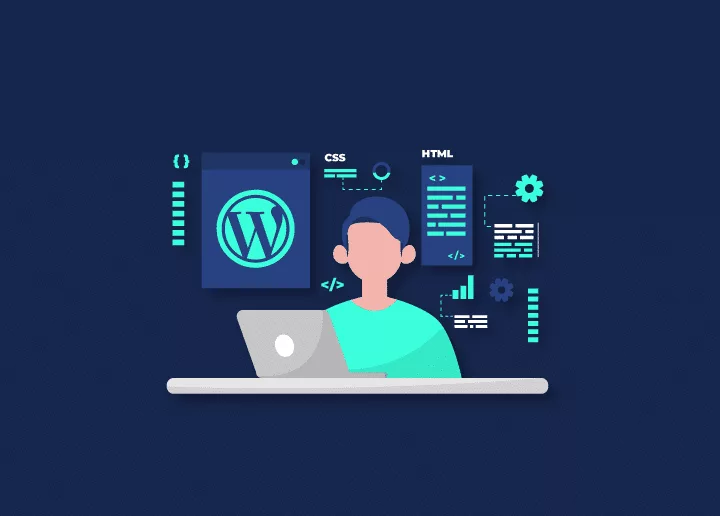
Did you know that as of 2026, WordPress powers over 43% of all websites on the internet? That's a colossal chunk of the digital landscape, a veritable empire built on a foundation many front-end developers might overlook. If you're a front-end developer wrestling with the question of whether diving into the WordPress ecosystem is a worthwhile endeavor, you're not alone. While often viewed as a simple CMS, its architecture relies on core web technologies like HTML, CSS, and JavaScript. This guide analyzes the career benefits and technical requirements for front-end developers integrating WordPress into their professional toolkit.
Key Takeaways
- Market Dominance: WordPress powers a significant portion of the web, creating immense demand for developers.
- Skill Transferability: Your existing HTML, CSS, and JavaScript skills are directly applicable.
- Enhanced Marketability: Proficiency in WordPress opens doors to more projects and higher earning potential.
- Holistic Understanding: Learning WordPress provides insight into the full web development lifecycle.
- Customization Power: You can build highly customized themes and user experiences.
- Continuous Learning: The platform evolves, offering ongoing opportunities for growth.
- SEO & Accessibility: You can significantly impact a site's performance and reach.
Who is This Guide For?
This guide is meticulously crafted for front-end developers at all stages of their careers. Whether you're a recent bootcamp graduate eager to expand your skillset, a seasoned professional looking to diversify your offerings, or a freelancer aiming to attract a broader clientele, understanding WordPress is a strategic move. If you're interested in building dynamic websites, contributing to a vast open-source community, or simply want to add a highly marketable skill to your resume, this information is for you. Developers who want to bridge the gap between design and functionality within a popular CMS framework will find immense value here.
Who is This Guide Not For?
This article isn't primarily for back-end developers who focus solely on server-side logic and database management, though they, too, can benefit from understanding front-end interactions in WordPress. It's also not for individuals seeking a deep dive into WordPress plugin development or core theme architecture from a purely administrative or non-coding perspective. If your interest lies exclusively in highly bespoke, custom-built web applications that operate entirely outside of any CMS, then while WordPress might still offer tangential benefits, its core learning curve might not be your top priority.
How has the WordPress landscape evolved for developers?
It’s easy to pigeonhole WordPress as just a blogging platform from its early days. However, that perception is as dated as the dial-up internet I used to use. Today, WordPress is a robust, flexible, and powerful CMS that underpins everything from small business websites and personal portfolios to complex e-commerce stores and enterprise-level platforms. Its extensive plugin and theme architecture enables unparalleled customization, making it a versatile tool for a wide range of projects. The sheer scale of its adoption means that front-end developers who can effectively navigate and build within WordPress are in high demand.
The platform’s core is built on PHP, HTML, CSS, and JavaScript – the very building blocks of front-end development. While a deep understanding of PHP isn't strictly necessary for all front-end tasks within WordPress, knowing how to interact with its templating system, hooks, and APIs is crucial. This makes the transition less daunting than learning an entirely new programming language. You're essentially learning how to apply your existing front-end expertise within a specific, albeit powerful, framework.
Why Should Front-End Developers Care About WordPress?
Front-end developers should care about WordPress because it commands a massive market share, providing immediate access to a vast pool of professional projects. When clients approach agencies or freelancers for website development, WordPress is frequently the go-to solution due to its ease of content management and extensive customization capabilities. Being proficient in WordPress means you can tap into a massive pool of potential projects.
Furthermore, WordPress development often involves more than just styling. It requires understanding how to implement responsive designs, optimize for user experience, performing on-page SEO for designers and ensure accessibility standards are met. These are all core front-end competencies. Learning WordPress allows you to take a design from concept to a fully functional, client-ready website more efficiently. You can leverage your skills in HTML, CSS, and JavaScript to create custom themes, modify existing ones, and ensure the front-end experience is both visually appealing and highly performant.
Think of it like this: your front-end skills are your high-quality lumber and tools. WordPress provides the blueprint and the construction site. Knowing WordPress means you can walk onto any site and start building beautiful, functional structures without needing to lay the foundation from scratch every single time. This efficiency is a game-changer for developers.
Bridging the Gap Between Design and Development
WordPress offers a unique opportunity for front-end developers to gain a more holistic understanding of web development. While your primary focus is the user interface and experience, learning WordPress means you'll inevitably gain exposure to how content is structured, how themes and plugins interact, and even some basic server-side concepts. This broader perspective can make you a more well-rounded developer, better equipped to communicate with back-end developers and understand the full lifecycle of a web project.
For instance, understanding WordPress hooks and filters, even at a basic level, allows you to integrate custom front-end elements more seamlessly. You can modify how content is displayed, add interactive features, and ensure that your beautiful designs are not just static images but dynamic parts of a functional website. This ability to bridge the gap between visual design and functional implementation is highly valued.
Career Opportunities and Marketability
The demand for WordPress developers, including those specializing in the front-end, remains exceptionally strong in 2026. Many businesses, from solopreneurs to large corporations, rely on WordPress for their online presence. This translates into numerous job openings and freelance opportunities. By adding WordPress proficiency to your resume, you immediately increase your marketability. You can command higher rates and attract a wider range of clients by offering a complete solution.
Moreover, the WordPress ecosystem is vast and constantly evolving. There are opportunities to specialize in custom theme development, front-end optimization, accessibility audits, and even front-end aspects of e-commerce solutions like WooCommerce. This specialization allows you to carve out a niche and become an expert in a specific area, further enhancing your career trajectory. The ability to craft custom themes and tailor the user experience precisely to a client's needs is a significant differentiator.
The Core Skills You'll Leverage
When you begin learning WordPress as a front-end developer, you'll find that many of your existing skills are directly transferable. Your mastery of coding and web design will be essential for structuring content and styling themes. Your JavaScript knowledge will be invaluable for adding interactivity, animations, and dynamic features to websites. The core principles of responsive design, cross-browser compatibility, and performance optimization are just as critical in WordPress as they are in other web development contexts.
HTML and CSS in WordPress
WordPress uses a template hierarchy that dictates which PHP files are used to display different types of content. As a front-end developer, you'll be working with these template files (like header.php, footer.php, single.php, page.php, archive.php) to structure the HTML output. You’ll then use CSS to style these elements, making the website visually appealing and aligning it with design mockups. The ability to write clean, semantic HTML and efficient, well-organized CSS is paramount. You'll also learn about WordPress-specific classes and IDs that are automatically generated, which can be used for targeted styling.
JavaScript and Interactivity
Modern websites are rarely static. JavaScript is the engine that drives interactivity, from smooth scrolling animations and interactive forms to complex single-page applications (SPAs) built within WordPress. You'll use JavaScript to enhance the user experience, implement custom features, and integrate with third-party APIs. Understanding how to enqueue scripts properly in WordPress is also a key skill, ensuring your JavaScript files load efficiently and without conflicts. This involves using WordPress's built-in functions to manage script dependencies and versions.
Responsive Design and User Experience (UX)
Ensuring that a website looks and functions flawlessly across all devices – desktops, tablets, and mobile phones – is non-negotiable. Your expertise in responsive design principles will be directly applied to the development of WordPress themes. This involves using fluid grids, flexible images, and media queries within your CSS. Beyond responsiveness, you’ll also focus on creating intuitive navigation, clear calls to action, and an overall engaging user experience, all of which are critical for any successful website.
Getting Started with WordPress Development
The journey into WordPress development for front-end developers typically involves a few key steps. You'll want to set up a local development environment, familiarize yourself with the WordPress dashboard, and begin understanding theme structure and customization. Don't be afraid to experiment and build small projects to solidify your learning.
Setting Up a Local Development Environment
Before you start coding, you need a place to build and test your WordPress sites without affecting a live website. The most common approach is to set up a local development environment on your computer. Tools like Local by Flywheel, XAMPP, MAMP, or Docker make this process relatively straightforward. These tools provide a web server (such as Apache or Nginx), a database (such as MySQL), and PHP, all running on your local machine. This allows you to install WordPress, develop themes and plugins, and test them thoroughly before deploying them online.
Understanding the WordPress Dashboard
While you’ll be spending most of your time coding, a basic understanding of the WordPress admin dashboard is beneficial. This is where clients will manage their content. Familiarizing yourself with the appearance settings, post and page editors, widget areas, and menu structures will help you understand how the back end influences the front end and how best to structure your themes to make them user-friendly for content creators.
Theme Development and Customization
The heart of front-end WordPress development lies in theme creation and modification. You can start by customizing an existing theme using the WordPress Customizer or by creating a child theme. A child theme inherits the functionality and styling of a parent theme but allows you to make modifications without altering the original theme files. This is a safer and more sustainable approach. For those who want to build themes from scratch, learning the WordPress template hierarchy and template tags is essential. This involves understanding how PHP dynamically pulls content from the database and displays it on the front end. Mastering WordPress for Unmatched SEO Performance: An Expert's Guide is a great resource for understanding how to build themes that are not only visually appealing but also optimized for search engines.
WordPress Challenges for Front-End Developers
While the benefits are substantial, it's important to acknowledge the learning curve and potential challenges. Understanding PHP, even superficially, is often necessary for advanced customization. Debugging can sometimes be tricky, especially when dealing with theme or plugin conflicts.
The PHP Factor
WordPress is built on PHP. While you can achieve a lot with HTML, CSS, and JavaScript, deeper customization often requires some understanding of PHP, especially when working with template tags, hooks, and filters. You don't need to become a PHP expert, but learning the basics of how PHP interacts with WordPress – how it fetches data, how it uses loops, and how conditional statements work – will significantly enhance your capabilities. This is where the transition from pure front-end to front-end within a CMS becomes apparent.
Plugin Conflicts and Debugging
The sheer number of plugins available for WordPress can be both a blessing and a curse. While plugins add immense functionality, they can sometimes conflict with each other or with your custom theme, leading to broken layouts or unexpected behavior. Learning to debug these issues, systematically deactivate plugins, and use browser developer tools effectively is a crucial skill. Understanding how to correctly enqueue scripts and styles is vital to preventing conflicts.
Performance Optimization
A common challenge is ensuring that WordPress sites remain fast and performant, especially as more plugins and custom code are added. Front-end developers play a key role in optimizing assets like images, CSS, and JavaScript. This includes techniques like minification, lazy loading, and efficient code delivery. Learning how to balance functionality with speed is an ongoing effort. This is why Why monthly website maintenance pays protect performance grow traffic and reduce risk is so important for long-term site health.
Integrating WordPress with Your Existing Skillset
The beauty of learning WordPress as a front-end developer is how seamlessly it integrates with what you already know. It's not about replacing your skills; it's about enhancing them and applying them in a new, highly relevant context. Think of it as adding a powerful new tool to your existing toolbox. You can use your design sensibilities and coding prowess to create stunning, functional WordPress sites that clients will love.
How does WordPress compare to other development platforms?
While page builders like Elementor or Beaver Builder offer a drag-and-drop interface that can speed up development, understanding custom theme development provides deeper control and flexibility. For complex projects or when a unique brand identity is paramount, building a custom theme or significantly modifying an existing one is often the best approach. This is where your front-end skills truly shine, allowing you to craft bespoke user experiences that page builders might struggle to replicate. Learning to build custom themes is a significant step towards mastery.
Modern block-based development changes WordPress front-end work by moving it away from a purely PHP-template workflow and toward a component-and-configuration workflow. Instead of building most of the site in header.php, page.php, single.php, and large stylesheet files, you now spend more time working with blocks, theme.json, block templates, and pattern files. That shifts front-end development from “assemble pages with theme templates” to “define reusable UI pieces and let editors compose them.” In practice, the front end becomes more modular, more design-system-driven, and usually less tied to one giant theme file structure. WordPress Development: The Ultimate 2025 Guide to Building High-Performance Websites.
A few workflow changes stand out:
- UI is built as reusable blocks instead of page-specific templates. You create sections like hero banners, testimonials, pricing grids, or CTAs as blocks or patterns, then reuse them across pages. That means less one-off template coding and more thinking in components and variations.
- Global styling moves into theme.json. Rather than scattering colors, spacing, typography, and editor support settings across PHP, CSS, and theme setup code, a lot of that now lives in one configuration layer. This makes the editor and front end behave more consistently, which is a big workflow improvement for design systems.
- Editors get more layout control. Front-end developers are no longer the only people shaping page layouts. Content teams can assemble pages visually in the Site Editor or post editor, so developers often focus more on guardrails, block options, style presets, and sensible defaults than on hand-coding every layout.
- Template work becomes more declarative. With block themes, templates and template parts are often HTML-based block markup instead of deeply nested PHP logic. That lowers the amount of custom rendering code for standard layouts, though dynamic or data-heavy features still often use PHP-rendered blocks.
- Development splits between editor experience and front-end output. You now have to think about how a block behaves in the editor and on the live site. For static blocks, markup changes can require re-saving content to reflect updated saved HTML, while dynamic blocks avoid some of that by rendering on the server. Block Development Wordflow.
- Tooling becomes more JavaScript-heavy. Modern block development usually brings in build tooling like
@wordpress/scripts, React-style block editing, and hot-reload-oriented workflows. So the front-end role in WordPress often looks more like modern component development than classic theme tweaking.
The tradeoff is that the workflow is usually faster and more scalable once the system is set up, but it also asks front-end developers to think more like product and systems designers. You are not just styling pages anymore; you are defining the building blocks, constraints, and editing experience that shape the whole site.
A simple way to frame it is this: classic WordPress front-end work was mostly “build templates for pages,” while modern block-based work is more “build a flexible design system that pages are assembled from.”
One caution: block-based development does not eliminate PHP or CSS. It just changes where they matter most. PHP is still important for dynamic rendering and custom data logic, and CSS still matters for polish and responsive behavior. But the center of gravity shifts toward blocks, patterns, JSON config, and editor-aware components.
SEO and Accessibility within WordPress
WordPress is inherently SEO-friendly, but front-end developers can significantly enhance this. By writing clean, semantic HTML, optimizing image alt text, and ensuring fast loading times, you contribute directly to better search engine rankings. Similarly, focusing on web accessibility (WCAG compliance) is a crucial aspect of modern web development. Your skills in structuring content, using ARIA attributes, and ensuring keyboard navigability are vital for making WordPress sites accessible to everyone. Mastering local SEO is also a significant advantage for many clients; learning how to Unlock local search dominance master local seo link building for peak visibility can be a huge draw.
Comparison: WordPress vs. Other Platforms
When considering where to focus your front-end development efforts, it's helpful to compare WordPress with other popular platforms. Each has its strengths and weaknesses.
| Feature | WordPress | Shopify | Custom Build (e.g., React/Vue/Angular) |
|---|---|---|---|
| Market Share | Over 43% of all websites (2026) | Dominant in e-commerce | Varies, typically for complex apps |
| Ease of Use | High for content management | High for e-commerce setup | Lower for initial setup |
| Customization | Extremely high via themes/plugins | High for e-commerce, limited for core | Unlimited |
| Learning Curve | Moderate for front-end devs | Moderate for e-commerce front-end | High |
| Cost | Open-source (free), hosting/premium plugins | Subscription-based, transaction fees | Development time/cost is high |
| Front-end Focus | Theme development, JS interactivity | Theme Liquid, JS, e-commerce specific logic | Full UI/UX, state management |
| Maintenance | Regular updates, plugins, backups | Platform updates, theme/app maintenance | Server, database, framework updates |
While Shopify is excellent for e-commerce, and custom builds offer ultimate flexibility, WordPress strikes a powerful balance. It provides a robust framework for a wide range of website types, making it an incredibly versatile skill for any front-end developer. For those focusing on e-commerce in WordPress, understanding maintenance is also key, much like how Shopify site maintenance explained checklist is crucial for that platform.
Mistakes to Avoid
When embarking on your WordPress learning journey, steer clear of common pitfalls.
- Ignoring PHP: While you don't need to be a PHP guru, understanding its basics will unlock deeper customization. Don't shy away from it entirely.
- Over-reliance on Page Builders: While useful, they can sometimes limit flexibility and create bloated code. Learn how to build custom themes for true control.
- Neglecting Performance: WordPress sites can become slow if not optimized. Always prioritize speed and efficiency in your code and asset management.
- Skipping Security Best Practices: WordPress is a target. Learn about secure coding, strong passwords, and regular updates.
- Not Using Version Control: Treat your WordPress projects like any other code project. Use Git for version control.
- Ignoring Updates: Keeping WordPress core, themes, and plugins updated is crucial for security and functionality. This is a fundamental part of ongoing site health.
Actionable Checklist for Front-End Developers Learning WordPress
To help you get started and stay on track, here’s a checklist:
Phase 1: Foundations
- Install a local development environment (e.g., Local by Flywheel).
- Install WordPress locally.
- Navigate and understand the WordPress dashboard (Admin Area).
- Learn the WordPress template hierarchy.
- Understand the purpose of common template files (
header.php,footer.php,index.php,single.php,page.php). - Learn about template tags (e.g.,
the_title(),the_content(),get_header()). - Understand how to enqueue scripts and styles correctly using
wp_enqueue_script()andwp_enqueue_style().
Phase 2: Customization and Development
- Create a child theme for an existing popular theme (e.g., Twenty Twenty-Six).
- Modify CSS within your child theme to change styling.
- Experiment with adding custom HTML structures to template files.
- Learn about WordPress hooks (actions and filters) and how to use
add_action()andadd_filter(). - Build a simple custom block for the Gutenberg editor using JavaScript (optional but recommended).
- Develop a basic custom theme from scratch.
- Integrate custom JavaScript for interactive elements.
- Implement responsive design techniques within your WordPress themes.
Phase 3: Optimization and Deployment
- Learn about image optimization techniques for WordPress.
- Understand techniques for CSS and JavaScript minification.
- Test website performance using tools like Google PageSpeed Insights.
- Learn about basic WordPress SEO principles and how to implement them in themes.
- Ensure your themes meet basic accessibility standards (WCAG).
- Understand the process of deploying a WordPress site to a live server.
- Familiarize yourself with basic WordPress security measures.
Conclusion
Is learning WordPress good for front-end developers in 2026? Unequivocally, yes. The platform's ubiquity, flexibility, and the strong demand for skilled developers make it an incredibly valuable addition to any front-end developer's toolkit. By leveraging your existing expertise in HTML, CSS, and JavaScript, you can quickly become proficient in building stunning, functional, and performant websites within the WordPress ecosystem. While there are challenges, such as a basic understanding of PHP and performance optimization, the rewards – in terms of career opportunities, project diversity, and professional growth – are substantial. Embracing WordPress isn't just about learning a new tool; it's about positioning yourself for success in a significant segment of the web development industry. It’s a smart move that pays dividends.
Frequently Asked Questions
What is the most important skill for a front-end developer learning WordPress?
While a range of skills is beneficial, understanding how to effectively use HTML, CSS, and JavaScript within the WordPress templating system and ecosystem is paramount. This includes knowing how to structure content, style it responsively, and add interactivity, all while respecting WordPress’s architecture and best practices.
Do I need to be a PHP expert to develop WordPress themes?
No, you don't need to be a PHP expert to start developing WordPress themes or front-end components. However, a foundational understanding of PHP syntax, basic logic (like loops and conditionals), and how WordPress uses template tags and hooks will significantly enhance your capabilities and allow for much deeper customization beyond just CSS and JavaScript manipulation.
How long does it typically take for a front-end developer to become proficient in WordPress?
Proficiency can vary based on individual learning pace and time commitment. However, a front-end developer with solid HTML, CSS, and JavaScript skills can typically become proficient in building custom themes and handling common front-end tasks within WordPress in 3-6 months of consistent practice and study. Deeper mastery will, of course, take longer.
Is WordPress development a good career path for front-end developers in 2026?
Yes, WordPress is highly beneficial because it leverages standard front-end technologies while providing a massive market for custom theme and interface development. With WordPress powering a massive percentage of the web, the demand for skilled developers remains exceptionally high. Front-end developers who can build and customize WordPress themes, optimize performance, and ensure accessibility are highly sought after, making it a very viable and lucrative career path.
What are the main differences between developing for WordPress and building a site with a framework like React?
Developing for WordPress involves working within a Content Management System (CMS) with a predefined structure, template hierarchy, and PHP-based engine. You leverage existing systems for content management. Building with a framework like React typically involves creating a standalone application from the ground up, offering complete control over structure and logic, but requiring more effort for content management features unless integrated with a headless CMS.
Should I learn page builders like Elementor or focus on custom Wordpress theme development?
It's beneficial to understand both. Page builders are great for rapid development and client ease-of-use for certain projects. However, focusing on custom WordPress theme development offers greater flexibility, performance optimization, and a deeper understanding of WordPress architecture. For complex or highly branded sites, custom development is often superior. Aim to master custom development while being aware of page builder capabilities.
About the Author

Brian Keary
Founder & Lead Developer
Brian is the founder of BKThemes with over 20 years of experience in web development. He specializes in WordPress, Shopify, and SEO optimization. A proud alumnus of the University of Wisconsin-Green Bay, Brian has been creating exceptional digital solutions since 2003.
Expertise
Writing since 2003