Introduction
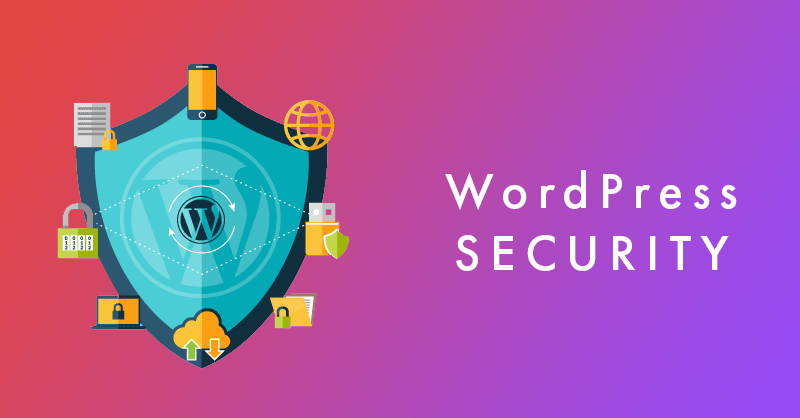
Your WordPress database is the backbone of your website, storing critical data such as user information, posts, pages, comments, and settings. If compromised, your site could suffer data breaches, downtime, or even total loss of content. Cyber threats like SQL injections, brute force attacks, malware infections, and unauthorized access can put your database at serious risk. This guide covers essential steps to safeguard your WordPress database from cyber threats by following best security practices.
1. Why Are WordPress Databases Prime Targets for Cybercriminals?
A. What Data Do Cybercriminals Target in WordPress Databases?
- ✅ User Credentials – Hackers attempt to steal usernames, passwords, and email addresses.
- ✅ Website Content – Cybercriminals can delete or modify posts and pages.
- ✅ Payment & Customer Data – E-commerce sites are vulnerable to financial data theft.
- ✅ Sensitive Configuration Files – Attackers try to access
wp-config.phpfor database credentials.
B. What Are the Most Common WordPress Database Attacks?
- ✅ SQL Injection – Hackers manipulate SQL queries to gain unauthorized access to the database.
- ✅ Brute Force Attacks – Automated bots try different password combinations to break into the database.
- ✅ Malware & Backdoor Infections – Malicious scripts compromise database integrity.
- ✅ Denial-of-Service (DoS) Attacks – Attackers overload the database, causing website crashes.
WordPress help that converts
Need a real WordPress expert, not another plugin roulette session?
This post is in WordPress, so here’s the most relevant next step if you want help applying it.
From speed fixes and malware cleanup to custom themes and conversion improvements, we help WordPress sites perform like they were built on purpose.
- Custom WordPress development and troubleshooting
- Performance, security, and technical SEO improvements
- Direct help from an experienced WordPress developer
2. What Are the Essential Steps to Secure Your WordPress Database?
A. How Do You Change the Default WordPress Database Prefix?
- ✅ WordPress uses
wp_as the default prefix for database tables, making it easier for hackers to target. - ✅ Modify the prefix to something unique, like
wpxyz_, during installation. - ✅ If your site is already live, use a security plugin like iThemes Security or WP-DBManager to change it.
B. How Can You Use Strong Database Credentials?
- ✅ Avoid common database usernames like
adminorwordpress. - ✅ Generate a strong password with uppercase letters, numbers, and special characters.
- ✅ Update your database password periodically to prevent unauthorized access.
C. Why Should You Restrict Database User Privileges?
- ✅ Assign minimum permissions required for database users.
- ✅ The WordPress database user should have read and write access only avoid granting DROP or ALTER privileges unless necessary.
- ✅ Configure database privileges in your hosting panel (cPanel, phpMyAdmin, or MySQL CLI).
D. How Do You Move wp-config.php Outside the Root Directory?
- ✅
wp-config.phpcontains database credentials—if exposed, hackers can take over your site. - ✅ Move it to a non-public directory and update the WordPress path accordingly.
- ✅ Use the following code in
.htaccessto block access:
<Files>
wp-config.php
Order Allow,Deny
Deny from all
</Files>
3. How Can You Enforce Secure Access Controls?
A. How Do You Enable Two-Factor Authentication (2FA) for Database Access?
- ✅ Even if a hacker steals your database login, 2FA adds an extra security layer.
- ✅ Use plugins like Google Authenticator or Wordfence Login Security to enable 2FA.
- ✅ Require strong authentication methods for admins and database users.
B. Why Should You Limit Login Attempts?
- ✅ Prevent brute force attacks by limiting failed login attempts.
- ✅ Install plugins like Limit Login Attempts Reloaded or WP Cerber Security.
- ✅ After multiple failed logins, block suspicious IPs from attempting further access.
C. How Can You Restrict Database Access by IP Address?
- ✅ Allow database access only from trusted IP addresses.
- ✅ Modify the MySQL configuration (
my.cnf** file)** to restrict external connections. - ✅ If using cPanel, configure Remote MySQL Access to allow only necessary connections.
4. Why Are Regular Backups & Database Monitoring Crucial?
A. How Do You Schedule Automatic Database Backups?
- ✅ Use backup plugins like UpdraftPlus, Jetpack Backup, or BlogVault to schedule daily backups.
- ✅ Store backups offsite in cloud storage (Google Drive, Dropbox, Amazon S3).
- ✅ Retain multiple backup copies in case of corruption or cyberattacks.
B. How Do You Scan for Malware & Suspicious Activity?
- ✅ Regularly check your database for unauthorized changes or injected scripts.
- ✅ Use security plugins like Sucuri Security, MalCare, or Wordfence to scan for malware.
- ✅ Monitor login activity logs to detect brute force attempts.
C. How Do You Optimize & Clean Your WordPress Database?
- ✅ Remove old revisions, spam comments, and unnecessary data to reduce database size.
- ✅ Use WP-Optimize or Advanced Database Cleaner to schedule routine optimizations.
- ✅ A clean database improves site speed and performance while reducing security risks.
5. What Are Advanced Security Measures for WordPress Databases?
A. How Do You Implement a Web Application Firewall (WAF)?
Cross-site Scripting (XSS) is a vulnerability that allows attackers to inject malicious JavaScript into trusted websites. When unsuspecting users load the infected page, the script executes in their browser. A Web Application Firewall (WAF) protects against this by inspecting incoming web traffic and automatically blocking malicious payloads before they reach the application.
- ✅ Blocks malicious traffic before it reaches your database.
- ✅ Use Cloudflare, Sucuri, or Wordfence for advanced firewall protection.
- ✅ Filters out SQL injections, cross-site scripting (XSS), and DDoS attacks.
B. How Can You Encrypt Database Connections?
- ✅ If your hosting supports it, enable SSL/TLS encryption for MySQL connections.
- ✅ Prevents man-in-the-middle attacks by securing data transmission.
- ✅ Modify
wp-config.phpto enforce secure connections:
define('MYSQL_CLIENT_FLAGS', MYSQLI_CLIENT_SSL);
A Man-in-the-Middle (MITM) attack occurs when a third party secretly intercepts, eavesdrops, or alters communications between two endpoints (like your browser and a web server).
C. How Do You Set File & Directory Permissions Correctly?
- ✅ Restrict access to wp-config.php and database-related files.
- ✅ Recommended file permissions:
- wp-config.php:
600 - .htaccess:
644 - wp-content/uploads:
755
D. Why Should You Disable Database Error Display?
- ✅ Error messages can expose database structure and sensitive details
- ✅ Disable database error reporting by adding this to
wp-config.php:
define('WP_DEBUG', false);
define('WP_DEBUG_LOG', false);
define('WP_DEBUG_DISPLAY', false);
Final Thoughts
Your WordPress database is the foundation of your website—securing it should be a top priority. By implementing strong access controls, regular backups, firewalls, and database optimizations, you can significantly reduce the risk of cyber threats.
Taking proactive steps today will protect your site from hackers, data breaches, and downtime. Don’t wait until it’s too late—strengthen your WordPress database security now!
📧 Want to Stay Updated?
Get the latest web development tips and insights delivered to your inbox.
🚀 What Services do you Offer?
About the Author

Brian Keary
Founder & Lead Developer
Brian is the founder of BKThemes with over 20 years of experience in web development. He specializes in WordPress, Shopify, and SEO optimization. A proud alumnus of the University of Wisconsin-Green Bay, Brian has been creating exceptional digital solutions since 2003.
Expertise
Writing since 2003