In 2026, WordPress site owners who want measurable results need a clear plugin strategy that balances search visibility, site safety, speed, and conversions. This guide defines what “essential” means today, who benefits (SMBs, e-commerce stores, and publishers), and how the right plugins improve rankings, harden infrastructure, boost Core Web Vitals, and lift conversion rates. You’ll find the plugin categories to prioritize, concrete examples and trade-offs for SEO, security, performance, e-commerce, lead capture, and page building, plus practical checklists and side-by-side comparisons. Topics covered include SEO and image automation, layered security and backups, caching and image optimisation, WooCommerce and migration tools, lead-generation tactics, and Gutenberg vs. third-party builders. Targeted keywords like WordPress plugins, WordPress SEO plugins, core web vitals WordPress, and alt tag generators are used in context with action steps to help you pick and compare the right tools.
Must-Have WordPress SEO Plugins for 2026
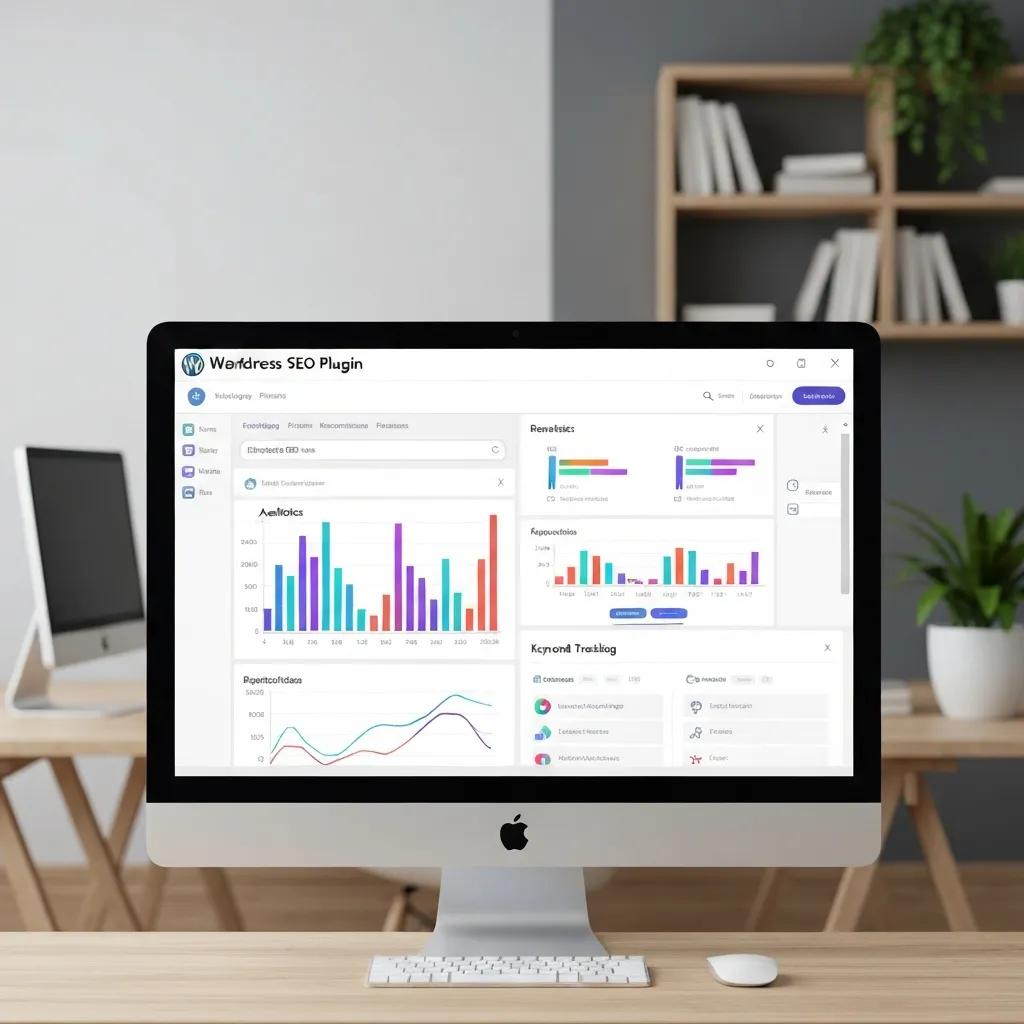
SEO plugins handle three core jobs: audit on-page elements, produce technical assets (sitemaps, schema), and guide content optimization. They scan content and structure, surface issues tied to ranking signals, and suggest fixes that improve indexability, snippet quality, and metadata completeness. The practical outcome is faster remediation of SEO problems and cleaner structured data that helps both users and search engines. In practice, run an on-page SEO tool for ongoing guidance, a structured-data plugin for rich results, and an image SEO workflow so visuals are discoverable and accessible. Below, we compare leading on-page plugins and explain when to pair them with image automation for maximum impact. For more on building your SEO foundation, see the BKThemes guide to advanced image SEO strategies.
Securing your website against modern vulnerabilities
Security plugins can add controls for administrative protection, XML-RPC restrictions, user-enumeration blocking, security headers, session management, and audit logging. Their usefulness depends on site-specific configuration and should complement, rather than replace, secure hosting and regular updates. The WordPress security plugin directory page illustrates the types of controls that security extensions may provide.
WordPress core updates also require prompt attention. WordPress 7.0.2 was released on July 17, 2026, as a security release, and WordPress recommended immediate updating. Administrators should monitor official release information and test updates where appropriate before applying them to production websites.
Protecting user data and maintaining site integrity also requires attention to file permissions, accounts, themes, plugins, and server configuration. WordPress operates a coordinated vulnerability-disclosure process for core, plugins, and themes, helping maintain a structured approach to reported security issues. Regular checks can identify altered files, outdated software, and configuration problems before they compromise visitors or administrators.
HTTPS is recommended for security and user experience. Google notes that HTTP pages may be marked “not secure” in Chrome; its HTTPS guidance provides additional context for securing site connections. Administrators should verify that HTTPS is configured consistently and that site resources do not create mixed-content problems.
Which SEO Plugins Improve WordPress Search Rankings?
Top on-page SEO plugins add readability checks, metadata controls, schema templates, and sitemap management to help search performance. Yoast SEO and Rank Math offer strong on-page guidance and schema options, while All in One SEO (AIOSEO) focuses on a simplified interface for sitemaps and redirects. Choose based on whether you need ease-of-use, advanced schema, or multisite features. For SMBs and stores, pair an on-page SEO plugin with a structured-data tool and an image SEO solution so product pages ship complete metadata and accessible imagery.
Integration tip: enable XML sitemaps, turn on automatic schema for key content types, and run diagnostics until no critical errors remain.
How the Alt Tag Generator Improves Image SEO
Automated alt-tag tools use templates or AI to create descriptive alt attributes that boost indexability and accessibility while saving time in large media libraries. By generating consistent, contextual alt text from filenames, nearby copy, or product attributes, these tools cut down on missing-alt errors and help search engines understand images. The main wins are time saved for content teams and fuller on-page signals that can appear in image search results. Best practice: review auto-generated alt text for priority images, keep descriptions concise and descriptive, and include product names or SKUs for e-commerce images to improve discoverability.
SEO plugin roles and integrations — a quick comparison
| Plugin | Key Feature | Benefit/Value |
|---|---|---|
| Yoast SEO | On-page analysis + readability guidance | Makes metadata and content optimization repeatable for publishers |
| Rank Math | Advanced schema templates and modular controls | Flexible structured-data output for varied content types |
| BKThemes Alt Tag Generator | Automated alt text creation for the media library | Saves time and improves image SEO and accessibility |
| BKThemes Backlinker | Backlink monitoring and basic outreach workflows | Tracks inbound links and supports simple link-building tasks |
Combining an on-page SEO plugin with targeted automation fills common coverage gaps. After setup, run a content audit and fix critical tags and schema to capture the full benefit.
Essential SEO checklist after plugin setup:
- Sitemaps Enabled: Make sure XML sitemaps are generated and submitted to search tools.
- Schema Cond: Verify templates cover articles, products, and local business data.
- Image Alt Coverage: Confirm automated or manual alt tags exist for high-value images.
Once these basics are in place, monitor SERP features and refine schema as you add new content types.
Which WordPress Security Plugins Are Essential?

Security plugins layer defenses: a web application firewall (WAF) to stop malicious requests, malware scanners to spot compromised files, and login-hardening tools to reduce brute-force attempts. Together they prevent unauthorized access, notify admins of incidents, and support recovery. The payoff is less downtime and preserved trust—critical for conversions and SEO. For most sites, prioritize a firewall, scheduled scans, two-factor authentication, and a reliable backup system. The sections below list features to look for and recommended configurations for small businesses. Explore security best practices in our BKThemes security tips for WordPress site owners.
What Security Features Matter Most?
Look for a firewall, malware scanning, real-time alerts, login protection (rate limiting and 2FA), and audit logs to trace changes. Balance is key: avoid tools that cause high server load or duplicate features that conflict. For budget-conscious SMBs, start with firewall and login hardening, then add scheduled scans and integrity checks. Route alerts to site administrators and set regular review intervals so rules and scans stay effective. Proper configuration turns passive tools into an active defense posture that meaningfully reduces risk.
How Backup and Malware Protection Keep Your Site Recoverable
Backup plugins capture full site and database snapshots and store them offsite so you can restore quickly; malware tools scan for suspicious code and offer removal or quarantine. Together they form an incident-response path: detect a compromise, take a site offline if needed, restore a clean backup, and patch the vulnerability to prevent repeat attacks. Best practice: run daily backups for transactional sites and weekly for low-traffic blogs, and test restores periodically to confirm integrity. Add file-change monitoring and a simple playbook so teams can execute recovery without delay.
Security configuration checklist for SMBs:
- Enable Firewall Rules: Block common exploit vectors and known bad IPs.
- Schedule Backups: Keep at least one offsite copy and test restores quarterly.
- Activate Login Protections: Use rate limiting and two-factor authentication.
These steps lower risk and enable faster recovery, forming a practical foundation for long-term resilience.
How Performance Plugins Speed Up Your WordPress Site
Performance plugins improve load times via three main techniques: caching to serve pre-rendered pages, image optimization to shrink payloads, and CDN integration to serve assets from the edge. When compiled correctly, these reduce load times, improve Largest Contentful Paint and other Core Web Vitals, and lift conversion rates by removing friction. Typical outcomes are faster perceived load, better mobile performance, and higher search visibility when paired with optimized hosting. For SMBs, prioritize page caching, responsive image formats with lazy loading, and CDN rules for static assets. The section below compares caching and image tools and looks at WP Rocket vs. alternatives.
Optimizing site performance for Core Web Vitals
Performance plugins can minimize resource consumption, compress static assets, and reduce server response times for visitors. Core Web Vitals currently consist of Largest Contentful Paint, Interaction to Next Paint, and Cumulative Layout Shift. Google’s Core Web Vitals guidance identifies the following “good” targets:
- LCP: 2.5 seconds or less
- INP: less than 200 milliseconds
- CLS: less than 0.1
Caching utilities, image optimization features, and asset controls can support these goals, but their results vary by hosting environment, theme, media library, and configuration. LiteSpeed Cache was above 7 million active installations in the official WordPress directory when crawled on September 2, 2026. Adoption does not guarantee that a particular performance plugin will improve every website.
Evaluating performance enhancements requires analyzing real-user data alongside synthetic laboratory scores. Google explains through its page experience documentation that performance plugins should be evaluated using actual user experience data and Search Console, not synthetic scores alone. Good Core Web Vitals also do not guarantee top search rankings.
Image optimization features may reduce media payloads, while careful JavaScript and layout management can help prevent delays and visual movement during page rendering. Site administrators should measure performance before and after activating a tool, then review the WordPress Site Health screen for configuration concerns. Avoid enabling several plugins that perform the same caching, image optimization, or asset-management tasks.
Best Caching and Image Optimization Plugins
Pick a caching plugin with page and object caching, cache preloading, and straightforward exclusion rules for dynamic content. Image tools should offer lossless/lossy compression, responsive image generation, and WebP conversion to cut bytes on the wire.
Hosting matters: managed hosts may provide server-level caching that works best with lightweight plugins, while shared hosts benefit from more feature-rich solutions. Use sensible cache lifetimes, enable lazy load for offscreen images, and pre-generate responsive sizes for large catalogs to reduce runtime CPU. Those steps improve Core Web Vitals and lower mobile bounce rates.
Performance plugin comparison and expected impacts:
| Plugin/Tool | Performance Attribute | Typical Impact |
|---|---|---|
| WP Rocket | Page caching, preloading, minification | Noticeable load-time reduction for dynamic sites |
| Smush / Image Optimizer | Compression, lazy load, WebP conversion | Smaller image payloads and faster LCP |
| Jetpack Boost | Critical CSS, lazy load, defer JS | Quick Core Web Vitals improvements on simpler sites |
Combining caching and image optimization delivers measurable load-time and UX gains. After implementation, monitor Core Web Vitals and tweak settings as needed. Get detailed advice in BKThemes’ ultimate guide to speeding up WordPress.
How WP Rocket Stacks Up
WP Rocket bundles caching, preloading, minification, and integrations into a single, easy-to-configure package—saving time for teams that aren’t performance experts. Free alternatives can match features but often require multiple plugins and more maintenance, which adds complexity and potential conflicts. For SMBs, WP Rocket’s faster time-to-value often justifies the license; technically skilled teams on tight budgets can replicate many gains with separate open-source tools. When choosing, weigh ongoing cost against setup time, support, and hosting compatibility.
Performance implementation checklist:
- Enable Page Caching: Use plugin or host-level caching and set appropriate exclusions.
- Optimize Images: Automate compression and conversion to modern formats.
- Integrate a CDN: Serve static assets from edge locations for global speed.
Following that sequence gives reliable improvements in Core Web Vitals and user engagement.
Driving growth through analytics and conversion tools
Growth plugins can track visitor behavior, manage lead-capture forms, and facilitate email marketing integration for digital businesses. Analytics extensions may connect websites to measurement platforms without requiring manual code insertion in header files. Tracking user journeys helps marketers identify high-performing content categories and review conversion funnels.
A/B testing utilities can allow site owners to compare landing page layouts and measure engagement. Customer relationship management integrations can organize lead collection and follow-up workflows for businesses that require those capabilities. These tools should be selected according to the website’s operational needs rather than installed simply because they are popular.
Top WordPress E-commerce Plugins for Growth
WordPress e-commerce relies on a flexible cart/checkout system plus extensions for payments, shipping, and subscriptions. WooCommerce is still the core choice for most stores, giving control over catalog management, checkout flows, and a broad extension ecosystem. The benefit is a configurable commerce stack that scales with plugins for subscriptions, payments, and performance. When migrating from hosted platforms, focus on product imports, preserving URLs, and a reliable checkout. The following subsections cover WooCommerce basics and migration tools for Shopify exporters.
How WooCommerce Powers Scalable Online Stores
WooCommerce supports product types, tax and shipping rules, and hooks for custom checkout flows so merchants can match business requirements. Extensions add subscriptions, bookings, and marketplace features, enabling different monetization models. Prioritize performance and security: optimize product images, selectively cache catalog pages, and secure payment endpoints to protect customer data. For growth, plug in analytics and conversion tools to track funnel drop-off and focus improvements on the highest-abandonment checkout steps.
Plugins and Tools for Shopify-to-WordPress Migrations
Migration plugins and services export products, preserve SEO-friendly URLs with redirects, and transfer customer data while keeping downtime minimal. A solid migration checklist includes exporting products and orders, mapping slugs to protect search equity, configuring 301 redirects, testing payment flows, and verifying schema on product pages. Many merchants reduce risk by hiring professional migration experts, especially when variants or custom integrations are involved.
| Plugin/System | Feature | Use Case/Value |
|---|---|---|
| WooCommerce | Core store engine and extensions | Full control over products, checkout, and add-ons |
| Migration Tools | Product and URL import, redirects | Preserve SEO and product data during a platform move |
| Payment Gateways | PCI-compliant processing modules | Secure, reliable checkout to build customer trust |
This breakdown clarifies roles in a commerce stack and underscores careful migration planning and extension selection for long-term growth. Read about smooth migrations in BKThemes’ Shopify to WooCommerce migration checklist.
Lead Generation and Form Plugins That Boost Conversions
Lead-generation plugins cover contact forms, multi-step builders, pop-up engines, and notification bars that capture intent and push leads into CRMs or email sequences. They present relevant offers, reduce friction with smart fields and progressive profiling, and automate follow-up. The result is a measurable lift in captured leads when forms are A/B tested and integrated correctly. Pick form tools for ease-of-use and CRM connectivity, and pop-up engines that support behavioral triggers and testing. Below, we recommend contact form options and share pop-up best practices.
Explore 7 Signs You're Losing Leads to see if a CRM could help you capture more business.
Best Contact Form Plugins for Small Businesses
Choose contact form plugins that prioritize simplicity, spam prevention, and native CRM/email integrations. WPForms is great for quick setup and templates; Gravity Forms is better when you need advanced conditional logic and developer hooks. Pricing ranges from freemium to premium add-ons—match the cost to the integrations you actually need, such as payments or CRM sync. Confirm confirmation messages, enable double opt-in where appropriate, and use a honeypot or CAPTCHA to block spam without harming UX.
How Pop-ups and Notification Bars Drive Engagement
Pop-ups and notification bars use behavioral triggers—exit intent, time on page, or scroll depth—to present contextually relevant CTAs that increase opt-ins and reduce cart abandonment. Good designs balance frequency and targeting to avoid annoying visitors, and A/B testing proves what works. Segment offers for new vs. returning visitors and ensures data capture follows privacy rules like GDPR. When done thoughtfully, targeted pop-ups can lift email signups and conversions without degrading site experience.
Lead-generation implementation checklist:
- Pick a form plugin with CRM integrations: Make sure leads flow straight into your nurture sequence.
- Use behavior-based pop-ups: Serve offers based on user intent signals.
- A/B test variations: Iterate on messaging and timing to improve conversion rates.
These steps turn visitors into actionable leads and tie plugin choices to measurable business outcomes.
How Page Builders and Design Plugins Improve UX
Page builders speed up layout creation, let non-developers iterate on designs, and provide conversion-focused templates to shorten time-to-launch for campaigns. Drag-and-drop builders give visual editing and large template libraries, while Gutenberg enhancement plugins extend the native block editor for scalable content systems. The primary benefits are faster delivery and consistent UX, with potential performance trade-offs that can be managed by optimized themes and selective block use. Choose a builder based on team skill, performance needs, and how much you rely on reusable patterns.
Benefits of Drag-and-Drop Builders like Elementor and SeedProd
Drag-and-drop tools accelerate design with pre-built templates, dynamic widgets, and visual controls so teams can launch landing pages and campaigns with less developer time. They include conversion elements (forms, CTAs, countdowns) and integrate with marketing stacks for quick testing. The downside is potential page-weight increases and some lock-in—mitigate those by limiting third-party widgets, using lightweight themes, and exporting reusable patterns. For rapid campaign launches, these builders are hard to beat for productivity.
How the Dynamic Block Enhancer Strengthens Gutenberg
The Dynamic Block Enhancer adds advanced, reusable dynamic blocks to Gutenberg to reduce repetitive setup and keep content consistent across pages. Marketers can populate templates with dynamic data, create repeatable hero sections or product callouts, and scale updates without developer help. For teams that prefer the native editor, this plugin marries design flexibility with structured content governance, speeding production while preserving semantic markup and accessibility. BKThemes offers the Dynamic Block Enhancer as a productized solution that plugs into block-based workflows and theme templates to streamline content operations.
Essential Plugins for WordPress Video
Check out our companion video on Essential WordPress Plugins Every Site Needs for a more in depth look at these plugins.
Avoiding common plugin bloat and configuration conflicts
Installing redundant extensions creates maintenance challenges and can reduce system stability over time. Multiple caching, SEO, image-optimization, or redirect plugins may conflict with one another. These conflicts are an operational risk, not a Google ranking rule. The WordPress Plugin Developer Handbook provides a useful reference for understanding plugin development and compatibility considerations.
Site administrators should audit installed extensions regularly, remove inactive software that is no longer needed, and review the current documentation for each active tool. Streamlining the plugin stack improves troubleshooting and makes it easier to identify which extension is responsible when an error appears.
WordPress plugin architecture also requires attention to compatibility with the active theme, hosting environment, PHP version, and WordPress core. Site owners should test updates on staging environments when possible before deploying new code to production. Monitoring error logs and Site Health recommendations can help identify plugins that cause warnings, memory problems, or other configuration issues.
A smaller plugin stack is not automatically better, and a larger stack is not automatically harmful. The practical objective is to use compatible tools that provide measurable value without overlapping functions or adding unnecessary maintenance.
Checklist for auditing your WordPress plugin stack
Conducting a thorough software audit ensures that every active tool contributes measurable value to the website. Use the following operational checklist to maintain a secure, high-performing WordPress installation:
- Verify that all installed plugins receive regular updates from active developers.
- Remove duplicate extensions that perform overlapping tasks such as caching, SEO, image optimization, or redirection.
- Test Core Web Vitals before and after activating new performance tools.
- Check WordPress Site Health for outdated plugins, themes, PHP, or disabled auto-updates.
- Review compatibility information before major WordPress or plugin updates.
- Confirm that HTTPS is enabled and that important resources load securely.
- Scan server and application logs for warnings related to memory, database queries, or failed integrations.
- Review Search Console and real-user performance data rather than relying only on laboratory scores.
Required plugins setup template
Implementing a balanced plugin strategy requires a structured approach to software selection across key functional categories. Use the following deployment template to organize your site architecture:
- SEO Layer: Configure one primary optimization plugin for metadata, structured data, or additional sitemap controls.
- Security Layer: Deploy security controls that match the site’s needs, such as login protection, audit logging, or XML-RPC restrictions.
- Performance Layer: Install a compatible caching or optimization plugin and measure its effect with real-user data.
- Growth Layer: Connect analytics and lead-generation forms while checking the effect of additional scripts on page experience.
Frequently Asked Questions
Conclusion
Choosing the right essential plugins in 2026 will strengthen SEO, security, performance, and lead generation—and drive measurable business growth. Prioritize SEO tools, layered security, and performance optimizers to build a stable foundation that supports user engagement and conversions. Explore our curated plugin recommendations or contact our team for hands-on help with implementation, migration, or optimization.
About the Author

Brian Keary
Founder & Lead Developer
Brian is the founder of BKThemes with over 20 years of experience in web development. He specializes in WordPress, Shopify, and SEO optimization. A proud alumnus of the University of Wisconsin-Green Bay, Brian has been creating exceptional digital solutions since 2003.
Expertise
Writing since 2003