Alt text (alternative text) is an HTML attribute that describes the appearance and function of an image on a webpage. While alt text is not a direct ranking factor for Google organic web search, it remains essential for web accessibility (WCAG compliance), Google Image Search indexing, and contextual relevance. Here is how alt text influences search visibility and how to optimize image attributes correctly.
Key Takeaways
- Alt text is not a direct Google ranking factor in 2026.
- It is crucial for website accessibility, serving visually impaired users and those with slow connections.
- Well-written alt text enhances user experience (UX), a key indirect SEO signal.
- Optimized alt text can significantly improve visibility in Google Image Search.
- Avoid keyword stuffing; focus on descriptive, natural language.
- Keep alt text concise, ideally under 125 characters.
- Use empty alt text (
alt="") for purely decorative images. - Always tailor alt text to the specific content of each image.
- Treat alt text as an integral part of your on-page SEO strategy.
What is Alt Text, Anyway?
Alt text (short for alternative text) is an HTML attribute that provides a textual description of an image. While it supports search engine comprehension, its primary purpose is grounded in digital accessibility.
To comply with Web Content Accessibility Guidelines (WCAG 2.1 / 2.2)—specifically Success Criterion 1.1.1 (Non-text Content)—websites must provide text alternatives for any non-text content so that it can be changed into other forms people need, such as large print, braille, speech, symbols, or simpler language.
- Screen Reader Usage: Assistive technologies and screen readers read alt text aloud, allowing visually impaired users to understand the context and purpose of an image.
- Fallback for Failed Loads: If an image fails to load due to network connectivity or broken file paths, the browser displays the alt text in its place.
- Decorative vs. Informational: According to WCAG standards, purely decorative images should use empty alt attributes (
alt="") so screen readers know to skip them, whereas functional or informational images require precise, descriptive text.
Why the Confusion About Ranking Factors?
The confusion surrounding alt text as a ranking factor likely stems from its historical significance and its inherent connection to on-page SEO best practices. In the early days of search engines, keyword stuffing within alt text was a common tactic. Website owners would cram as many relevant keywords as possible into image descriptions, hoping to game the system. Search engines, in their wisdom, have since evolved. They are far more sophisticated now, capable of understanding context, user experience, and the overall quality of content.
Google's John Mueller has repeatedly clarified that while alt text is important, it's not a direct ranking signal in the way that, say, the number of backlinks or the speed of your website might be. However, this doesn't mean you can ignore it. The impact of well-written alt text on user experience and, consequently, on indirect ranking signals, is undeniable. Think of it this way: if your website is built on a solid foundation with excellent architecture, like a well-structured Shopify theme, it's more likely to perform well. The why shopify theme seo is essential for top rankings in 2026 is rooted in these foundational elements.
How Does Alt Text Indirectly Impact SEO?
While alt text is often viewed primarily as an accessibility requirement, it indirectly impacts traditional SEO and search performance in several key ways:
1. Driving Google Image Search Visibility & Traffic
Alt text provides explicit context for search crawlers to understand an image's subject matter. Optimizing alt text with descriptive terms helps your media rank in Google Image Search, opening up a high-intent, parallel traffic channel—especially valuable for e-commerce products, visual guides, and infographics.
2. Reinforcing On-Page Semantic Context
Search engines parse a page as a unified entity. Descriptive alt text reinforces the surrounding text, helping natural language processing (NLP) models better understand the page's topical depth, entity connections, and overall relevance to specific search queries.
3. Boosting Core Engagement & Lowering Bounce Rates
When images fail to load due to slow network connections or broken links, alt text acts as a fallback by rendering the description in place of the image. This prevents user confusion, maintains content flow, and reduces immediate bounces—sending positive user experience signals to search engines.
4. Supporting Accessibility Compliance Signals
Websites that implement descriptive alt text create an inclusive experience for users relying on screen readers. While accessibility compliance itself isn't a direct ranking score, overall site usability, lower bounce rates, and longer session durations contribute directly to positive engagement metrics.
Best Practices for Writing Effective Alt Text
Since alt text is so important, even without being a direct ranking factor, let's dive into how to write it effectively.
Be Descriptive and Specific
Avoid vague descriptions. Instead of "dog," write "golden retriever puppy playing with a red ball in a park." The more specific, the better.
Incorporate Relevant Keywords Naturally
Think about what users might search for to find that image. If it's a product, use the product name. If it's an informational image, use terms related to the topic. However, do not force keywords. It should sound natural. For example, if you're writing about web development costs, and an image shows a Gantt chart, your alt text could be "Gantt chart illustrating project timelines for web development services." This is much better than simply "chart." Understanding what drives web development costs key factors to budget for your project helps in contextualizing such images.
Keep it Concise
While descriptive, aim for brevity. Search engines and screen readers can handle longer descriptions, but generally, under 125 characters is a good target.
Avoid Keyword Stuffing
This is a cardinal sin. Repeating keywords unnaturally looks spammy to both users and search engines. For instance, "red running shoes, best red running shoes, buy red running shoes online" is terrible. "Nike Air Zoom Pegasus 39 men's red running shoes" is excellent.
Use Alt Text for Functional Images Too
If an image is a link, the alt text should describe the destination or function of the link. For example, if an image of a shopping cart icon links to the checkout page, the alt text should be "Proceed to checkout."
Don't Start with "Image of" or "Picture of"
Screen readers already announce that it's an image. It's redundant.
Use Alt Text for SEO Prompts
Think of your alt text as a mini-SEO prompt for the image. If you're using prompts for your AI content creation, like those in 10 best SEO prompts for better rankings and traffic, consider how the alt text complements the overall content strategy.
Alt Text vs. Image File Names vs. Captions
When optimizing images in HTML, it is easy to confuse image descriptors. Understanding the precise HTML markup helps ensure each attribute serves its proper role:
<img src="red-running-shoes.jpg" alt="Nike Pegasus men's red running shoes" title="View product specifications">
<figcaption>The Nike Air Zoom Pegasus 39 in lightweight crimson red.</figcaption>
HTML Syntax: alt Attribute vs. title Attribute
The alt Attribute (Alternative Text):
- Purpose: Serves as a text replacement for the image when visual rendering is unavailable.
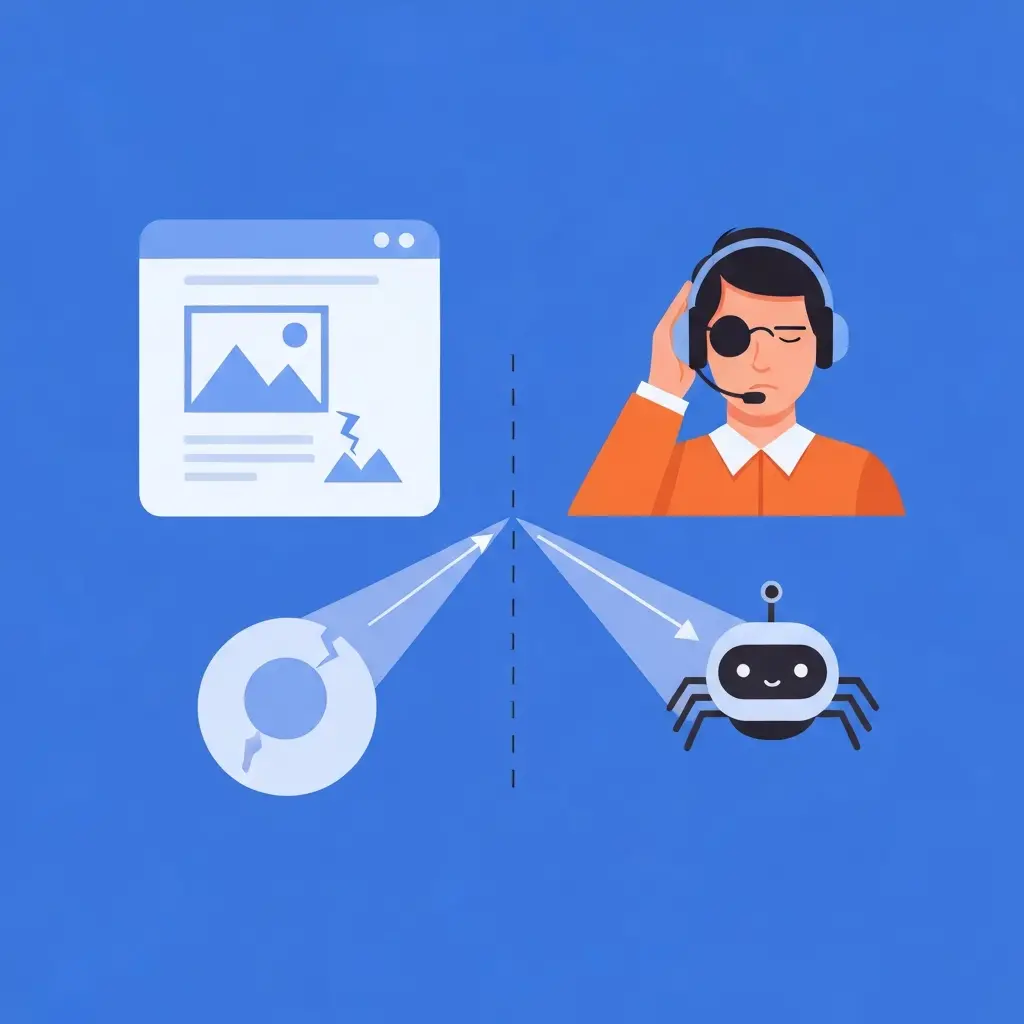
- Behavior: Read aloud by screen readers for visually impaired users and rendered on-screen if the image fails to load due to network errors. Search engine bots use it to interpret the image's content and context.
- Best Practice: Required for accessibility compliance (unless the image is decorative, in which case
alt=""is used).
The title Attribute (Advisory Information):
- Purpose: Provides supplementary advisory information about the element.
- Behavior: Typically displays as a visual tooltip when a user hovers their mouse cursor over the image on a desktop device.
- Limitations: The
titleattribute is not accessible on touchscreens or mobile devices and is generally ignored by screen readers in favor of thealtattribute. - Best Practice: Should never be used as a replacement for
alttext. Whilealttext describes what the image shows,titletext typically provides extra contextual advice or call-to-action hints (e.g., "Click to expand image").
Comparison Table: Alt Text vs. Captions
| Feature | Alt Text | Image Caption |
|---|---|---|
| Purpose | Accessibility, search engine description | User context, storytelling, engagement |
| Visibility | Hidden (visible if image fails to load) | Visible to users |
| SEO Impact | Indirect (UX, image search), context | Direct (user engagement), indirect (context) |
| Screen Reader | Read aloud | Typically ignored or read after alt text |
| Implementation | HTML attribute | Text below the image on the webpage |
| Requirement | Essential for accessibility | Optional, but recommended for user engagement |
What Are Common Alt Text Mistakes to Avoid?
When implementing alt text, many people fall into common traps. Here are a few to steer clear of:
- Skipping Alt Text Entirely: This is the biggest mistake. If you don't add it, you're missing out on accessibility and potential image search traffic.
- Keyword Stuffing: As discussed, this is detrimental. It harms user experience and can lead to penalties.
- Using Generic Descriptions: "Image," "graphic," or "photo" tell search engines nothing.
- Writing Novels: Overly long alt text can be cumbersome. Get to the point.
- Ignoring Functional Images: If an image is a button or link, its alt text must convey its action.
- Copy-Pasting from Captions: Captions are for users; alt text is for accessibility and search engines. They often serve different purposes.
- Focusing Only on "Ranking": Remember the primary goal is to describe the image accurately and help users. The SEO benefits are a powerful byproduct.
Checklist: Optimizing Your Alt Text
To ensure you're getting the most out of your alt text, use this checklist:
- Every image has alt text. If it’s purely decorative, use
alt="". - Alt text is descriptive and specific. Does it accurately portray the image?
- Relevant keywords are included naturally. Does it align with the page's topic and user search intent?
- Alt text is concise. Is it under 125 characters where possible?
- Keyword stuffing is avoided. Does the text sound natural?
- Functional images have action-oriented alt text. Does it describe what the link or button does?
- File names are descriptive (e.g.,
golden-retriever-puppy-park.jpg). - Captions are used to add value to users, complementing the alt text.
How Will AI and Computer Vision Change Image Optimization?
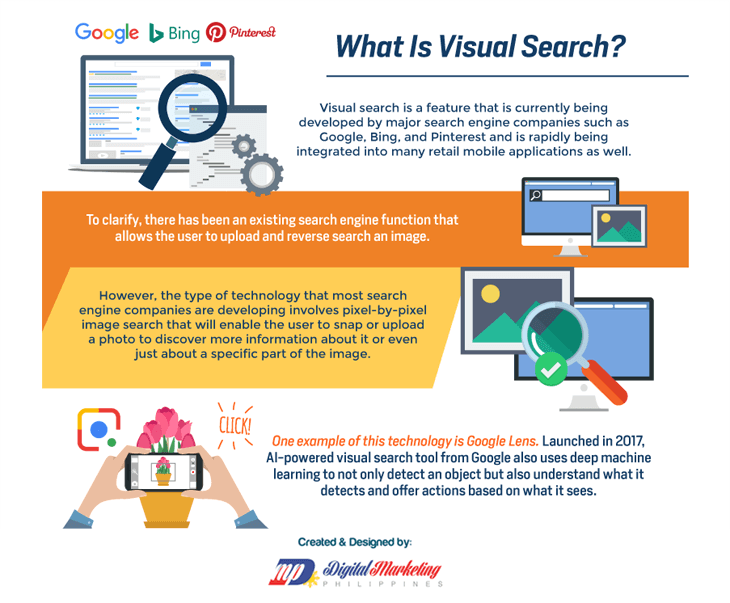
As computer vision and multi-modal AI advance, search engines no longer rely solely on human-written alt text to process image content. Advanced image recognition models—such as the Google Cloud Vision API—can analyze pixel data directly to identify objects, text (OCR), logos, landmarks, and facial expressions within an image.
Search algorithms leverage machine learning and computer vision to validate and enrich image metadata in several key ways:
- Algorithmic Cross-Verification: Search engines cross-reference the entity tags detected by computer vision models against your declared
alttext and surrounding page context. Accurate alt text confirms the engine's visual classification, reinforcing the page's overall topical authority. - Detecting Misleading Alt Text: Attempting to manipulate search results by stuffing irrelevant keywords into alt text (e.g., labeling a picture of a generic desk as "Nike Air Max Shoes") is easily flagged when visual recognition algorithms detect a complete mismatch with the actual pixels.
- Semantic Enrichment: When an image contains complex visuals or embedded text, computer vision models pair with descriptive
alttext to construct deeper entity relationships within the search engine's Knowledge Graph, ensuring accurate indexing for visual and natural language queries.
Ultimately, treating alt text as a crucial component of your on page seo playbook 2026 convert rankings is a wise strategy. It’s a relatively easy win that contributes significantly to accessibility, user experience, and discoverability, all of which are indirect but powerful drivers of search engine performance.
Frequently Asked Questions
Is it okay to use keywords in my alt text?
Yes, it is okay to use keywords in your alt text, but only if they are relevant to the image and the surrounding content. The primary goal of alt text is to describe the image accurately for accessibility. Keywords should be incorporated naturally and sparingly. Avoid keyword stuffing, which is detrimental to both user experience and SEO. For example, if an image depicts a "waterfall in Yosemite National Park," and your page is about visiting Yosemite, then alt="Waterfall in Yosemite National Park" is perfect.
How long should alt text be?
While there's no strict character limit, it's generally recommended to keep alt text concise and descriptive, ideally under 125 characters. This ensures that screen readers can read it fully and that the description is easy for search engines to process. Focus on conveying the essential information about the image without unnecessary words.
What if an image is purely decorative?
If an image serves a purely decorative purpose and adds no informational value to the page, it should have empty alt text (alt=""). This tells screen readers to ignore the image, preventing them from interrupting the user's experience with irrelevant information. This is different from an image that fails to load, where empty alt text would leave the user with no context.
Can alt text help my website rank higher in Google Search results?
While alt text isn't a direct ranking factor for general web search results, it significantly contributes to overall SEO success through indirect means. By improving user experience, enhancing accessibility, and boosting visibility in Google Image Search, optimized alt text can drive more traffic and engagement to your site, which are positive signals for search engines. Furthermore, a focus on user experience is a key pillar of Google's ranking algorithm.
Should I use the same alt text for all images on a page?
Absolutely not. Each image on a page is unique and should have its own distinct alt text description. Using the same alt text for multiple images would be redundant, confusing for users and screen readers, and would not provide any SEO benefit. Tailor the alt text to accurately describe each individual image's content and context within the page.
Conclusion
While alt text isn't a direct ranking factor in 2026, its role in a successful SEO strategy is undeniable. It's a vital tool for accessibility, a powerful enhancer of user experience, and a key component for improving visibility in image search results. By implementing best practices and avoiding common pitfalls, you can leverage alt text to make your website more discoverable, more user-friendly, and ultimately, more successful. Don't let the "not a direct ranking factor" label fool you; alt text is a cornerstone of modern, human-centric SEO.
Looking for implementation support? Visit our web development services page for the full service overview.
About the Author

Brian Keary
Founder & Lead Developer
Brian is the founder of BKThemes with over 20 years of experience in web development. He specializes in WordPress, Shopify, and SEO optimization. A proud alumnus of the University of Wisconsin-Green Bay, Brian has been creating exceptional digital solutions since 2003.
Expertise
Writing since 2003