WordPress powers over 40% of websites on the internet, making it a dominant platform for building and managing online presence. To help you maximize your site's potential, this guide outlines 10 strategic WordPress hacks. These tips focus on optimizing performance, enhancing user experience, and improving overall site functionality.
1. Why Should You Install a Caching Plugin?
Caching can dramatically improve your website's loading speed, which is important for user experience and SEO rankings.
Top Plugins to Use:
Why It Works:
- Reduces server load by serving static files.
- Decreases page load times, boosting engagement and conversions.
UPDATE: I recently found a neat WordPress Plugin called originality.ai that will check your blog posts if they were written with AI. It's one of the most sensitive in the business so it's accurate.
2. What is the Benefit of Using a Lightweight Theme?
Your WordPress theme has a strong impact on your site's speed and functionality. Switching to a lightweight, SEO theme can enhance performance.
Recommended Themes:
- GeneratePress
- Astra
- Neve
Pro Tip: Avoid themes with excessive features and bloated code. Use plugins for additional functionality instead.
3. How Do Image Compression Tools Improve Performance?
Large image files can slow down your site. Image compression tools help you reduce file sizes without sacrificing quality.
Best Tools for Image Optimization:
- WP Compress
- ShortPixel
- Imagify
Benefits:
- Faster loading times.
- Improved mobile responsiveness.
- Better SEO rankings.
4. How Does Lazy Loading Improve Page Speed?
Lazy loading delays the loading of images and videos until they are visible on the user's screen, improving initial page load speed.
How to Implement:
- Use the Lazy Load plugin by WP Rocket.
- Enable the built-in lazy loading feature in WordPress (introduced in version 5.5).
Result: A faster and smoother user experience.
5. Why is a Firewall Plugin Essential for WordPress Security?
Website security is essential. Adding a firewall plugin can protect your WordPress site from hackers, malware, and brute-force attacks.
Top Firewall Plugins:
- Wordfence Security
- Sucuri Security
- All In One WP Security & Firewall
Extra Tip: Regularly update WordPress core, themes, and plugins to patch security vulnerabilities. Learn more about WordPress security in our Essential WordPress Security Practices for 2026.
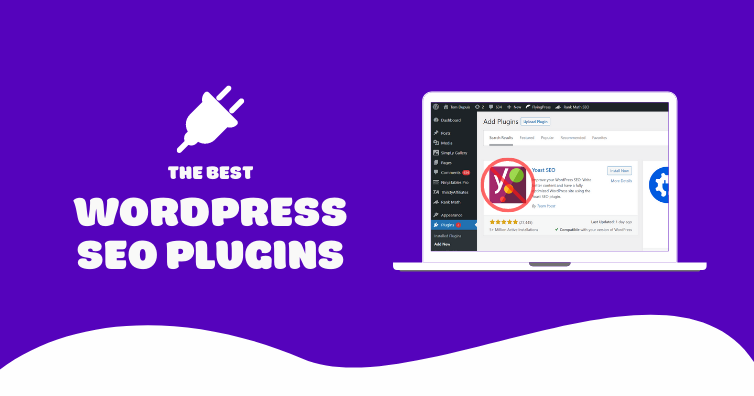
6. How Can an SEO Plugin Boost Your Site's Rankings?
SEO plugins simplify the process of optimizing your site for search engines, helping you rank higher and drive more organic traffic.
Best SEO Plugins:
- Yoast SEO
- Rank Math
- All in One SEO Pack
Features to Leverage:
- Meta title and description optimization.
- XML sitemap generation.
- Keyword analysis and suggestions.
Read our WordPress SEO Guide: 7 Proven Strategies to learn more about how to do SEO yourself.
7. Why Are Automatic Backups Crucial for Your WordPress Site?
Losing your website data can be severe. Regular backups ensure you can quickly recover from unexpected issues.
Best Backup Plugins:
- UpdraftPlus
- BackupBuddy
- Jetpack Backup
Pro Tip: Store backups in a secure offsite location, such as Google Drive or Dropbox.
8. How Does Customizing Your Login Page Enhance Branding and Security?
A custom login page enhances your site's branding and improves security by deterring unauthorized access.
How to Customize:
- Use plugins like LoginPress or Custom Login Page Customizer.
- Add your logo, change the background, and tweak colors to match your brand.
Bonus Tip: Change your default login URL (e.g., from /wp-login to something unique) to reduce brute-force attacks. Learn how to protect your WordPress login from hackers.
9. What are the Advantages of Using a CDN for WordPress?
A CDN improves website speed and reliability by delivering your site's content from servers closest to your users.
Top CDN Providers:
- Cloudflare
- KeyCDN
- StackPath
Benefits:
- Faster load times for global audiences.
- Enhanced site security.
- Reduced server load.
10. Which Tools Should You Use to Monitor WordPress Performance?
Tracking your site's performance helps you identify bottlenecks and make informed improvements.
Tools to Use:
- Google PageSpeed Insights
- GTmetrix
- Pingdom Website Speed Test
Key Metrics to Monitor:
- Load time.
- Server response time.
- Largest Contentful Paint (LCP).
Conclusion
By implementing these top 10 WordPress hacks, you can significantly enhance your site's performance, security, and user experience overnight. Whether it's optimizing your images, using a caching plugin, or customizing your login page, each tip contributes to creating a faster, more reliable, and professional website.Start with one or two hacks and gradually incorporate the rest to see measurable improvements. Remember, small changes can lead to significant results in the ever-evolving digital landscape!
Looking for implementation support? Visit our web development services page for the full service overview.
About the Author

Brian Keary
Founder & Lead Developer
Brian is the founder of BKThemes with over 20 years of experience in web development. He specializes in WordPress, Shopify, and SEO optimization. A proud alumnus of the University of Wisconsin-Green Bay, Brian has been creating exceptional digital solutions since 2003.
Expertise
Writing since 2003