Spot the silent lead leaks hiding in your forms, chat logs, and analytics
Learn to diagnose seven observable signals that leads are slipping through your small business website. Each sign maps to a specific system gap you can identify using tools you already have.
TL;DR
- Check your form plugin backlog - Unanswered submissions are the most common and most fixable source of lead loss. Set up dual notifications so no inquiry sits unread.
- Measure your response time - If you don't know how long it takes you to reply to leads, you can't improve it. Track timestamps for one month and set up automated acknowledgment emails.
- Tag leads vs. contacts - Stop treating every form submission equally. Three simple tags (Lead, Contact, Vendor) change how you allocate follow-up effort.
- Connect traffic sources to sales outcomes - UTM parameters and hidden form fields let you see which marketing channels produce paying customers, not just pageviews.
- Log why leads don't convert - A "Lost Reason" field (Budget, Timing, Wrong Fit, No Response, Competitor) reveals whether your site attracts the wrong audience or your process loses the right one.
Learn why marketing isn't an option for your business.
Your Website Is Losing Leads Right Now. Here's How to See It
Most small business owners know they need more leads. Fewer realize they already have leads quietly disappearing from their site every week. A form submission goes unanswered for 48 hours. A chat widget collects a name and email that ends up in no one's inbox. A returning visitor browses your services page three times, and nobody notices.
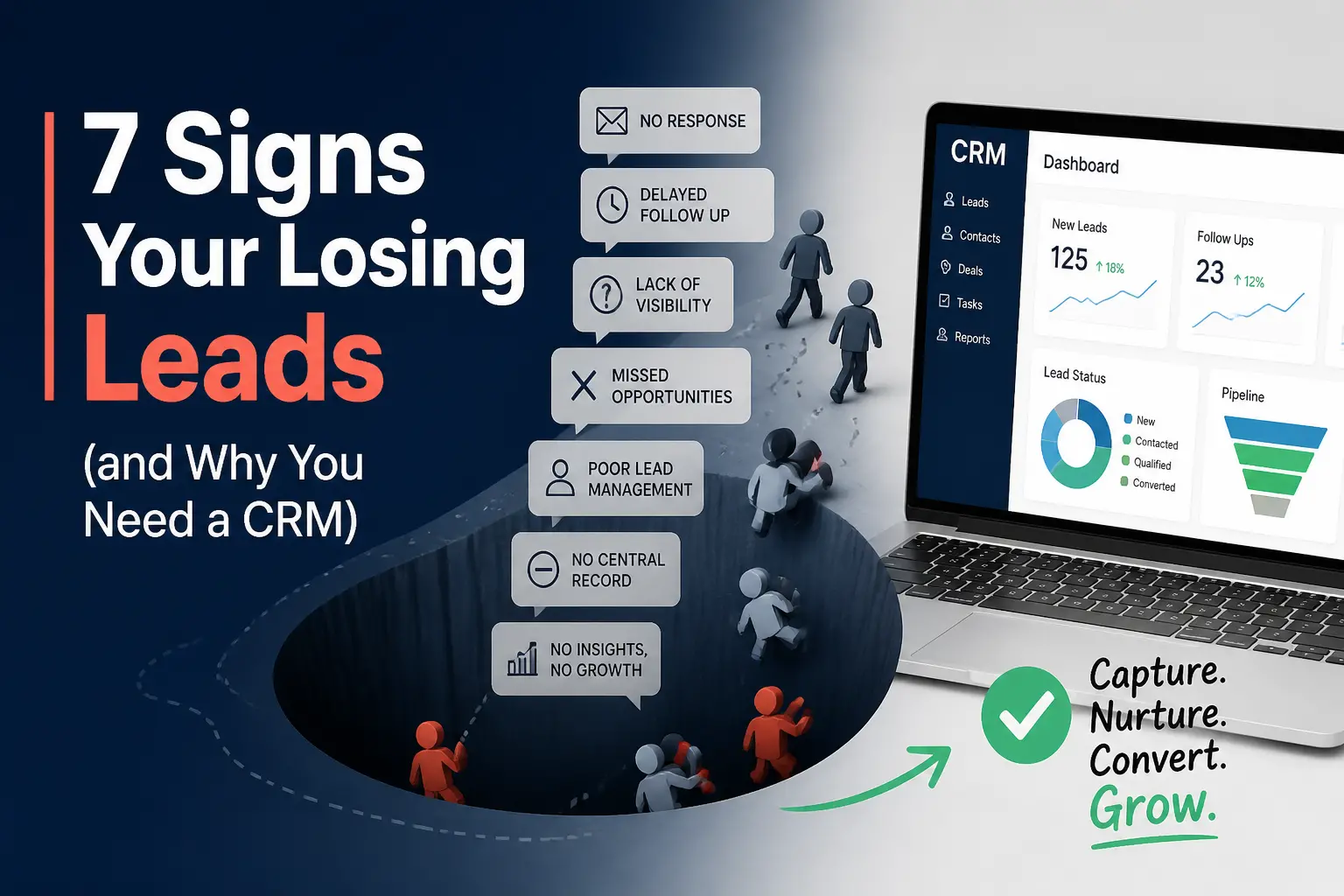
Explore 7 Signs You're Losing Leads to see if a CRM could help you capture more business.
These aren't hypothetical scenarios. They're the daily reality for businesses running WordPress or Shopify sites without a functioning contact management system. And the frustrating part? You don't need enterprise software or a developer to diagnose the problem. You just need to know where to look.
The signals below aren't about which CRM to buy. They're about recognizing the observable symptoms of lead loss that are already happening on your site, so you can act before another prospect slips away.
Who This Is For (and What This Isn't)
This guide is for small business owners, founders, and digital marketing managers at companies with fewer than 50 employees. You're running a WordPress or Shopify site. You're getting some traffic. You suspect that traffic should be producing more revenue than it does.
This is not a CRM feature comparison. It's not a plugin setup tutorial. It won't tell you to invest in Salesforce or HubSpot. Instead, it maps seven specific, observable signals to the system gaps causing them. If you can open your email, check a form plugin, or glance at Google Analytics, you can run this diagnostic today.
How Were These Seven Signals Were Selected?
Each signal meets three criteria: it's visible without developer access, it points to a structural gap (not a one-time error), and it directly correlates with lost revenue. The order moves from the most obvious symptoms to subtler ones that compound over time. Think of it as a triage checklist, not a wish list.
7 Signals Your Site Is Leaking Leads
1. Form Submissions Sitting in a Plugin, Not a Person's Workflow
Most WordPress contact forms (WPForms, Gravity Forms, Contact Form 7) store submissions in the WordPress dashboard or send a single email notification. If that email gets buried, the lead dies. Research from Salesforce shows that centralizing contact records and automating alerts are foundational steps for preventing lead loss, even at the smallest scale. There's no escalation, no reminder, and no record of whether someone followed up.
Try this: Check your form plugin's submission log right now. Count any entries older than 24 hours without a response. Then set up a secondary notification (a different email address, a Slack webhook, or a Google Sheets integration via Zapier) so submissions reach at least two places. This takes 15 minutes and costs nothing.
2. Chat Transcripts That Vanish After the Session
Live chat and chatbot widgets (Tidio, LiveChat, Crisp) generate conversations with real prospects. But if those transcripts aren't connected to a contact record or CRM, the conversation ends when the browser tab closes. You have no history, no follow-up trigger, and no way to identify repeat visitors.
What to do: Require an email before the chat begins (most widgets support this as a pre-chat form). Then export chat transcripts weekly into a spreadsheet or connect the widget to a free CRM for small businesses that accepts integrations. Even a manual weekly export closes this gap significantly.
3. No Distinction Between "Contact" and "Lead" in Your Records
When every person who fills out a form, sends an email, or starts a chat goes into the same undifferentiated list, you treat a vendor pitch the same as a ready-to-buy prospect. Without basic tagging or segmentation, your follow-up is either generic or nonexistent. You can't sort them by intent, source, or stage. You spend equal time on all of them, or you ignore most of them.
The Fix: Start with three tags: "Lead" (expressed interest in buying), "Contact" (general inquiry), and "Partner/Vendor" (not a prospect). Apply these manually to your last 30 entries. This alone changes how you allocate follow-up time. You now can go into the "Leads" tag and send all of those a specific follow-up email. A lightweight CRM for WordPress like Jetpack CRM or FluentCRM can automate this tagging based on form source or page visited.
4. You Can't Tell Which Traffic Source Produces Paying Customers
Google Analytics tells you which pages get traffic. It doesn't tell you which visitors became customers. If your SEO efforts drive 500 visits from a blog post but zero conversions, and your Google Business Profile drives 30 visits that produce five sales, you're optimizing the wrong channel. This is the gap between a lead generation tool and a traffic counter.
If you want to see this principle in action, our software development company SEO case study breaks down how search visibility improvements translated into better lead quality.
How to apply it: Add UTM parameters to every link you control (social posts, email signatures, directory listings). In your form plugin or CRM, capture the UTM source as a hidden field. Now every lead carries a tag showing where it originated. Pair this with a tool like SE Ranking or SearchAtlas to understand which keywords drive the traffic that actually converts.
5. Why are Returning Visitors Invisible?
A first-time visitor browsing your services page is mildly interesting. A visitor who returns three times in a week to the same pricing page is a buying signal. In marketing and sales analytics, this specific behavior is often categorized as a Product Qualified Lead (PQL) or a Marketing Qualified Lead (MQL) displaying "hand-raiser" behavior. Most small business sites treat both identically because they have no mechanism to flag repeat engagement.
Google Analytics shows "returning visitors" as an aggregate number. You have no idea who they are, what they looked at, or whether they ever filled out a form. You could add UTM parameters to some forms but it won't give you a complete picture of individual visitor behavior over time.
Instead: Enable basic visitor identification through your form or chat tool. Once a visitor submits their email anywhere on your site, tools like Freshsales (free tier) or Zoho CRM can begin tracking their page views in a contact timeline. You don't need enterprise-grade behavioral tracking. You need to know when someone who already gave you their email comes back to look at your pricing page.
6. Your Follow-Up Speed Is Unmeasured
Harvard Business Review research found that companies contacting leads within an hour were nearly seven times more likely to qualify them. Most small businesses don't track response time at all. If you can't measure it, you can't improve it, and leads grow cold fast.
Do this: For one month, log the timestamp of every inbound lead and the timestamp of your first response. A spreadsheet works. Calculate the average gap. If it's over four hours, set up an automated acknowledgment email through your form plugin ("We received your message and will reply within 2 business hours"). This buys you time while signaling professionalism. If your site runs on WordPress or Shopify and you need the forms, CRM, and automated responses working together reliably, BKThemes builds these workflows as part of their site optimization projects.
7. You Have No Record of Leads That Didn't Convert (and Why)
Every lead that doesn't become a customer carries information. Was it a budget mismatch? Wrong service? Bad timing? If you discard or ignore unconverted leads, you lose the pattern data that would improve your targeting, messaging, and qualification process.
Even if your platform has built-in tracking for leads, it often doesn't capture the reason for lost opportunities. You have no idea why 80% of your leads didn't buy. You can't distinguish "not ready yet" from "wrong fit entirely."
Answer: Add a "Lost Reason" field to your tracking system (CRM, spreadsheet, or even a notebook). Options: Budget, Timing, Wrong Service, No Response, Went With Competitor. Review monthly. After 90 days, you'll see whether your site is attracting the wrong audience or whether your follow-up process is the bottleneck. Only 50% of businesses with fewer than 10 employees use any CRM at all, which means most small businesses are flying blind on this data.
What is the common pattern behind these lead loss signals?
All seven signals share a root cause: disconnected systems. Your form plugin doesn't talk to your email. Your chat widget doesn't feed a contact record. Your analytics don't connect to your sales outcomes. The leads exist. The data exists. But they live in separate silos that no single person monitors.
This isn't a technology problem. It's an architecture problem. The solution isn't always a bigger tool. Often it's connecting two small tools you already have (a form plugin and a spreadsheet, a chat widget and a free CRM) with a simple automation layer. The businesses that close more deals from the same traffic are the ones that built a continuous thread from first visit to follow-up to outcome tracking.
The compounding effect matters too. Fixing signal #1 (unanswered forms) improves response time (signal #6), which generates more conversion data (signal #7), which clarifies your best traffic sources (signal #4). These aren't isolated fixes. They're interconnected leverage points.
How can I start fixing lead loss without overwhelming my team?
You don't need to address all seven signals this week. Start with the three that require the least effort and produce the most immediate visibility: check your form submission backlog (#1), measure your response time (#6), and start tagging leads vs. contacts (#3). These three actions take under two hours combined and use tools you already have.
Once those habits are in place, layer in source tracking (#4) and lost-reason logging (#7). These require slightly more discipline but produce the strategic data that changes how you invest in marketing. The remaining signals (chat transcripts and returning visitors) become relevant once your foundational tracking is solid.
The goal isn't a perfect system. It's a visible one. When you can see where leads enter, how fast you respond, and why they convert or don't, every decision about your site, your SEO, and your marketing spend gets sharper.
Frequently Asked Questions
Do I need a CRM to fix these lead quality problems?
Not necessarily. A spreadsheet with consistent columns (name, source, date, status, lost reason) handles the basics for businesses processing fewer than 20 leads per month. A CRM becomes valuable when you need automated reminders, shared team access, or integration with your form and chat tools. Several free CRM options work well for small businesses just starting with lead tracking.
What is the best CRM for WordPress sites?
For self-hosted simplicity, Jetpack CRM and FluentCRM both run inside your WordPress dashboard and connect directly to your forms and WooCommerce. For more robust features with a free tier, HubSpot and Zoho offer WordPress plugins that sync contact data. The best choice depends on whether you want your data stored on your own server (self-hosted) or in the cloud (SaaS).
How can I track which SEO keywords actually produce leads, not just traffic?
Use UTM parameters on links you control and hidden fields in your contact forms to capture the landing page URL. Cross-reference this with Google Search Console data to see which queries brought visitors to those pages. Over time, you can map keywords to lead volume and conversion rate rather than just clicks and impressions.
How fast should I respond to a new lead from my website?
Research consistently shows that responding within one hour dramatically increases qualification rates. For most small businesses, setting up an immediate automated acknowledgment email (confirming receipt and setting a response time expectation) is a practical first step. Then aim to send a personalized reply within two to four business hours.
Can I measure lead quality on Shopify, or is this only for WordPress?
The same principles apply. Shopify's app ecosystem includes CRM integrations (HubSpot, Klaviyo, Freshsales) and form tools that capture source data. The key difference is that Shopify doesn't offer self-hosted CRM plugins the way WordPress does, so you'll typically use a SaaS CRM connected via API or a tool like Zapier.
Why should I use a self-hosted CRM instead of a SaaS CRM?
Self-hosted CRMs (like Jetpack CRM) store your contact data on your own server, giving you full ownership and GDPR compliance without relying on a third party. SaaS CRMs offer more integrations and team collaboration features out of the box. For solo operators or very small teams prioritizing data control, self-hosted makes sense. For growing teams needing shared access and automation, SaaS often scales better.
Sources
- https://www.salesforce.com/crm/crm-for-small-business/best-crm/
- https://bkthemes.design/blog/5-free-crm-software-options-to-streamline-your-business
- https://bkthemes.design/blog/searchatlas-com-vs-seranking-com-which-is-better
- https://hbr.org/2011/03/the-short-life-of-online-sales-leads
- https://bkthemes.design
- https://www.invespcro.com/blog/lead-nurturing/
- https://www.jotform.com/blog/wordpress-crm-plugin/
- https://jetpackcrm.com/jetpack-crm-and-gdpr/
About the Author

Brian Keary
Founder & Lead Developer
Brian is the founder of BKThemes with over 20 years of experience in web development. He specializes in WordPress, Shopify, and SEO optimization. A proud alumnus of the University of Wisconsin-Green Bay, Brian has been creating exceptional digital solutions since 2003.
Expertise
Writing since 2003