What practical fixes improve load times and SEO without sacrificing product image quality?
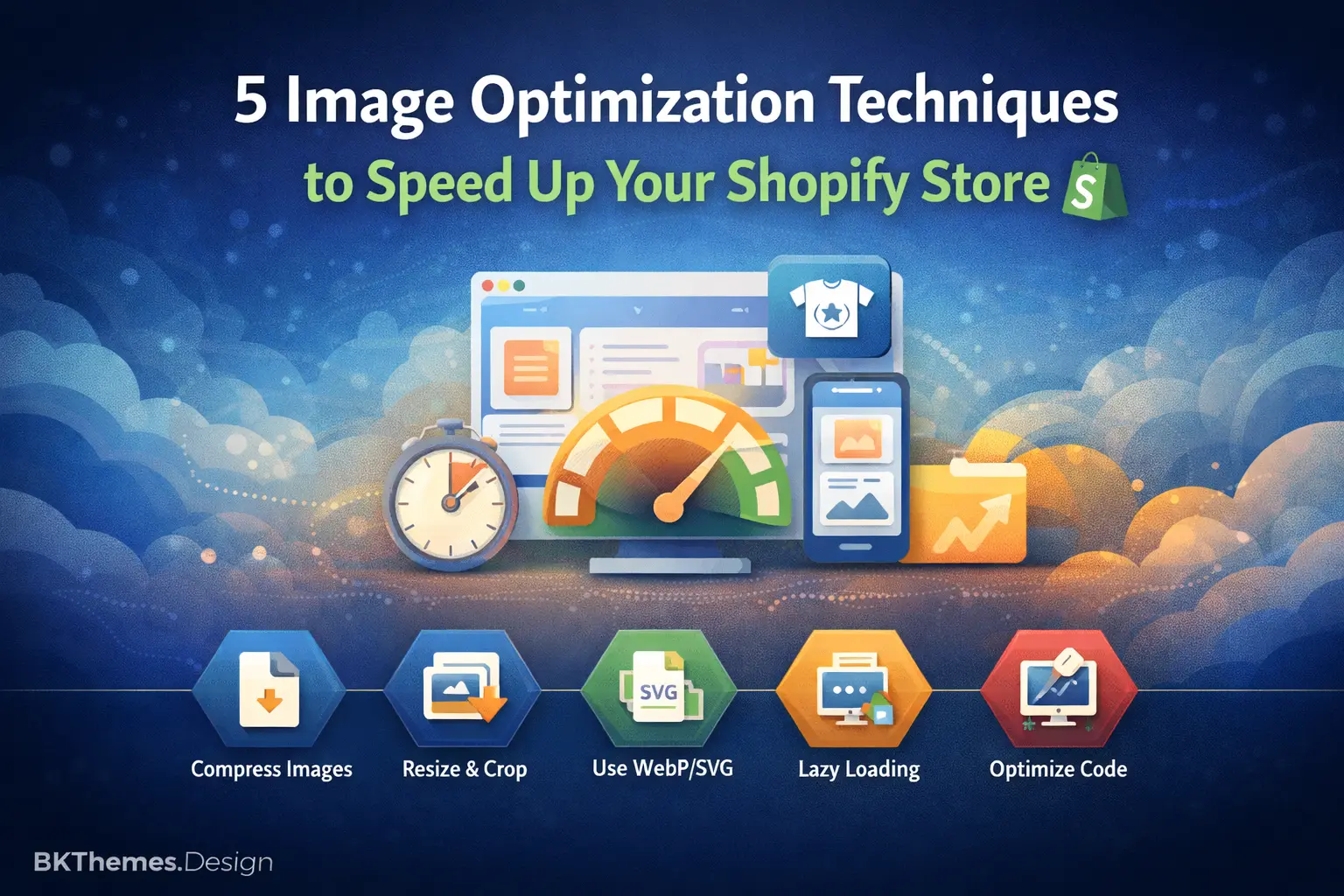
This guide outlines five specific image optimization techniques designed for Shopify store owners. Learn how to implement lazy loading, modern image formats, responsive image sets, structured data, and optimized alt text to cut your page load time by 40-60% and improve SEO, all without requiring a dedicated development team.
TL;DR
- Lazy loading images prevents downloading off-screen images until needed, directly improving your LCP score and search rankings
- WebP/AVIF formats deliver 25-35% smaller files than JPEG with no visible quality loss, and Shopify's CDN serves them automatically to supported browsers
- Responsive image sets serve appropriately sized images to each device, with mobile users seeing the biggest conversion improvements
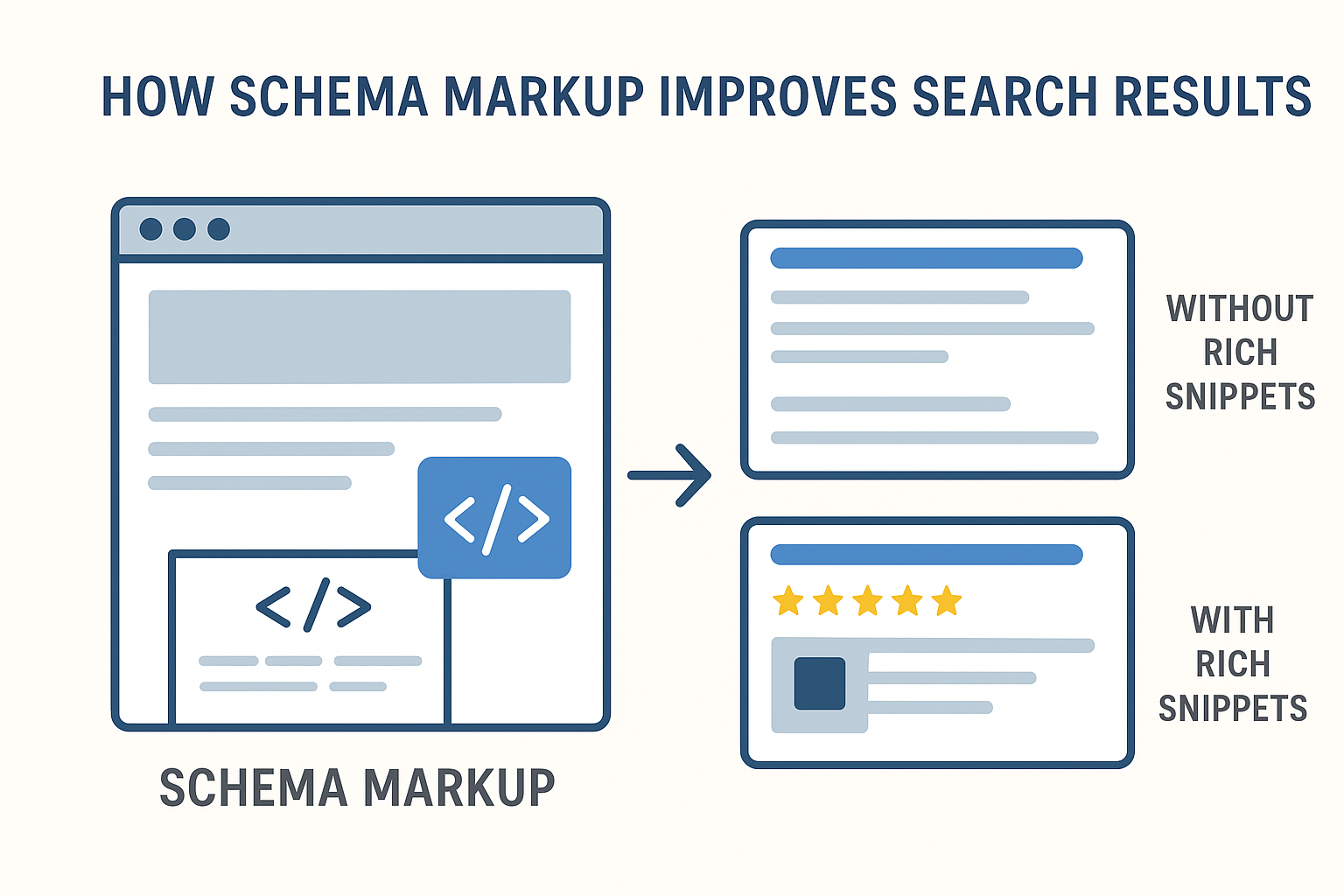
- Structured data implementation tells search engines exactly what your images show, enabling rich snippets and Google Shopping visibility
- Optimized alt text serves both accessibility and SEO, describing products specifically while naturally including relevant keywords
Why Your Shopify Store's Images Are Silently Killing Sales
Here's a number that should concern you: unoptimized images account for up to 38% of a mobile page's weight on Shopify stores. That's more than a third of what your customers are forced to download before they can even see your products.
In 2025, Google's Core Web Vitals will directly influence your search rankings. Shopify merchants face a unique challenge: you need high-quality product images to convert browsers into buyers, but those same images can tank your site speed and SEO performance. Most store owners treat this as an either-or problem. It isn't.
The stores winning right now have figured out that image optimization techniques serve both masters. They've discovered that faster pages don't mean uglier products. They've learned that technical SEO for e-commerce and visual appeal can coexist.
What This Guide Delivers
This listicle is for small business owners running Shopify stores who suspect their images are slowing things down but don't know where to start. You won't find generic advice about "compressing your images" here.
We're excluding enterprise-level solutions requiring dedicated dev teams. We're skipping techniques that sacrifice image quality for marginal speed gains. Instead, you'll get five specific, implementable techniques that balance Shopify SEO speed optimization with the visual standards your products deserve.
The payoff? Optimized images reduce page load time by 40-60% on average for Shopify stores. That translates directly to better rankings and higher conversions.
How We Selected These Techniques
Each technique meets three criteria: measurable impact on Core Web Vitals for Shopify, implementation feasibility for non-developers, and proven results from real stores. We prioritized methods that address both speed and SEO simultaneously, not one at the expense of the other.
1. How do you implement lazy loading images strategically?
Why does lazy loading matter?
Lazy loading images prevents your browser from downloading every image on a page at once. Instead, images load only when users scroll near them. This directly improves your Largest Contentful Paint (LCP) score, a Core Web Vital that Google uses for rankings.
Many store owners either skip lazy loading entirely or implement it incorrectly, applying it to above-the-fold hero images and actually hurting their LCP scores.
What does lazy loading look like today?
Modern Shopify themes include native lazy loading, but the default settings often aren't optimal. Tools like TinyIMG and native browser attributes (loading="lazy") handle the heavy lifting. The key shift: lazy loading now works alongside responsive image sets rather than replacing them.
How can you apply lazy loading?
Audit your theme's current lazy loading implementation. Exclude your hero image and first two product images from lazy loading since these need to load immediately. Apply lazy loading to all images below the fold, including product grids, reviews, and footer content. Test with Google PageSpeed Insights before and after. For deeper implementation strategies, our guide on Shopify store speed optimization covers the technical setup.
2. How do you convert to WebP and AVIF formats?
Why do WebP and AVIF formats matter?
JPEG and PNG served their purpose, but they're now the slow option. WebP format provides 25-35% additional file size savings compared to JPG for product images. AVIF pushes that even further. Smaller files mean faster loads without visible quality loss.
The misconception: many merchants believe format conversion requires technical expertise or expensive tools. Shopify now handles much of this automatically.
What do WebP and AVIF formats look like today?
Shopify's CDN automatically serves WebP to supported browsers. However, your source images still matter. Uploading a 5MB PNG means Shopify's servers work harder, and fallback formats remain bloated. Apps like TinyIMG automate bulk conversion for large inventories.
How can you apply WebP and AVIF formats?
Upload images in WebP format when possible, especially for new products. For existing catalogs, use a bulk optimization app to convert and compress. Keep original files as backups. Verify your theme serves the correct format by checking network requests in browser dev tools. Target under 200 KB per image, as recommended by Shopify's own guidelines.
3. How do you use responsive image sets?
Why do responsive image sets matter?
A 2048x2048 pixel product image looks great on a desktop. On mobile, it's overkill, forcing phones to download and resize massive files. Mobile responsiveness isn't just about layout; it's about serving appropriately sized images to each device.
Mobile conversion rates improve more dramatically than desktop when you fix this, since mobile users are more sensitive to slow load times.
What do responsive image sets look like today?
Modern Shopify themes use the srcset attribute to serve different image sizes based on screen width. This replaces the old approach of serving one massive image and letting CSS scale it down. The browser chooses the optimal size automatically.
How can you apply responsive image sets?
Check if your theme already implements srcset (most 2024+ themes do). If not, consider upgrading or customizing your product image templates. Upload images at Shopify's recommended 2048x2048 pixels; the platform generates smaller versions automatically. Test on actual mobile devices, not just browser emulators. Our article on optimizing product descriptions and images covers the full product page optimization workflow.
4. How do you add structured data implementation for images?
Why does structured data for images matter?
Structured data implementation tells search engines exactly what your images represent. For product images, this means appearing in Google Shopping results, image search, and rich snippets. It's the bridge between site speed work and actual SEO visibility.
Most Shopify stores have basic structured data but miss image-specific properties that trigger enhanced search features.
What does structured data for images look like today?
Schema markup for products now includes detailed image properties: primary image, additional images, image dimensions, and image licensing. Google's algorithms increasingly use this data to determine which product images to feature in search results.
How can you apply structured data for images?
Audit your current schema using Google's Rich Results Test. Ensure your Product schema includes the image property with your optimized image URLs. Add multiple images using the additionalProperty field for variant images. If your theme doesn't support this natively, apps like JSON-LD for SEO or a certified Shopify expert can help. For a complete technical walkthrough, see our guide on structured data in themes.
5. How do you optimize alt text for dual-purpose value?
Why does alt text optimization matter?
Alt text serves accessibility requirements and SEO simultaneously. Google uses alt text to understand image content, which influences both image search rankings and overall page relevance. Proper image optimization reduces bounce rate by 40%, and descriptive alt text contributes to keeping visitors engaged.
The common mistake: treating alt text as an afterthought or stuffing it with keywords. Both approaches fail.
What does alt text optimization look like today?
Effective alt text balances description with natural keyword inclusion. It describes what the image shows while incorporating relevant product terms. E-commerce SEO tools now flag missing or duplicate alt text during audits.
How to Apply It
Write alt text that describes the product specifically: "Navy blue merino wool sweater with crew neck" beats "sweater" or "product image." Include one relevant keyword naturally when it fits the description. Keep alt text under 125 characters. For decorative images (backgrounds, dividers), use empty alt attributes. Audit existing products using SEO audit tools for Shopify, like Screaming Frog or built-in Shopify SEO apps.
The Pattern Across These Techniques
Notice what connects these five approaches: each reduces unnecessary data transfer while preserving or enhancing the information search engines need. Lazy loading and responsive images cut what browsers download. Format conversion shrinks what remains. Structured data and alt text ensure search engines extract maximum value from optimized assets.
The tradeoff to acknowledge: initial setup takes time. Bulk converting existing images, auditing schema markup, and rewriting alt text for hundreds of products isn't a weekend project. But the compound effect matters. SpeedBoostr's phased optimization program documented a 50-70% total reduction in image weight and 10-25% conversion uplift after implementing these techniques together.
Where to Start
Don't attempt all five techniques simultaneously. Start with the highest-impact, lowest-effort option for your store:
- If your LCP score is poor, begin with a lazy loading configuration
- If you have hundreds of unoptimized images, start with bulk WebP conversion
- If you're invisible in image search: Prioritize structured data and alt text
Run PageSpeed Insights before any changes. Document your baseline scores. Implement one technique, measure the impact, then move to the next. Every second of delay slashes conversions by up to 7%, so even incremental improvements compound into meaningful revenue gains.
Your images should sell your products, not slow down the people trying to buy them.
Frequently Asked Questions
Sources
- https://searchxpro.com/ultimate-guide-to-shopify-image-optimization-2025/
- https://ailee.ai/guides/shopify-image-optimization
- https://bkthemes.design/blog/powerful-shopify-store-my-top-five-speed-hacks
- https://www.codersy.com/blog/shopify-speed-optimization/shopify-image-optimization-checklist-for-2025
- https://speedboostr.com/shopify-image-optimization-complete-guide-to-faster-load-times-and-higher-conversions-2026/
- https://bkthemes.design/blog/optimize-product-description
- https://bkthemes.design/blog/enhance-your-theme-development-with-technical-seo
About the Author

Brian Keary
Founder & Lead Developer
Brian is the founder of BKThemes with over 20 years of experience in web development. He specializes in WordPress, Shopify, and SEO optimization. A proud alumnus of the University of Wisconsin-Green Bay, Brian has been creating exceptional digital solutions since 2003.
Expertise
Writing since 2003